Manual D900 Maintenance
49-MD900EN05
77
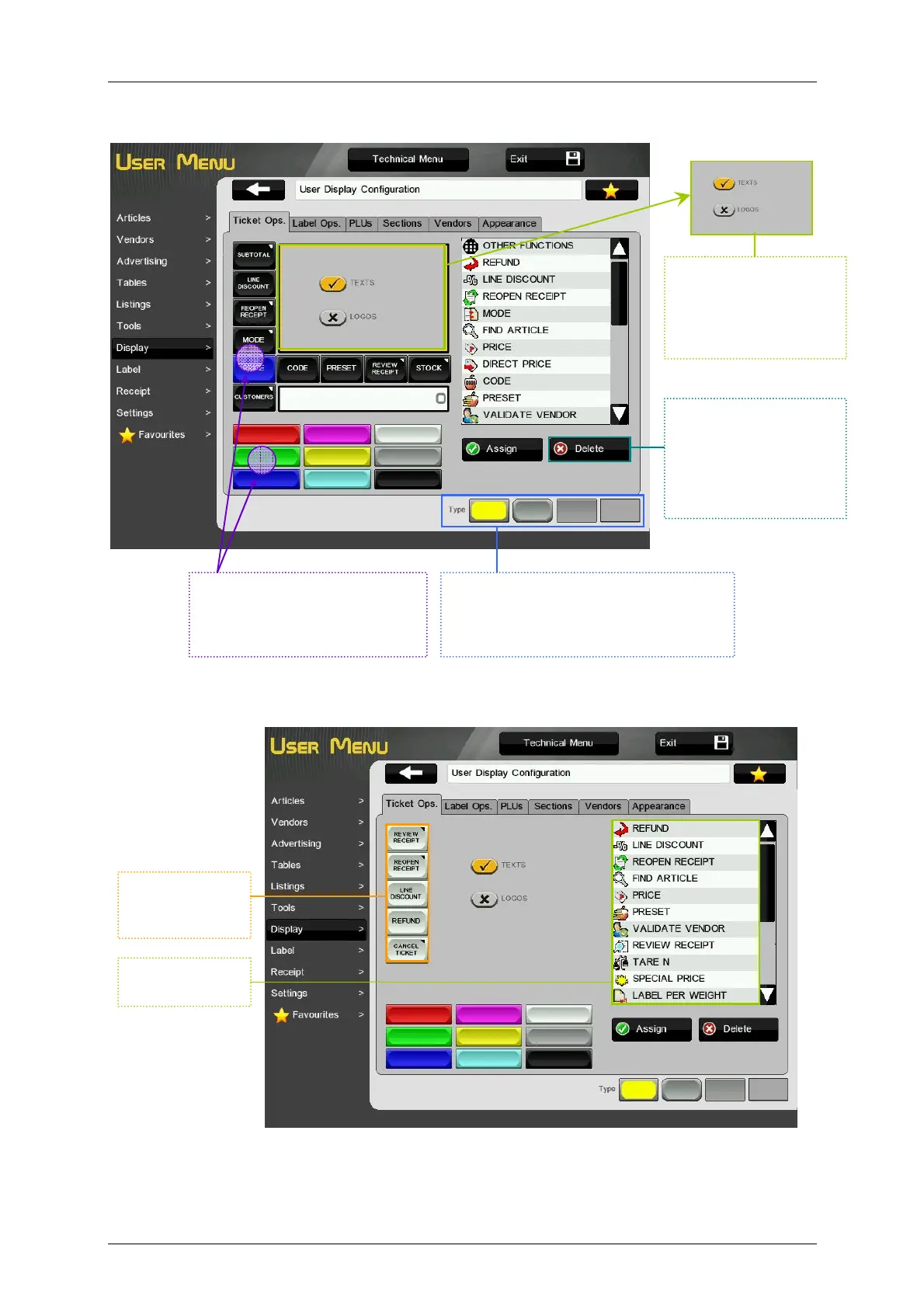
To customize the color and the style of the keys:
If we are working on Receipt-2 mode, Ticket Operations tab will show as below:
Fixed functions “Fix article”, “Code”, “Price”, “EAN” and “Mode” can not be assigned to programmable
function keys.
The rest of the configuration of this tab is done as in Receipt-1 working mode configuration.
Delete.
Select a key and then
press DELETE. The
function assigned to
the selected key will be
de-assigned.
Style Selection.
Once a style is selected, all the keys will
change to the chosen style. The chosen
style will be highlighted in yellow.
Color Selection.
Select the key and then press
the color. The select key will
change to the chosen color.
Text or Logo.
Option to show the
name of the function or
an icon of the function
in the key.
Programmable
function keys.
(max. 5).
Programmable
functions.



 To Next Page