Maintenance Manual D900
49-MD900EN05
90
3.8.2.8.17 EAN 128 Format
This parameter allows you to control EAN 128 Format:
‘0’ – Global EAN128.
‘1’ – Section EAN128.
‘2’ – Article EAN128.
When Section EAN128 or Article EAN128 are selected and they are not programmed, the Golal EAN128
will be printed. If Global EAN128 is not programmed the scale will not print any barcode.
The field to print EAN/CODE 128 in label is field number 54.
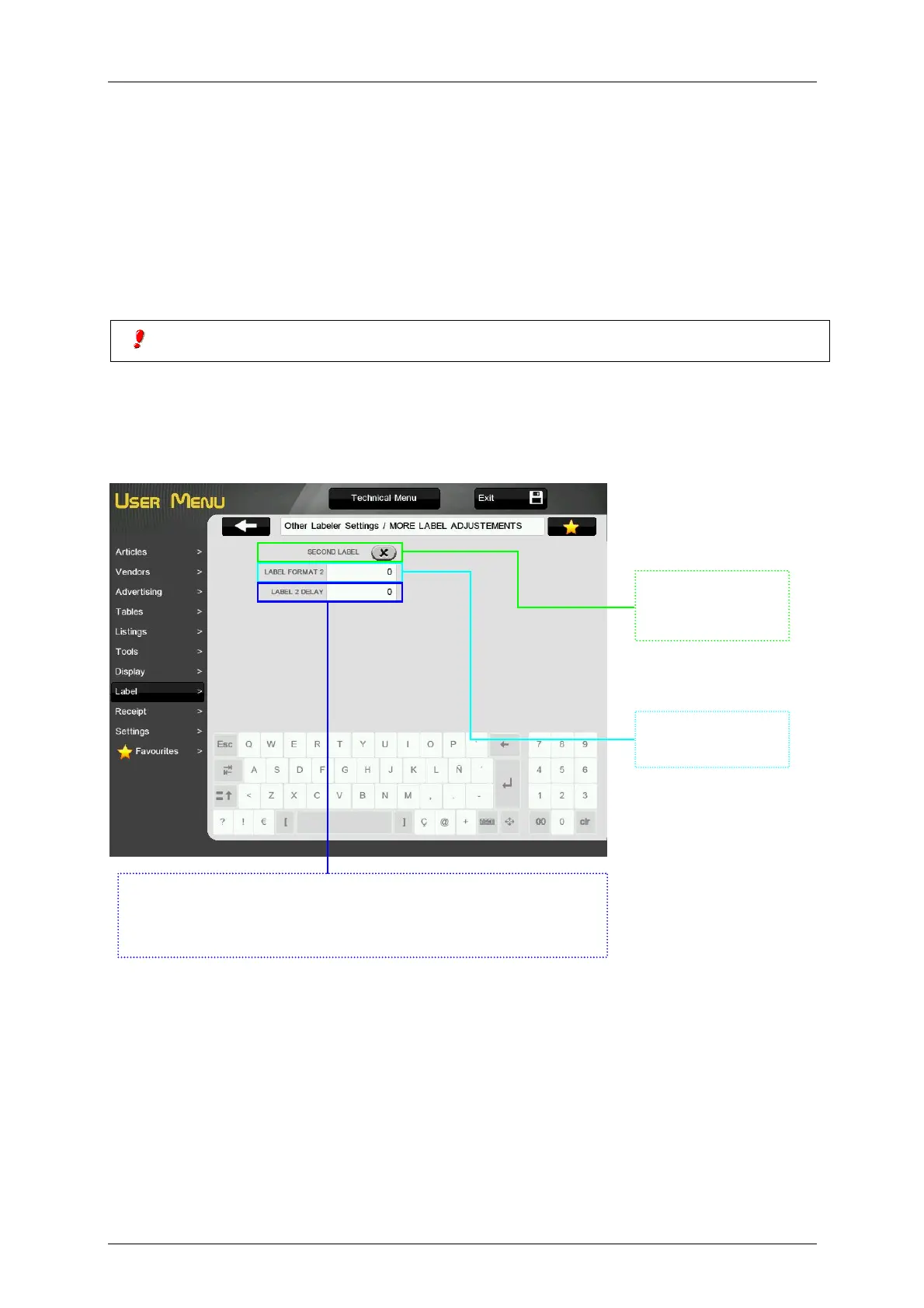
3.8.2.8.18 More label adjustments
In this screen we configured the second label. Select the second label if you want to print it. Next you
have to select the second label format and the delay between the first and the second label.
Tick to print the
second label
Second label
format
Select the delay between the first and the second label. If you select 0
for delay, when the scale has been printed the first label a message
will be displayed asking to touch the screen to print the second label.



 To Next Page