Manual D900 Maintenance
49-MD900EN05
93
3.9.1.2.Receipt headers
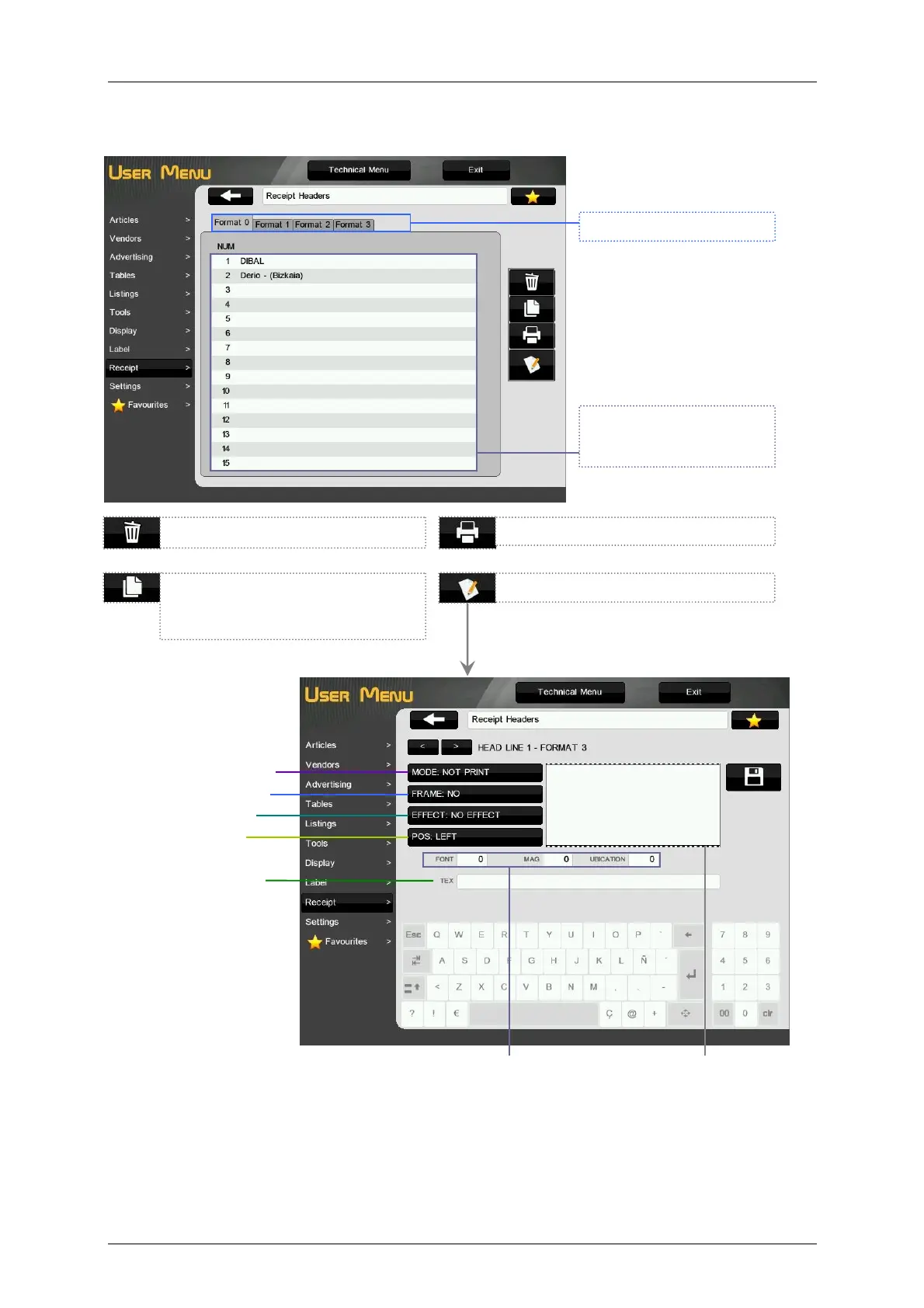
When the keys MODE, FRAME, EFFECT and POSITION are pressed, the value of the parameter will
change and a preview of the heading line will be shown. For the other parameters, the value must be
entered by keyboard.
Mode
Frame Position
Frame Effect
Text Position
Preview of the heading
line.
Header line text
Font type, Magnification and
location in the receipt.
To select the header line,
press on it. The header line
will be marked in black.
Select the receipt format.
Delete the selected heading line.
Print the list of heading lines
Edit the selected heading line.
Copy the selected heading line. To
paste it select the destination
heading line and press Paste.



 To Next Page