OPERATOR’S MANUAL
OPERATOR SWITCH MODULE
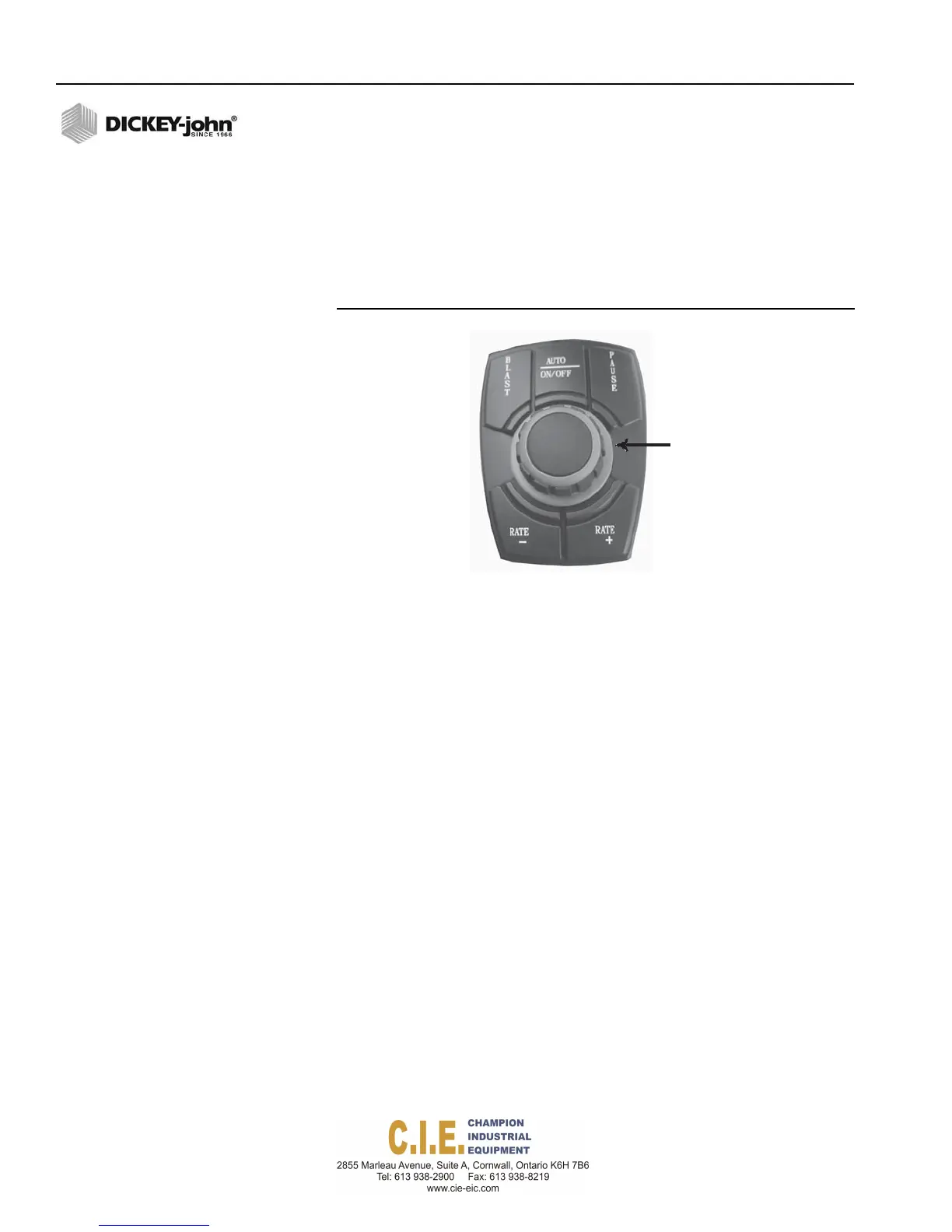
The Operator Switch Module consists of buttons that control material
application rate and spread width knob to adjust spinner speed and regulate
spreading of material. The module is backlit for visibility during night
operation and is mounted next to the display, driver seat arm rest, or on side
of the electronic joystick hydraulic controller.
Figure 4
Operator Switch Module
Spread
Width
Knob
SWITCH MODULE FUNCTIONS
AUTO ON/OFF
The Auto On/Off button regulates the amount of material applied in relation
to the ground speed and turns the application of product on or off.
PAUSE
Pause button stops applying material but continues to calculate the total
miles driven. Auto mode must be active for the Pause feature to operate.
BLAST
The Blast button applies material at a pre-programmed dispersal rate in
Auto mode and manual override with Auto Switch in ON or OFF position.
RATE (-)
The Rate (-) button decreases the amount of pre-programmed material with
each button press in Auto mode and manual override.
RATE (+)
The Rate (+) button increases the amount of pre-programmed material with
each button press in Auto mode and manual override.
SPREAD WIDTH KNOB
Spread Width Knob adjusts the spinner speed to regulate material spread
width. The spread width percentage displays on the console. Pressing the
spread width knob also selects a channel to adjust.
8 / COMPONENT OVERVIEW
Flex4 Pro
TM
Control System
6010541 Rev A



 To Next Page