OPERATE
GRANULAR
LIQUID
AUX S
AUX
CAL.
DIAG.
GROUND
SPEED
ACC.
SENSORS
SYSTEM
OUTPUT
MODULE
DATA
LOGGING
6
Esc
F1F2
F3
F4F5
F6
F7
F8F9
F10
F11F12
NumPrtSc Scroll Pause
Lock SysRcLockBreak
!
1
@
2
Q
W
# $
3
4
%
5
^
&
*
_
6
( )
9
9
0
‐
+
=
Back
Space
Hom
E
R
T Y
7
7
8
8
U
4
*
I
5
O
P { }
|
6
_
[ ]
\
Caps
Lock
A S
D F G H
J
K
L
2
:
"
PgD
1
3
+
Z X C
V
B
N
M
<
>
Shift
,
0
.
?
/
/
Shift
End
Fn Ctrl Alt
~
`
Alt
Ins
Del
Enter
Enter
OPERATOR’S MANUAL
NOTE: A value on the screen is
selected by using the up/down
arrow keys on the keyboard to
highlight a function box or the
virtual keyboard.
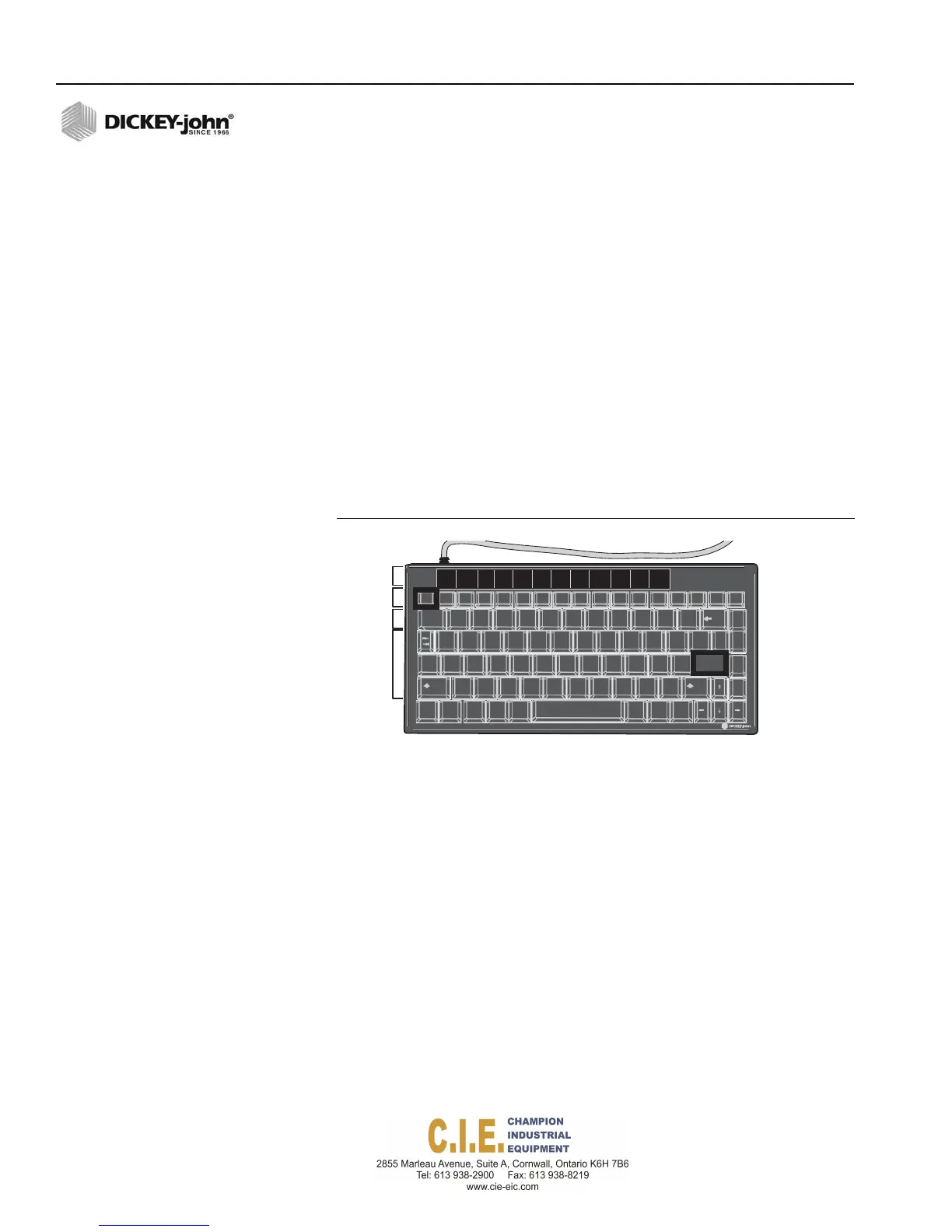
KEYBOARD FUNCTIONS
Programming is performed when the truck is stationary and the system is
off. Attach the keyboard to the USB port below the Operator Switch
Module.
KEYBOARD FUNCTIONS
(1)
Function labels identify each function button
(2)
Function button displays menus for respective functions
(3)
Number buttons are used to select parameters from menu list and to
insert values
(4)
Alpha buttons are used to create text labels and to make selections
(5)
Enter button accepts an entry and opens a window for text fields if more
than one selection is available for a parameter
(6)
Escape button returns to the previous menu
Figure 47
Keyboard Layout and Functions
1
2
3
4
5
TEXT ENTRIES
1.
Press Enter to open a text window on the screen to display all possible
selections.
2.
Use the Up/Down Arrow buttons to highlight and select the desired
parameter.
3.
Press Enter to accept.
48 / FLEX4 PROTM PROGRAMMING
Flex4 Pro
TM
Control System
6010541 Rev A



 To Next Page