OPERATOR’S MANUAL
INTRODUCTION
The DICKEY-john Flex4 Pro
TM
Control System can simultaneously control
both granular and liquid snow and ice removal materials. Separate
channels for granular and liquid precisely controls and maintains the
desired applications.
The flow of material varies automatically in proportion to the changes in
ground speed so the application rate remains uniform. When Automatic
mode is enabled, spreading automatically starts when the truck begins to
move and automatically stops when the truck stops.
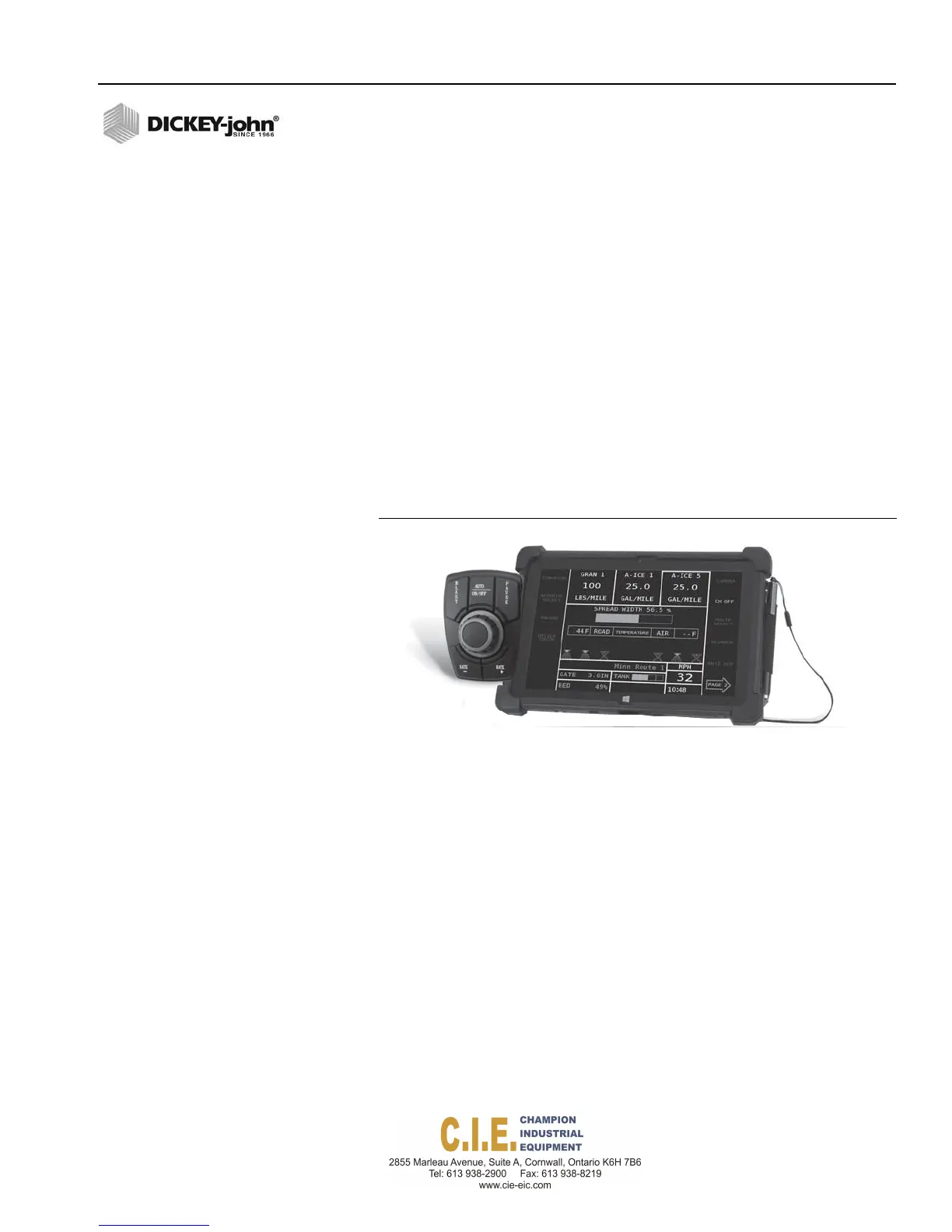
The operator interface consists of a:
•
Flex4 Pro
TM
Tablet
•
Operator Switch Module
Desired material application rates are entered on the Setup screens by
attaching a keyboard.
Figure 1e
Flex4 Pro
TM
Tablet and Remote Operator Switch Module
FEATURES
•
Color touch screen display with stylus
•
4 channel closed-loop control of granular, liquid, auxiliary (liquid or
granular), and spinner functions
•
Year-round application for roadside spraying, berming, and operation
of hydraulic tools
•
Day/night mode
•
Optional camera to view rear of truck to monitor material dispensing
and to avoid potential accidents
•
Compatible with vehicle and fleet data management systems
Flex4 Pro
TM
Control System
6010541 Rev A
INTRODUCTION / 3



 To Next Page