OPERATOR’S MANUAL
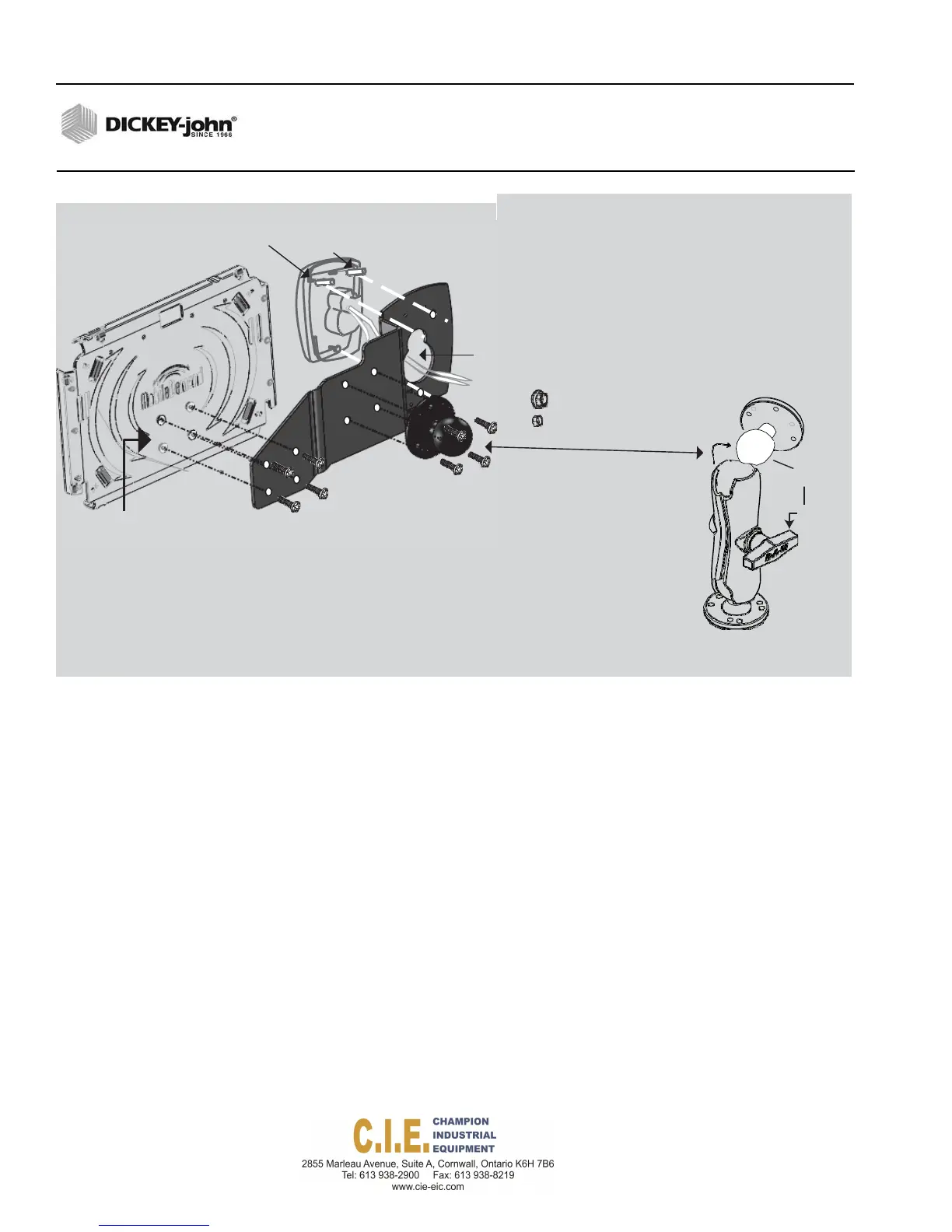
Figure 12
Attaching Operator Switch Module Bracket and Tablet Mounting Plate
RAM MOUNT BRACKET INSTALLATION
The RAM mount bracket secures the tablet to the vehicle dashboard or
other surface suitable for operator viewing using a RAM mount bracket.
•
Ball mount at top and bottom of bracket allows for orientation in many
different positions.
•
Wing bolt in middle of bracket tightens and secures the tablet to the
desired position.
Attaching RAM Mount Bracket to Truck Cab:
1.
Secure bracket to truck cab using 4 SAE screws (included).
2.
Insert ball mount into bracket assembly and tighten wing nut.
3.
Adjust tablet for ideal viewing by loosening/tightening the wing nut.
18 / INSTALLATION
Flex4 Pro
TM
Control System
6010541 Rev A
4
Alignstudbolts(3)tobracketopeningand
InsertSwitchModule
TabletPlate
SwitchModuleBracket
5
Connector
opening
6
HexNut(3)
Washer(4)
Remove
ballmount
attachment
9
3
Removescrews
Attachball mount
tobracketwith(4)screws
1
fromplate
2
Alignswitchmodul ebracketholes
withplateholesandsecure
with(4)screws
10
RAMMount
Bracket
7
Loosen
wingbolt
Positionballmountbackto
RAMMountBracketand
tightenwingbolt



 To Next Page