OPERATOR’S MANUAL
PRE-OPERATING CHECKLIST
The following procedures must be performed for effective operation:
•
Perform System Response procedure for all granular, liquid, and
auxiliary channels
•
Calibrate ground speed sensor
•
Enter material application rates for each product to be applied
•
Calibrate each material’s associated sensors at running conditions
(Spreader, K-Factor, Spinner, and Gate Height calibrations)
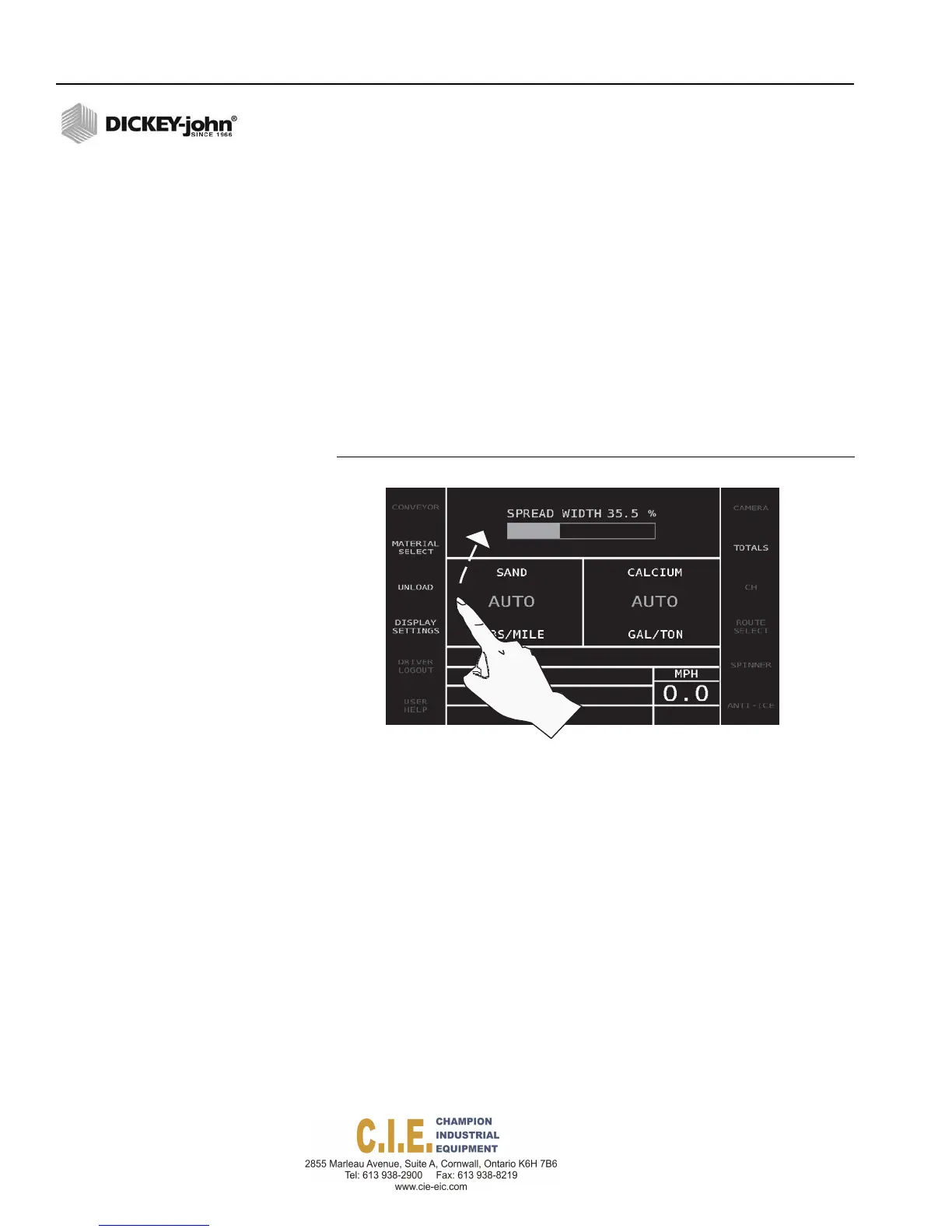
ADJUSTING OPERATE SCREEN LAYOUT
Moving the position of control channels and the spread width box on the
Operate screen is possible by touching within the box until the channel and
spread width boxes shift position.
Figure 28
Repositioning Channel and Spread Width
SPREADING MATERIAL
To Begin Spreading Material:
1.
Press the Auto On/Off button to engage Automatic mode. AUTO
appears on the display when the system is stationary.
2.
As the vehicle starts moving, AUTO is replaced with the material
application rate relative to the ground speed. When the vehicle stops,
material application will stop.
To Increase/Decrease a Rate:
1.
Select the channel/material to change by pushing in the Spread Width
knob on the switch module. The selected channel is highlighted in
yellow.
2.
With the selected channel highlighted, press either the Rate (-) or Rate
(+) until the desired rate displays.
32 / OPERATION
Flex4 Pro
TM
Control System
6010541 Rev A



 To Next Page