SPINNER
ANTI‐ICE
OPERATOR’S MANUAL
NOTE: If manual mode is not
accessible, manual speed
access has been set to off in
the program mode.
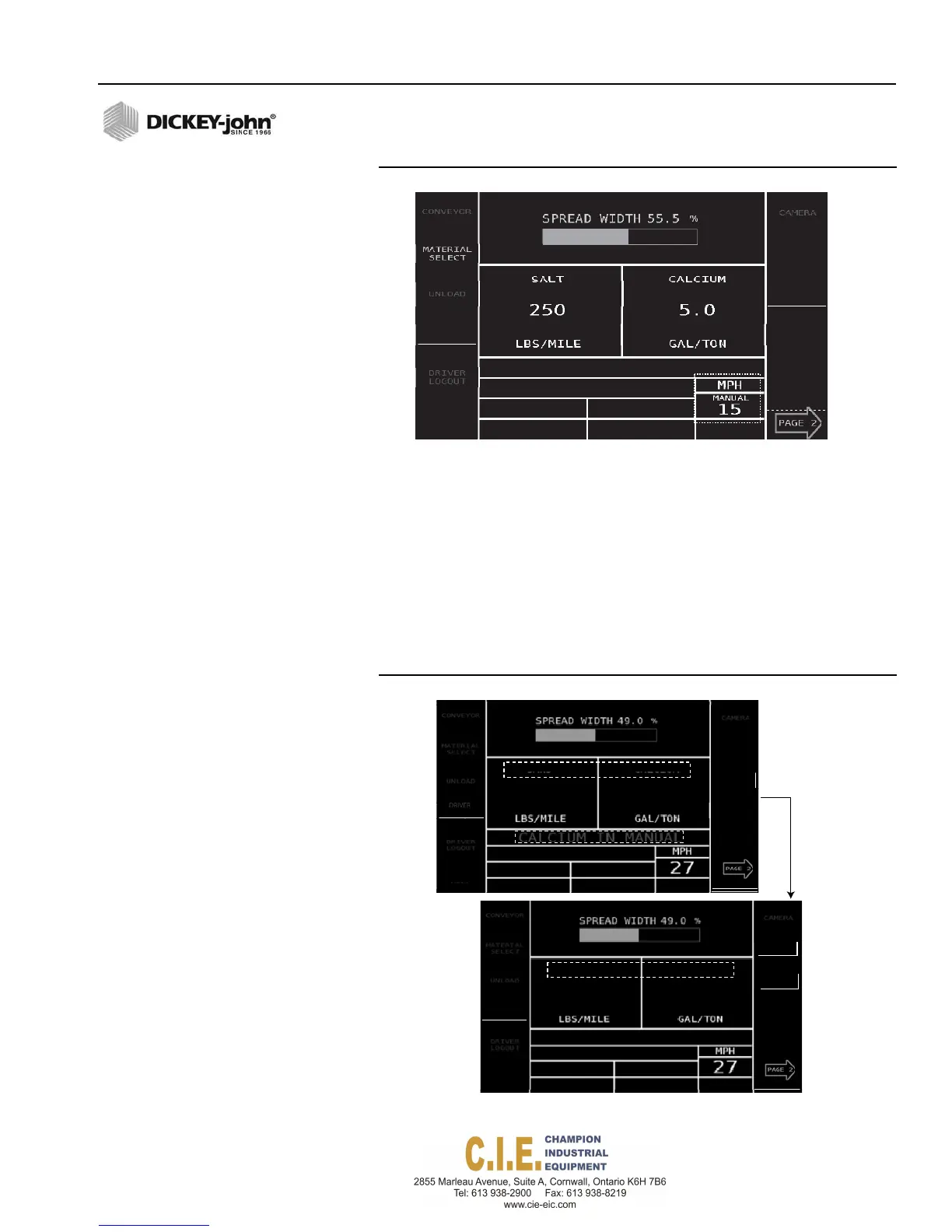
Figure 36
Operate Screen with Manual Mode Enabled
Manual
Override
Enabled
NOTE: Accuracy of material
application rates will be
affected due to the loss of a
rate feedback sensor.
AUTOMATIC MANUAL CONTROL CHANNEL
OVERRIDE
When an application rate sensor or flow meter failure occurs, the system
reverts to automatic manual override and continues to operate the control
channel in a manual override state. Manual override allows material to be
spread at the same programmed rate without interruption. When a failure
occurs, the rate decreases to “0” and “Manual” replaces the material name.
Rate returns from “0” back to target rate while manual override is enabled.
Figure 37
Manual Control Channel Override
Flex4 Pro
TM
Control System
6010541 Rev A
OPERATION / 39
CH
ROUTE
SELECT
DRIVER
OGIN
SPINNER
ANTI‐ICE
MANUAL
0.0
MANUAL
0.0
MANUAL
550
MANUAL
13.0
CH
OUTE
SELECT
LOGIN
SPINNER
ANTI‐ICE
CH
OUTE
SELECT
DRIVER
LOGIN
SPINNER
ANTI‐ICE



 To Next Page