CH
USER
HELP
AUXS
GRANULAR
LIQUID
OPERATOR’S MANUAL
MATERIAL SELECTION
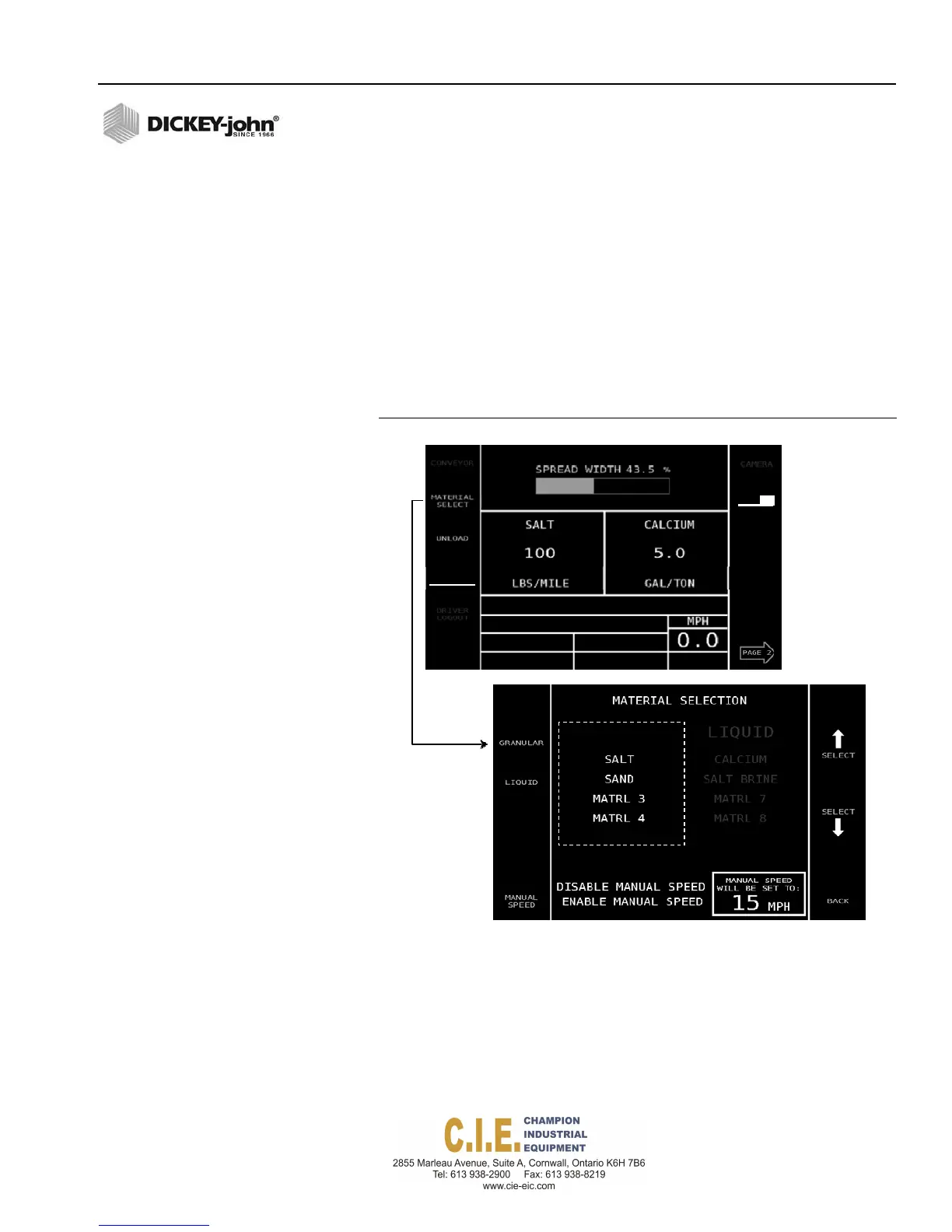
One granular, one liquid, and two auxiliary (liquid or granular) materials can
display simultaneously on the display.
To Change a Material:
1.
With the vehicle stopped and ground speed at 0, press the Material
Select button.
2.
At the Material Selection screen, press either the Granular or the
Liquid button.
3.
Press the Select Arrow button to choose the desired material.
Selected material displays in yellow.
4.
When selected, press the Back button to return to the Operate screen.
Figure 32
Material Selection
Flex4 Pro
TM
Control System
6010541 Rev A
OPERATION / 35
CH
ROUTE
SELECT
DRIVER
LOGIN
SPINNER
ANTI‐ICE



 To Next Page