OPERATOR’S MANUAL
DRIVER LOGIN
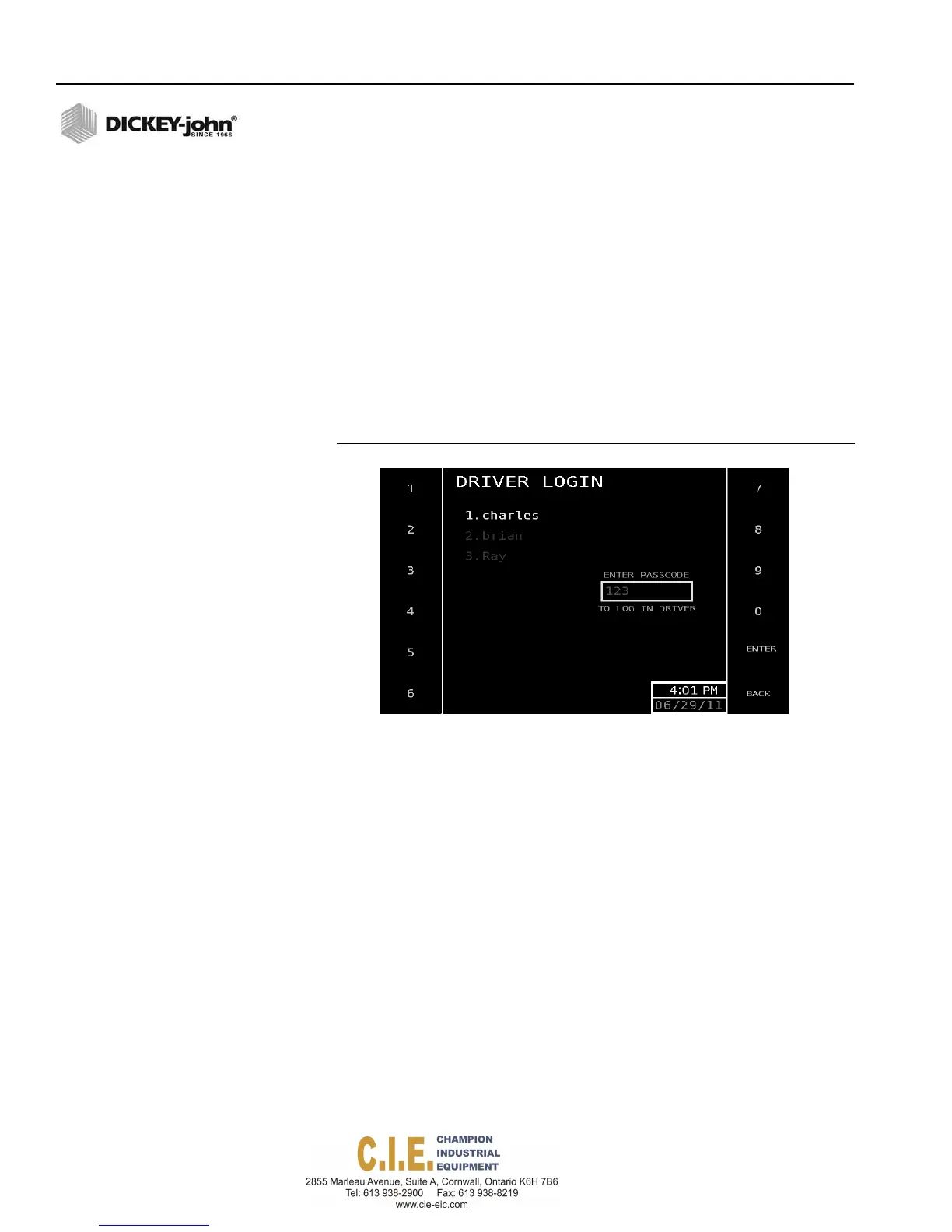
The Driver Login screen displays a list of up to 20 drivers created by an
authorized user. The Driver Login screen automatically displays if a login is
required when the system is powered on. The Operate screen displays after
the passcode is entered.
NOTE: If it is important to log data by
driver, verify that the Driver
Login function is enabled at the
(F12) Data Logging screen.
NOTE: If the Route Selection button
does not appear on the
Operate screen, it has not been
enabled at the (F12) Data
Logging screen.
NOTE: Miles, hours, and spread totals
are logged by route and
viewable at the Totals screen.
To Login:
1.
At the Driver Login screen, select the respective number for the driver
operating vehicle.
2.
Enter the passcode for the driver.
– Press the Back button to correct an incorrect passcode entry.
3.
Press the Enter button to accept the passcode and display the
Operate screen.
Figure 38
Driver Login Screen
To Logout:
1. At the Operate screen, press the Logout button. The driver is
automatically logged out and displays the Driver Login screen for the
next driver.
ROUTE SELECTION
The Route Selection screen lists up to 20 routes created by an authorized
user in setup mode. A route can be selected from the list and will appear on
the Operate screen.
To Select a Route:
1.
At the Operate screen, press the Route Select button to display the
Route Select screen.
2.
Select the desired route by pressing the respective Route (1-20)
button. The only routes that appear are those created at the Data
Logging screen. Once the route is selected, the screen automatically
returns to the Operate screen with route name listed.
3.
To remove the route from the Operate screen, return to the Route
Select screen and press the No Route button.
40 / OPERATION
Flex4 Pro
TM
Control System
6010541 Rev A



 To Next Page