OPERATOR’S MANUAL
NOTE: System setup is only accessible
when the system is stationary
with no ground speed.
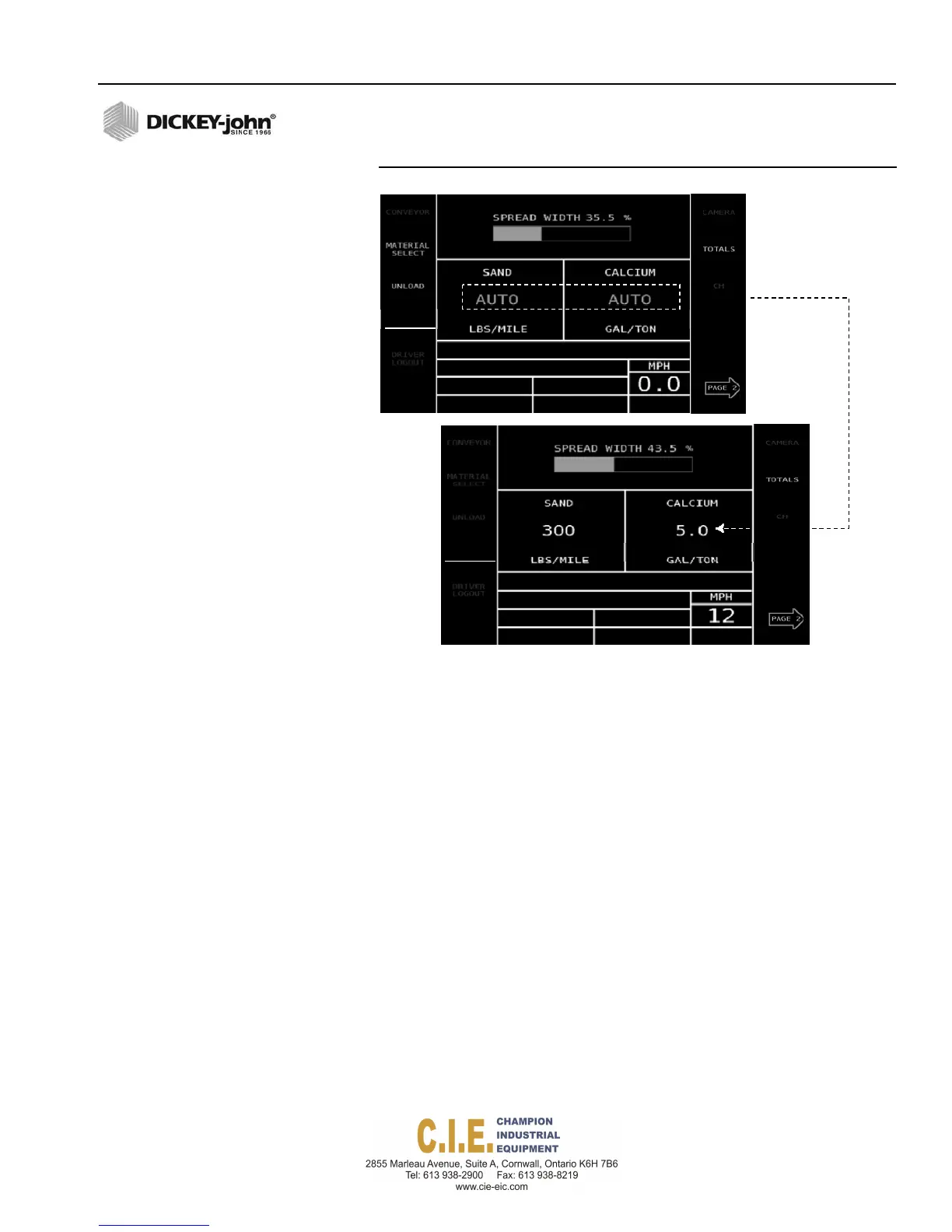
Figure 29
Operate Screen
Autoenabled
with0
groundspeed
Application
ofmaterial
relativeto
ground speed
NOTE: Application rate appears in
small font when the control is
not active. Rate appears in a
larger font when the control is
active.
BLAST
The Blast function is operable for both stationary and moving vehicle
conditions to increase the amount of material spread by a predefined rate.
Blast can be used in Auto mode, manual control channel override, and
manual ground speed.
To Activate Blast:
1.
Press the Blast button. An alarm sounds indicating Blast is activated
and Blast appears on the display. A Blast rate automatically shuts off if
a time interval has been defined at the Blast Setup screen.
If a predefined time interval has been set to zero, Blast must be turned off
manually by pressing the Blast button again.
Flex4 Pro
TM
Control System
6010541 Rev A
OPERATION / 33
RIVER
OGIN
SPINNER
ANTI‐ICE
DRIVER
OGIN
SPINNER
ANTI‐ICE



 To Next Page