OPERATOR’S MANUAL
NOTE: Refer to page 66 to enable
boom section control feature.
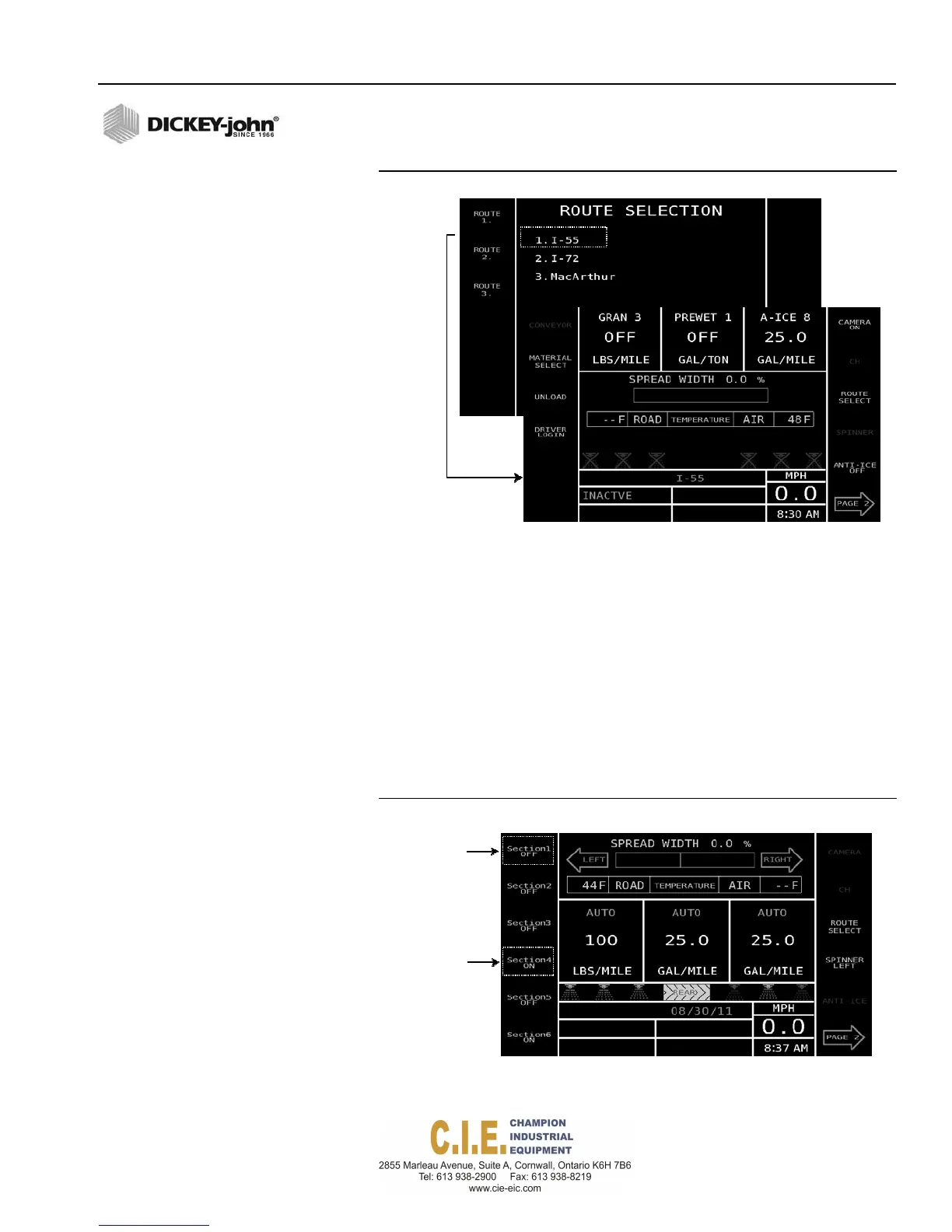
Figure 39
Route Selection Screen
BOOM SECTION CONTROL
Boom section control buttons appear on the Operate screen when ground
speed is greater than zero. Button state indicates action to occur when
pressed.
To enable Boom Section Control:
•
Press the Section ON button(s) to turn on. When a section is turned
on, the button changes to a Section OFF button.
•
Each section can be turned on and off independently.
•
Spray nozzle graphics indicate active state. Any nozzle that is active
displays in green and a nozzle that is inactive displays in red.
Figure 40
Boom Section Control
Buttonindicates
actiontooccur
whenpressed
Flex4 Pro
TM
Control System
6010541 Rev A
OPERATION / 41



 To Next Page