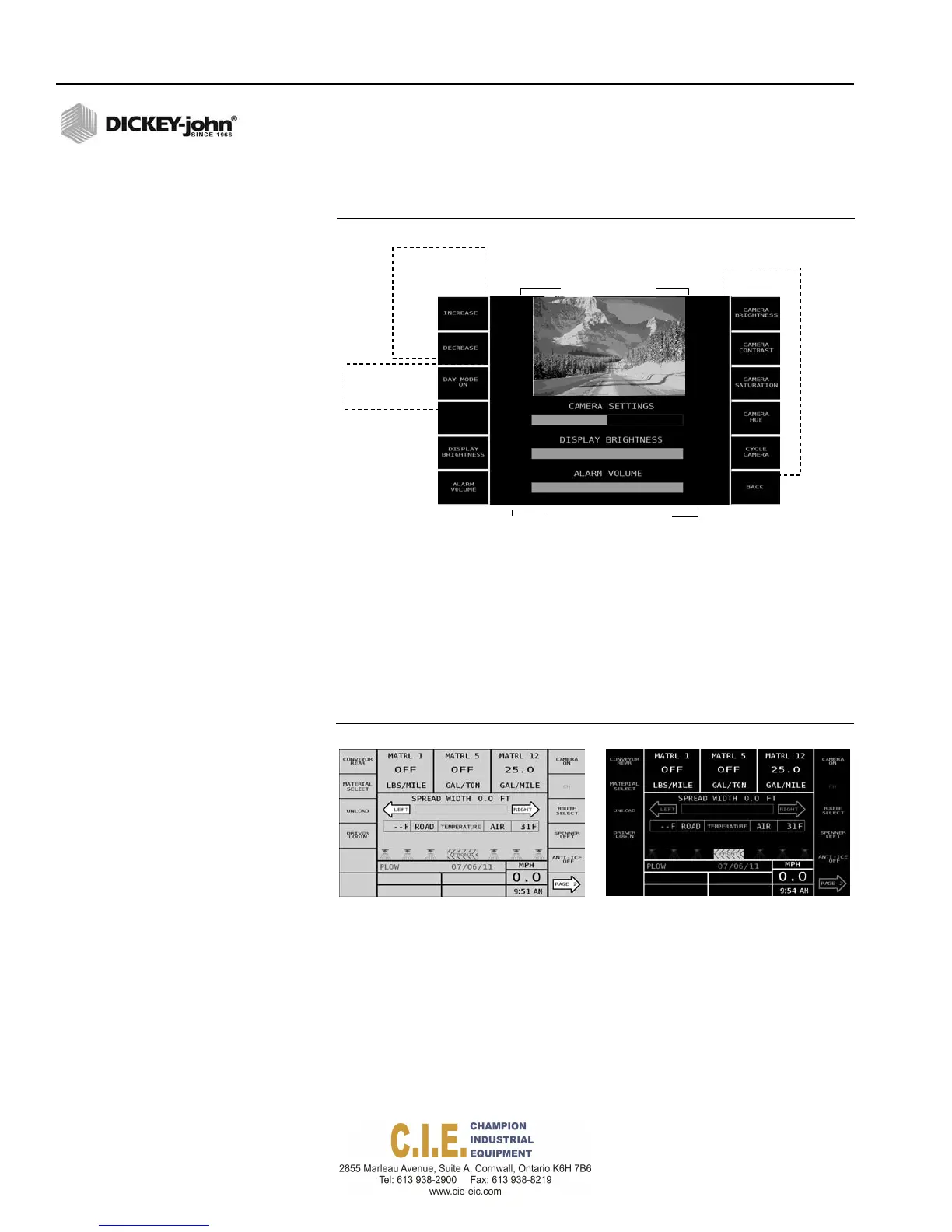
CameraWindow
B
4
C
5
50%
A
B
C
CurrentDisplaySettings
ABC
Adjustment
Buttons
1
2
A
6
7
8
9
10
Mode
Adjustment
Day/Night
OPERATOR’S MANUAL
a full bar graph indicates the highest volume. The volume level will
sound each time the increase/decrease arrows are pressed.
Figure 25
Display Settings Screen
11
DAY AND NIGHT MODE
Day and Night mode adjusts the tablet screen colors for better visibility to
sunlight or while operating at night. The default screen setting is night
mode.
To change Day/Night Mode:
1. Press the Day Mode On button (item 3) to change to the Day Mode
setting. Press again to return to the night mode setting.
Figure 26
Day and Night Mode Screens
DayMode NightMode
30 / OPERATE SCREEN OVERVIEW
Flex4 Pro
TM
Control System
6010541 Rev A



 To Next Page