OPERATOR’S MANUAL
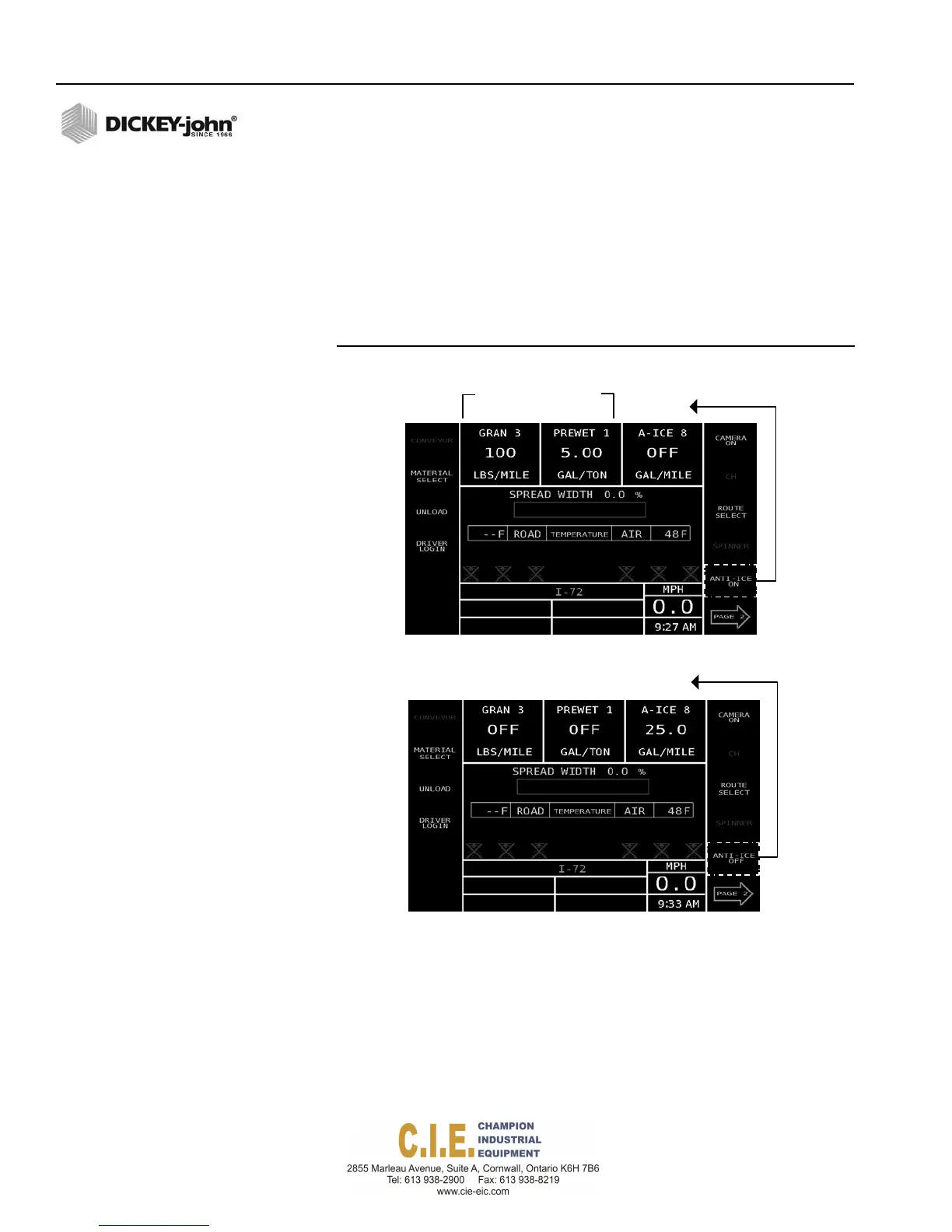
To get the Anti-Ice button to appear on the Operate screen, the
following channels must be set per the following steps.
To Enable the Anti-Ice Button on the Operate screen:
1.
Press the (F2) Granular button to verify the granular channel is
enabled.
2.
Press the (F3) Liquid button and set the channel to prewet.
3.
Press the (F5) Auxiliary button and set the channel to Anti-Ice.
4.
Press the (F1) Operate button, the Anti-Ice button displays onscreen.
Figure 51
Activating the Anti-Ice Key
GranularandLiquid
channelsareON
Anti‐Ice
OFF
54 / SYSTEM PROGRAMMING
Flex4 Pro
TM
Control System
6010541 Rev A
GranularandLiquid
channelsareOFF
Anti‐Ice
ON



 To Next Page