OPERATOR’S MANUAL
GATE HEIGHT SENSOR
A gate height sensor compensates for changes from the original calibrated
gate setting by adjusting the conveyor speed for a more accurate granular
material application. If the gate height is increased, conveyor speed
decreases and a decreased gate height increases the conveyor speed.
Gate Height status appears on the Operate screen as GATE 0.0 IN (cm).
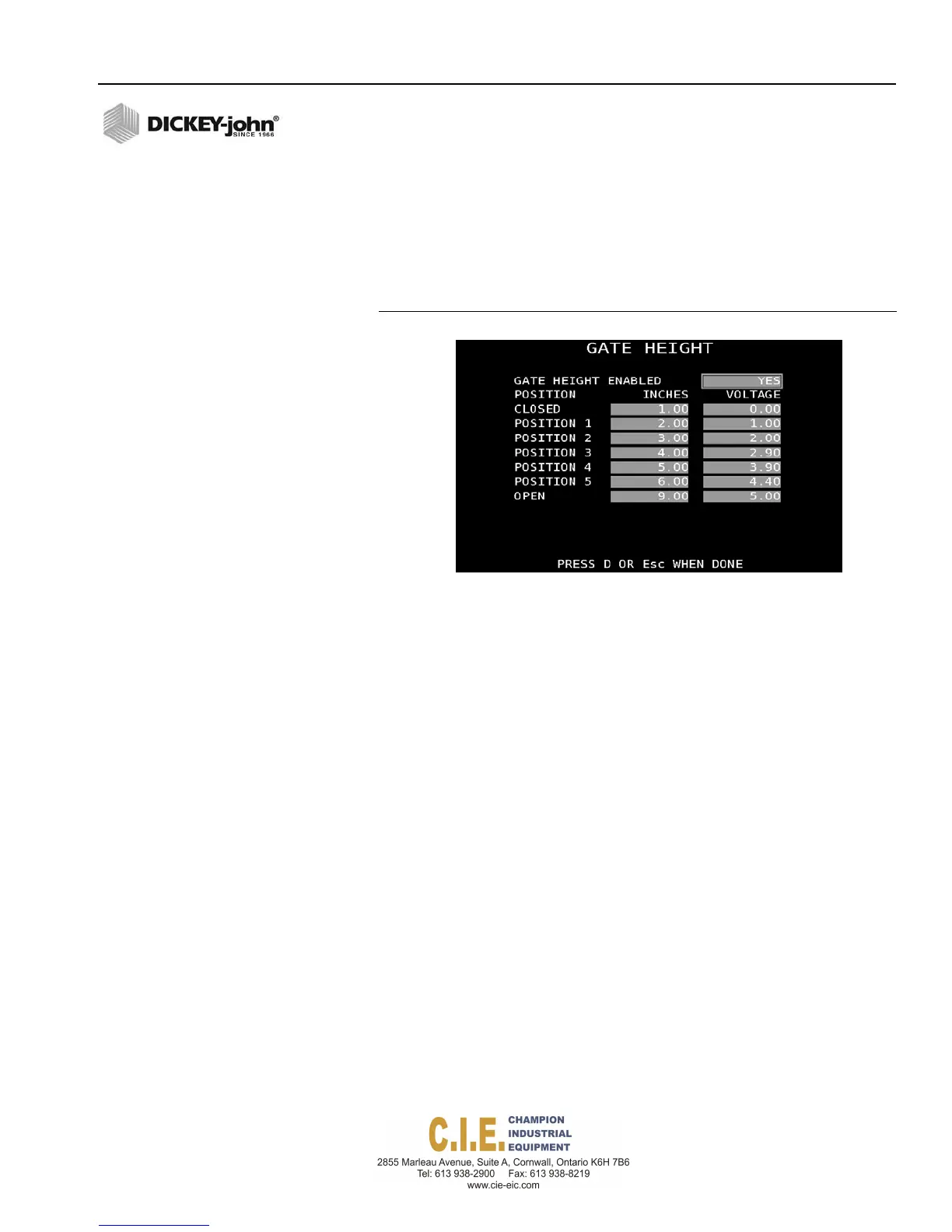
Figure 65
Gate Height Sensor
GATE HEIGHT CALIBRATION
Gate height calibration captures the voltage range of seven gate height
positions from the closed to open positions that are used when spreading
material.
To perform a Gate Height Calibration:
1.
Select YES to enable gate height.
2.
Highlight the Closed Inches (cm) column.
3.
Set the gate to the closed position.
4.
Measure the height at the closed position and enter that amount in
inches (cm) in the Closed input field.
5.
Press “C” to capture the current gate height voltage at the closed
setting. The voltage automatically is calculated and entered at each
position.
6.
Repeat steps 3 through 5 for each position. The gate should be at the
full open height to measure at the Open position.
If the sensor voltage is outside the range between the closed and open
position values, the display will state Gate Low or Gate High and an alarm
activates. The gate height should be checked and set at the granular
calibration it was ran for on that granular channel.
If the gate height is enabled and calibrated, all of the desired granular
materials that are enabled must be recalibrated through a material drop
test. If enabled materials are not calibrated, the system will alarm.
Flex4 Pro
TM
Control System
6010541 Rev A
SYSTEM PROGRAMMING / 73
PRESSCTOCAPTUREVOLTAGE



 To Next Page