OPERATOR’S MANUAL
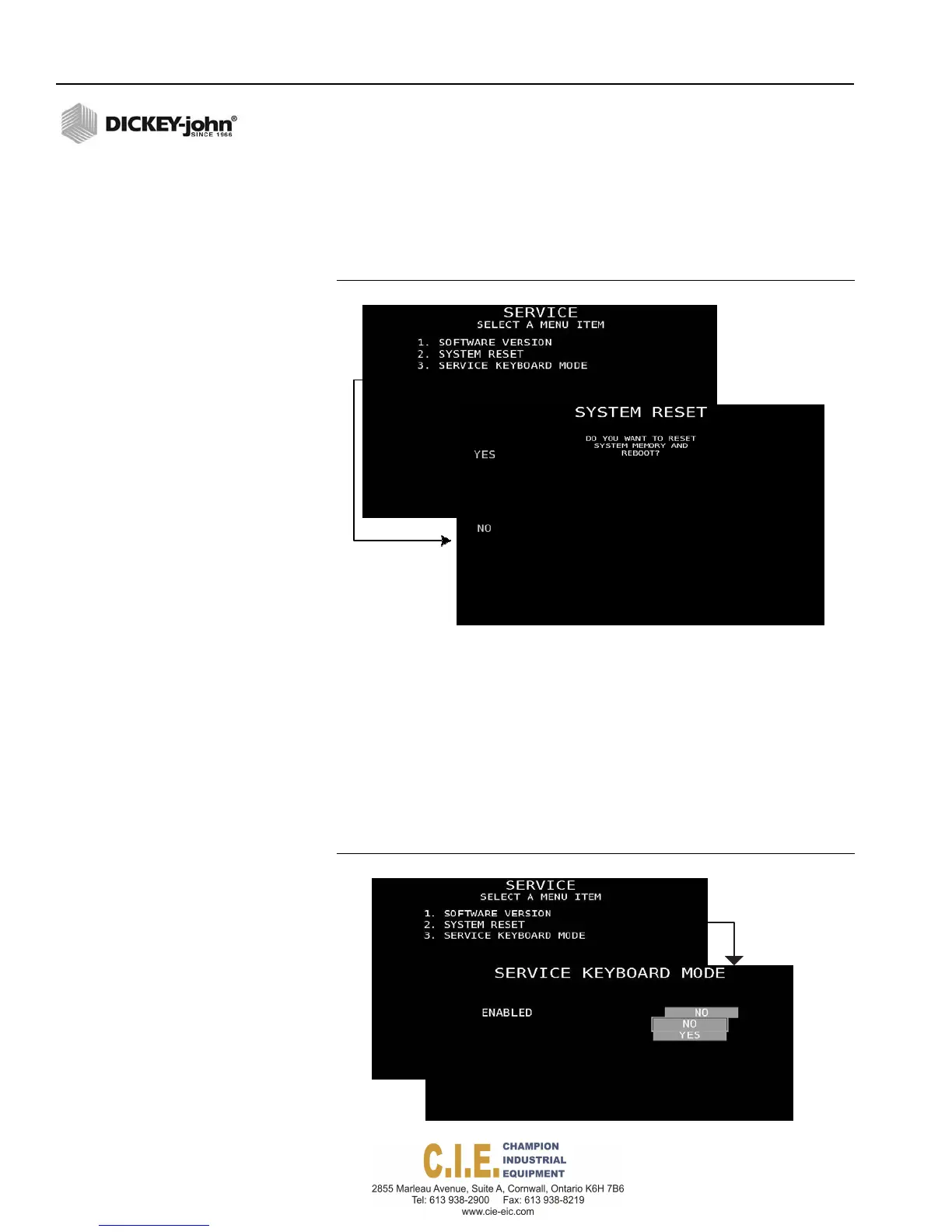
SYSTEM RESET
1.
Press 2 at the Service menu screen to reset system parameters to
default factory values.
2.
A confirmation screen prompts a Yes or No selection before the system
reset occurs.
Figure 80
System Reset Screen
SERVICE KEYBOARD MODE
1. Press 3 at the Service menu screen to enable service keyboard mode
that allows keyboard use when the ground speed is above 0 AND the
ground speed is OFF.
High-level users have the ability to change the keyboard menu settings
while the master switch state is off without having to pull over to the side of
the road. This mode alerts with a periodic warning message on the Main
Work screen informing the that this mode is on and it should be turned off
during regular operation.
Figure 81
Service Keyboard Mode Screen
88 / SYSTEM PROGRAMMING
Flex4 Pro
TM
Control System
6010541 Rev A



 To Next Page