OPERATOR’S MANUAL
90 / SYSTEM PROGRAMMING
GPS SENSOR
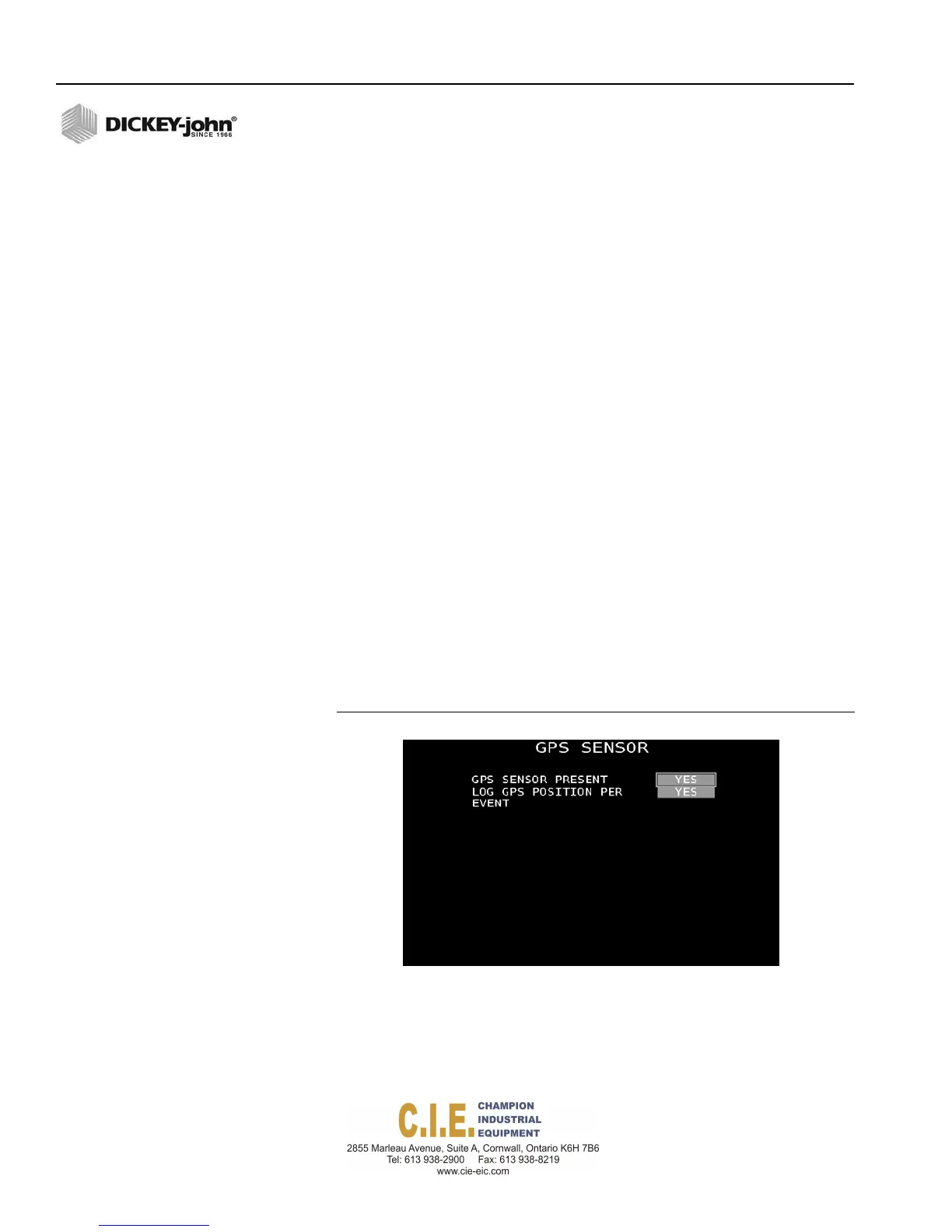
If a GPS sensor is installed, it must be enabled at the GPS Sensor screen.
GPS coordinates with a time and date recording of the following events are
stored in the tablet:
•
When truck was started and turned off, type of material spread, and
application rates selected by operator
•
When control system was operating in an error condition, such as
application error, manual override, or loss of feedback sensor
•
When the control system exceeded the vehicle maximum speed alarm
set point
•
When control was in automatic mode of control versus off
•
When blast and pause function was activated
•
GPS coordinates of location by time and date
Log GPS Position per Event
This feature must be enabled to log events with GPS position and
coordinates in the data log file. GPS coordinates are stored in the log data
file for use in an data management software reporting package for vehicle
tracking.
If this feature is disabled, a sequence of events, miles driven, distance, and
speed are recorded with no GPS coordinates.
To enable GPS Sensor:
1.
At the (F10) System menu screen, press 6 on the keyboard to display
the GPS Sensor screen.
2.
Select Yes to indicate a GPS sensor is installed.
3.
Select Yes to log GPS position and coordinates by event.
Figure 83
GPS Sensor Screen
Flex4 Pro
TM
Control System
6010541 Rev A



 To Next Page