C
HAPTER
5
| Interface Configuration
Trunk Configuration
– 166 –
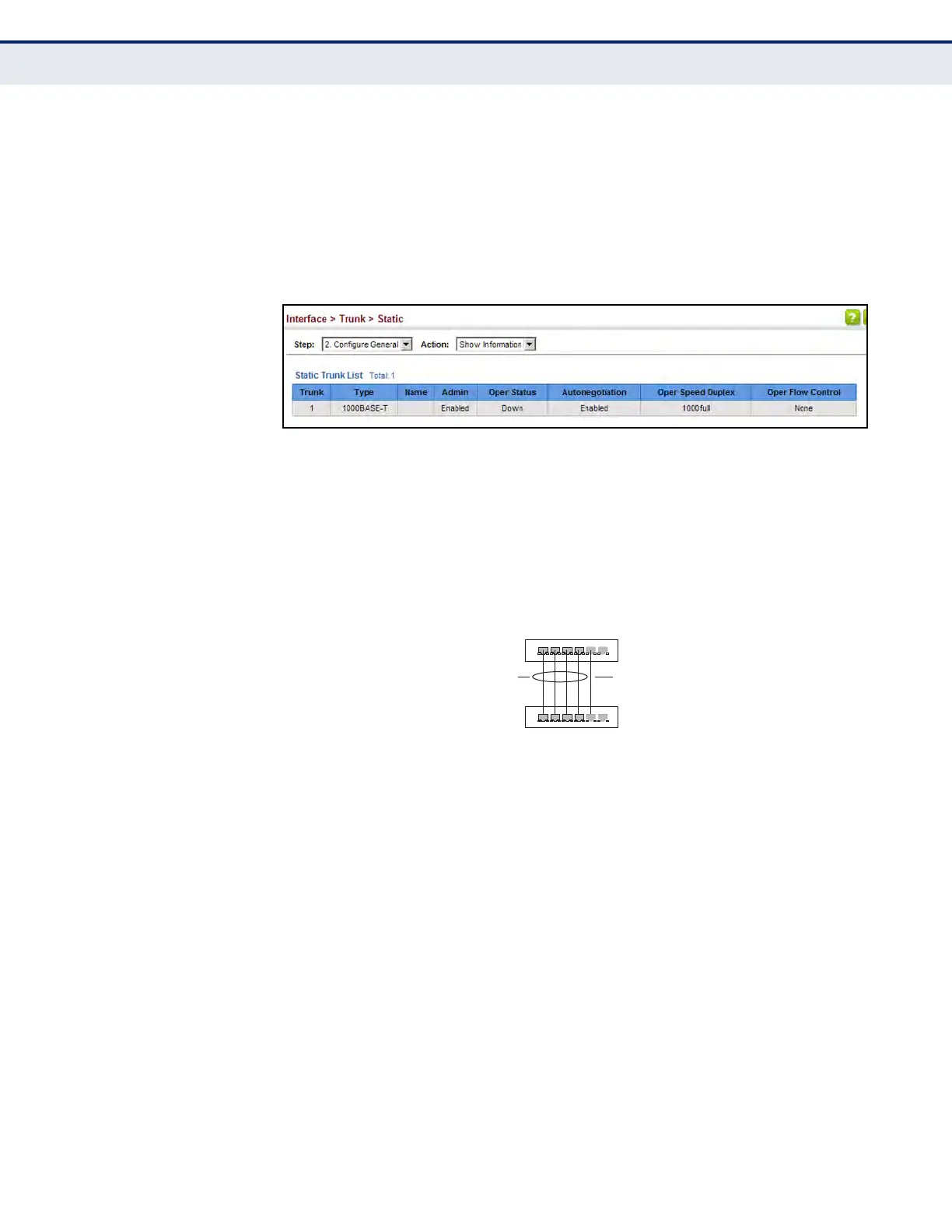
To display trunk connection parameters:
1. Click Interface, Trunk, Static.
2. Select Configure General from the Step list.
3. Select Show Information from the Action list.
Figure 46: Showing Information for Static Trunks
CONFIGURING A
DYNAMIC TRUNK
Use the Interface > Trunk > Dynamic pages to set the administrative key
for an aggregation group, enable LACP on a port, configure protocol
parameters for local and partner ports, or to set Ethernet connection
parameters.
Figure 47: Configuring Dynamic Trunks
CLI REFERENCES
u "Link Aggregation Commands" on page 981
COMMAND USAGE
u To avoid creating a loop in the network, be sure you enable LACP before
connecting the ports, and also disconnect the ports before disabling
LACP.
u If the target switch has also enabled LACP on the connected ports, the
trunk will be activated automatically.
u A trunk formed with another switch using LACP will automatically be
assigned the next available trunk ID.
u If more than eight ports attached to the same target switch have LACP
enabled, the additional ports will be placed in standby mode, and will
only be enabled if one of the active links fails.
active
links
}
}
dynamically
enabled
configured
members
backup
link













 To Next Page