C
HAPTER
18
| General IP Routing
Displaying the Routing Table
– 657 –
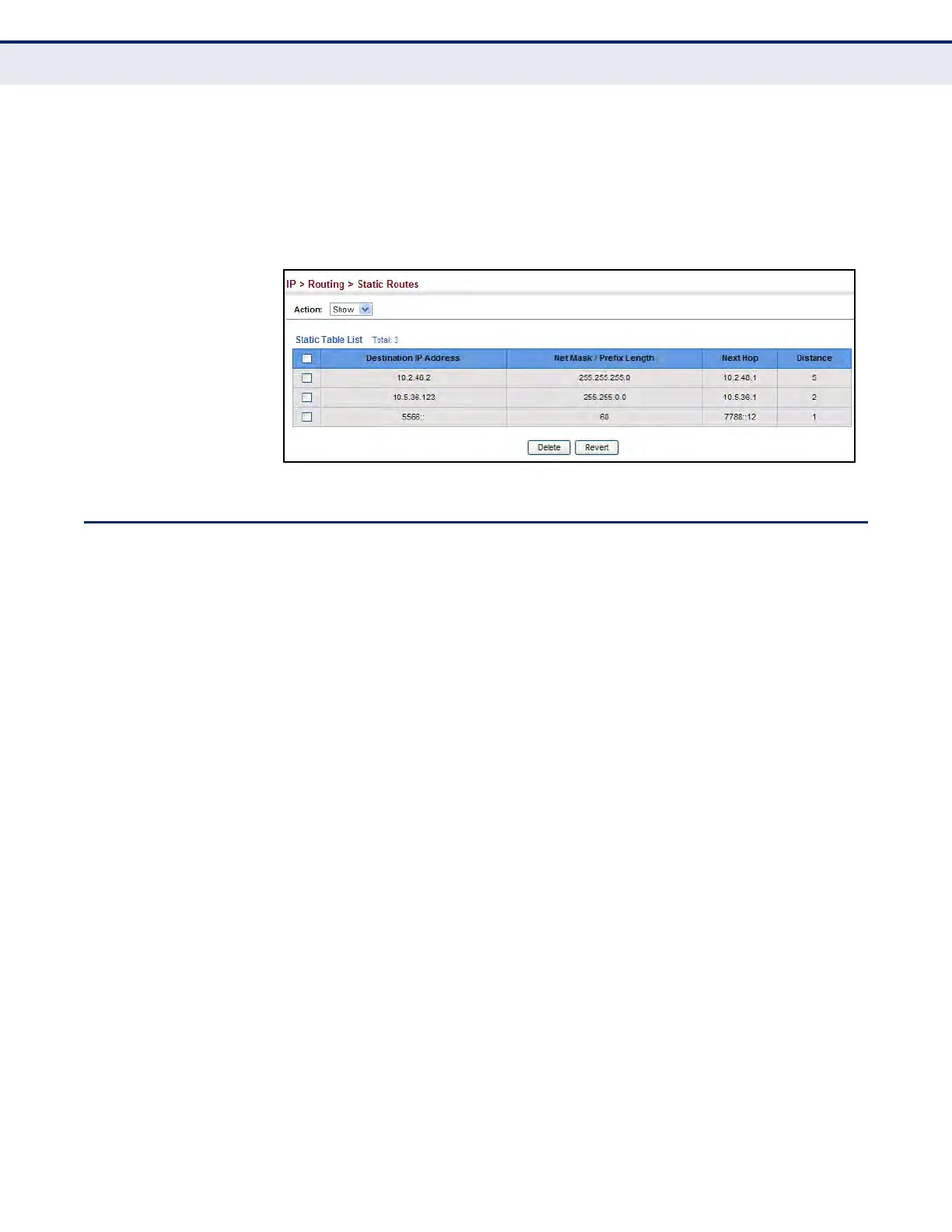
To display static routes:
1. Click IP, Routing, Static Routes.
2. Select Show from the Action List.
Figure 405: Displaying Static Routes
DISPLAYING THE ROUTING TABLE
Use the IP > Routing > Routing Table (Show Information) page to display
all routes that can be accessed via local network interfaces, through static
routes, or through a dynamically learned route. If route information is
available through more than one of these methods, the priority for route
selection is local, static, and then dynamic (except when the distance
parameter of a dynamic route is set to a value that makes its priority
exceed that of a static route). Also note that the route for a local interface
is not enabled (i.e., listed in the routing table) unless there is at least one
active link connected to that interface.
CLI REFERENCES
u "show ip route" on page 1391
COMMAND USAGE
u The Forwarding Information Base (FIB) contains information required
to forward IP traffic. It contains the interface identifier and next hop
information for each reachable destination network prefix based on the
IP routing table. When routing or topology changes occur in the
network, the routing table is updated, and those changes are
immediately reflected in the FIB.
The FIB is distinct from the routing table (or, Routing Information
Base – RIB), which holds all routing information received from routing
peers. The FIB contains unique paths only. It does not contain any
secondary paths. A FIB entry consists of the minimum amount of
information necessary to make a forwarding decision on a particular
packet. The typical components within a FIB entry are a network prefix,
a router (i.e., VLAN) interface, and next hop information.
u The Routing Table (and show ip route command) only displays routes
which are currently accessible for forwarding. The router must be able













 To Next Page