C
HAPTER
14
| Basic Administration Protocols
Simple Network Management Protocol
– 456 –
5. Click Apply
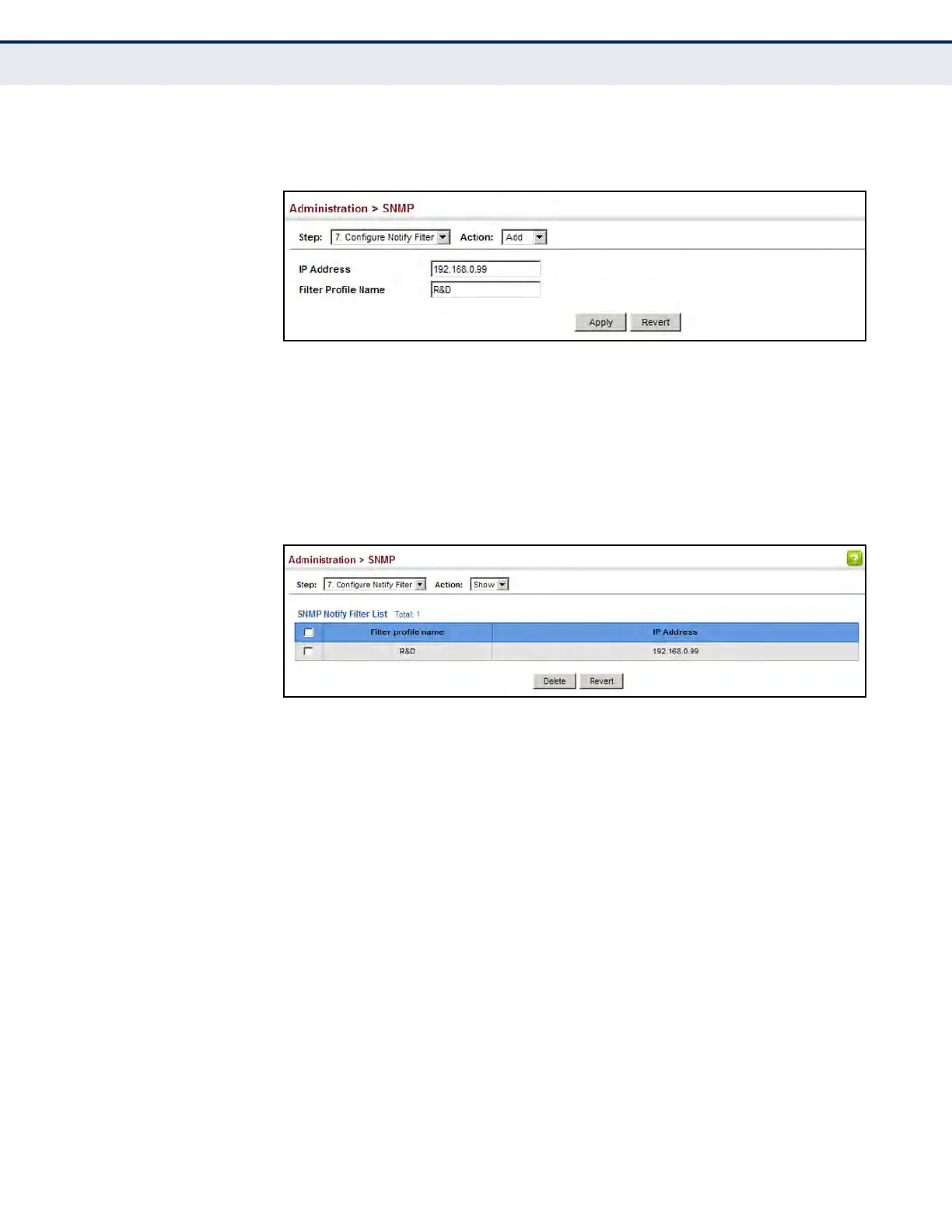
Figure 262: Creating SNMP Notification Logs
To show configured SNMP notification logs:
1. Click Administration, SNMP.
2. Select Configure Notify Filter from the Step list.
3. Select Show from the Action list.
Figure 263: Showing SNMP Notification Logs
SHOWING SNMP
STATISTICS
Use the Administration > SNMP (Show Statistics) page to show counters
for SNMP input and output protocol data units.
CLI REFERENCES
u "show snmp" on page 777
PARAMETERS
The following counters are displayed:
u SNMP packets input – The total number of messages delivered to the
SNMP entity from the transport service.
u Bad SNMP version errors – The total number of SNMP messages
which were delivered to the SNMP entity and were for an unsupported
SNMP version.
u Unknown community name – The total number of SNMP messages
delivered to the SNMP entity which used a SNMP community name not
known to said entity.













 To Next Page