C
HAPTER
13
| Security Measures
Access Control Lists
– 361 –
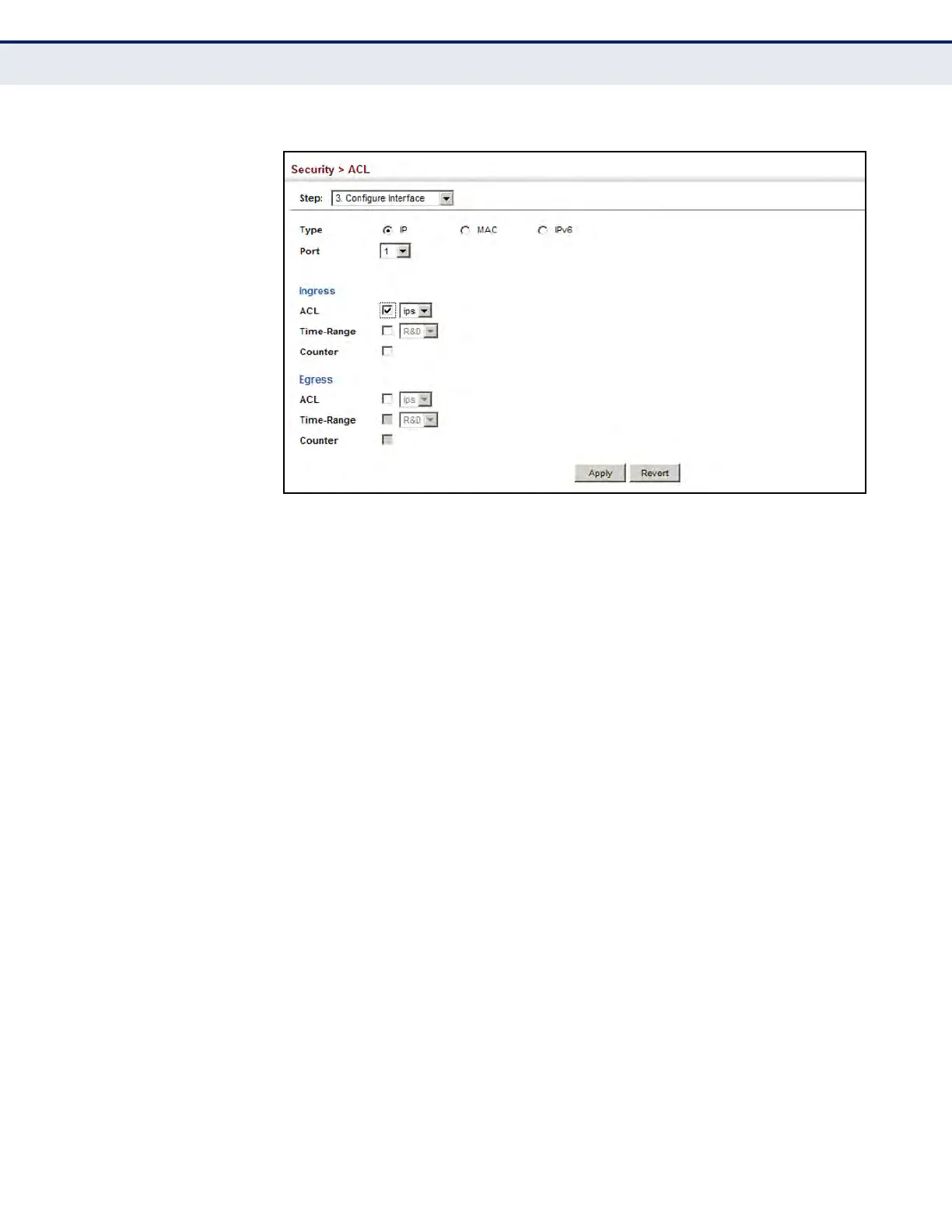
Figure 199: Binding a Port to an ACL
CONFIGURING ACL
MIRRORING
After configuring ACLs, use the Security > ACL > Configure Interface (Add
Mirror) page to mirror traffic matching an ACL from one or more source
ports to a target port for real-time analysis. You can then attach a logic
analyzer or RMON probe to the target port and study the traffic crossing
the source VLAN(s) in a completely unobtrusive manner.
CLI REFERENCES
u "Local Port Mirroring Commands" on page 995
COMMAND USAGE
ACL-based mirroring is only used for ingress traffic. To mirror an ACL,
follow these steps:
1. Create an ACL as described in the preceding sections.
2. Add one or more mirrored ports to ACL as described under "Binding a
Port to an Access Control List" on page 360.
3. Use the Add Mirror page to specify the ACL and the destination port to
which matching traffic will be mirrored.
PARAMETERS
These parameters are displayed:
u Port – Port identifier.
u ACL – ACL used for ingress packets.













 To Next Page