C
HAPTER
13
| Security Measures
AAA (Authentication, Authorization and Accounting)
– 313 –
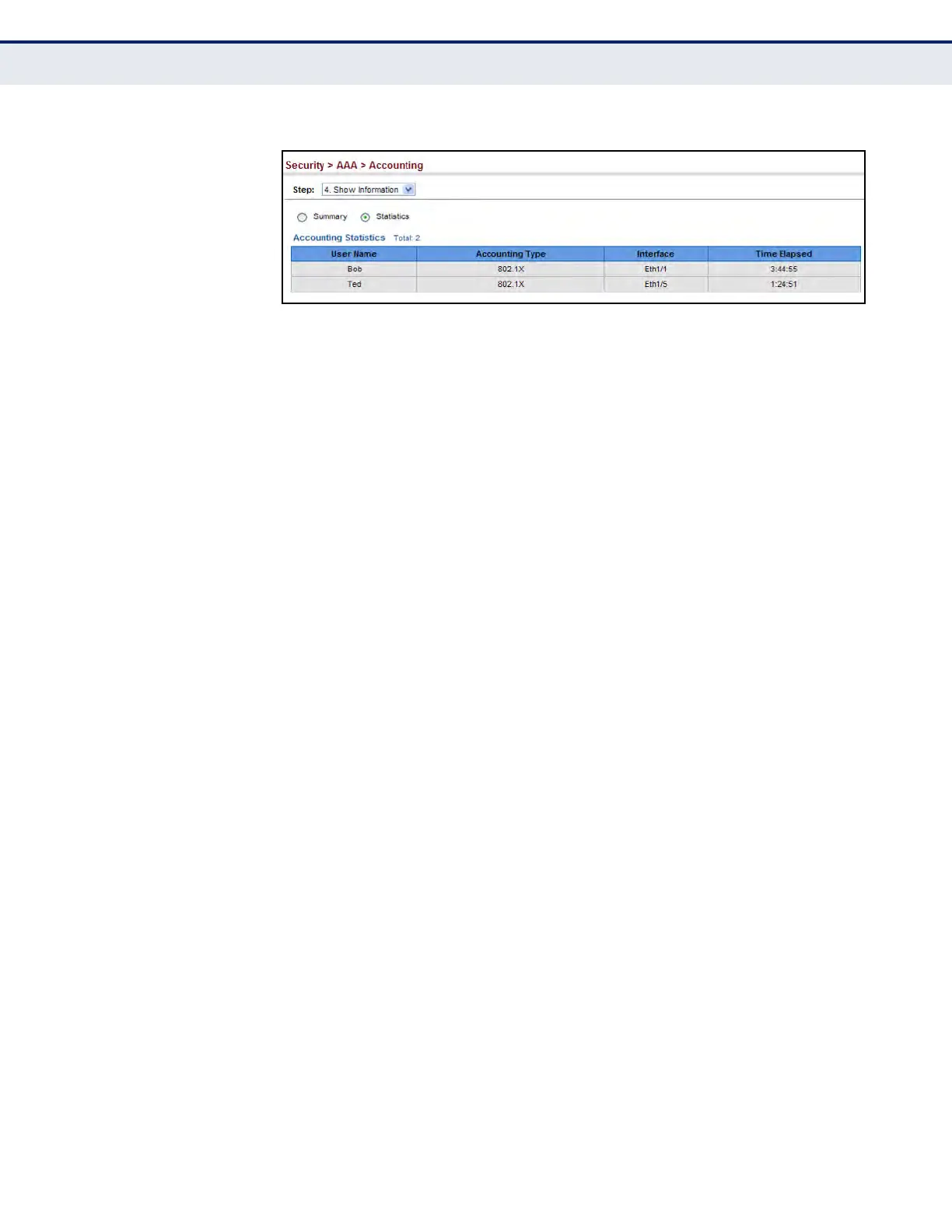
Figure 164: Displaying Statistics for AAA Accounting Sessions
CONFIGURING AAA
AUTHORIZATION
Use the Security > AAA > Authorization page to enable authorization of
requested services, and also to display the configured authorization
methods, and the methods applied to specific interfaces.
CLI REFERENCES
u "AAA" on page 826
COMMAND USAGE
u This feature performs authorization to determine if a user is allowed to
run an Exec shell.
u AAA authentication through a RADIUS or TACACS+ server must be
enabled before authorization is enabled.
PARAMETERS
These parameters are displayed:
Configure Method
u Authorization Type – Specifies the service as Exec, indicating
administrative authorization for local console, Telnet, or SSH
connections.
u Method Name – Specifies an authorization method for service
requests. The “default” method is used for a requested service if no
other methods have been defined. (Range: 1-64 characters)
u Server Group Name - Specifies the authorization server group.
(Range: 1-64 characters)
The group name “tacacs+” specifies all configured TACACS+ hosts (see
"Configuring Local/Remote Logon Authentication" on page 301). Any
other group name refers to a server group configured on the TACACS+
Group Settings page. Authorization is only supported for TACACS+
servers.
Configure Service
u Authorization Type – Specifies the service as Exec, indicating
administrative authorization for local console, Telnet, or SSH
connections.




 To Next Page