C
HAPTER
6
| VLAN Configuration
IEEE 802.1Q Tunneling
– 205 –
the ethertype field, as they would be with a standard 802.1Q trunk.
Frames arriving on the port containing any other ethertype are looked
upon as untagged frames, and assigned to the native VLAN of that port.
The specified ethertype only applies to ports configured in Uplink mode
(see "Adding an Interface to a QinQ Tunnel" on page 207). If the port is
in normal mode, the TPID is always 8100. If the port is in Access mode,
received packets are processed as untagged packets.
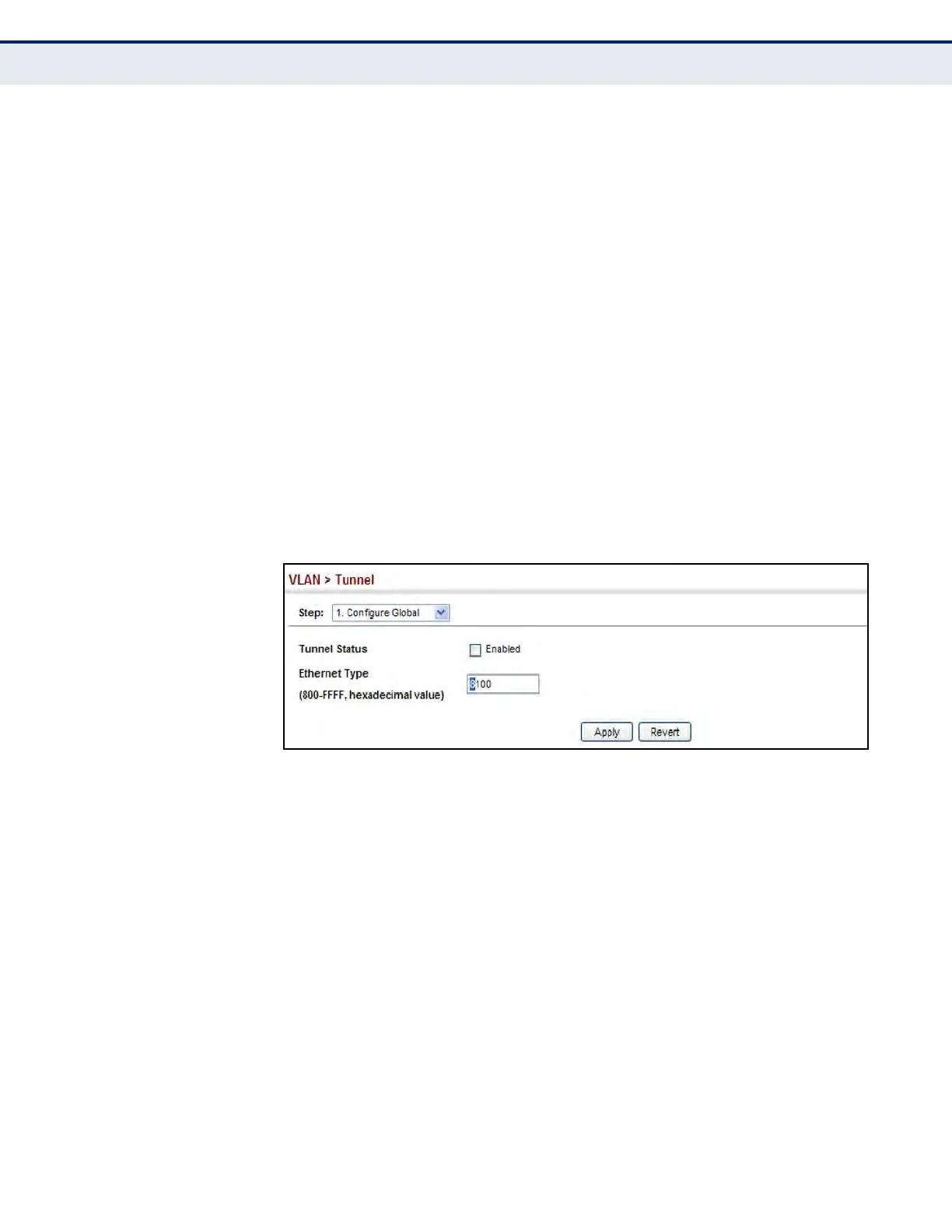
WEB INTERFACE
To enable QinQ Tunneling on the switch:
1. Click VLAN, Tunnel.
2. Select Configure Global from the Step list.
3. Enable Tunnel Status, and specify the TPID if a client attached to a
tunnel port is using a non-standard ethertype to identify 802.1Q tagged
frames.
4. Click Apply.
Figure 78: Enabling QinQ Tunneling
CREATING CVLAN TO
SPVLAN MAPPING
ENTRIES
Use the VLAN > Tunnel (Configure Service) page to create a CVLAN to
SPVLAN mapping entry.
CLI REFERENCES
u "switchport dot1q-tunnel service match cvid" on page 1120
COMMAND USAGE
u The inner VLAN tag of a customer packet entering the edge router of a
service provider’s network is mapped to an outer tag indicating the
service provider VLAN that will carry this traffic across the 802.1Q
tunnel. By default, the outer tag is based on the default VID of the edge
router’s ingress port. This process is performed in a transparent
manner as described under "IEEE 802.1Q Tunneling" on page 200.
u When priority bits are found in the inner tag, these are also copied to
the outer tag. This allows the service provider to differentiate service













 To Next Page