C
HAPTER
5
| Interface Configuration
VLAN Trunking
– 186 –
PARAMETERS
These parameters are displayed:
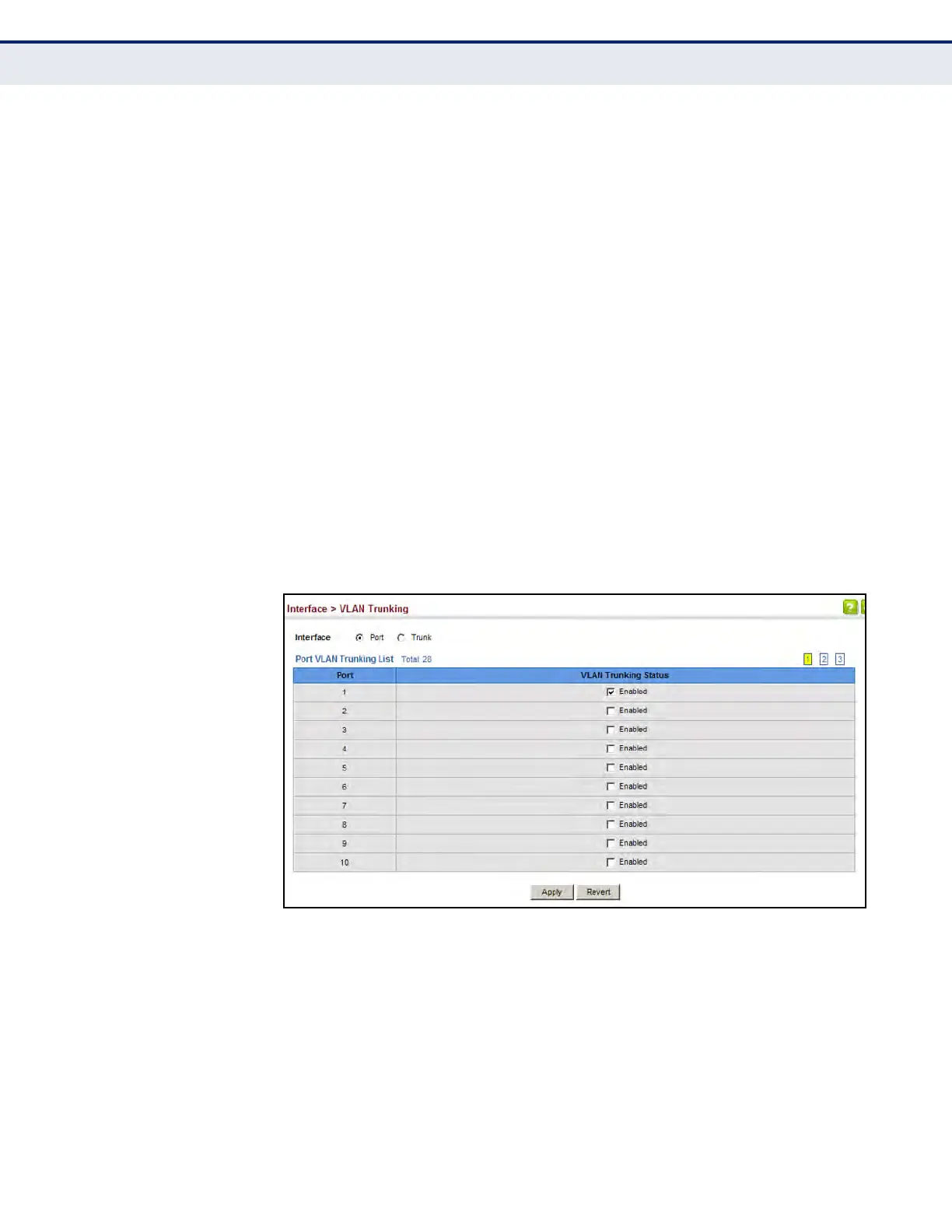
u Interface – Displays a list of ports or trunks.
u Port – Port Identifier. (Range: 1-28/52)
u Trunk – Trunk Identifier. (Range: 1-16)
u VLAN Trunking Status – Enables VLAN trunking on the selected
interface.
WEB INTERFACE
To enable VLAN trunking on a port or trunk:
1. Click Interface, VLAN Trunking.
2. Click Port or Trunk to specify the interface type.
3. Enable VLAN trunking on any of the ports or on a trunk.
4. Click Apply.
Figure 64: Configuring VLAN Trunking













 To Next Page