C
HAPTER
9
| Congestion Control
Automatic Traffic Control
– 259 –
been shut down by a control response, it must be manually re-enabled
using the Manual Control Release (see page 259).
PARAMETERS
These parameters are displayed in the web interface:
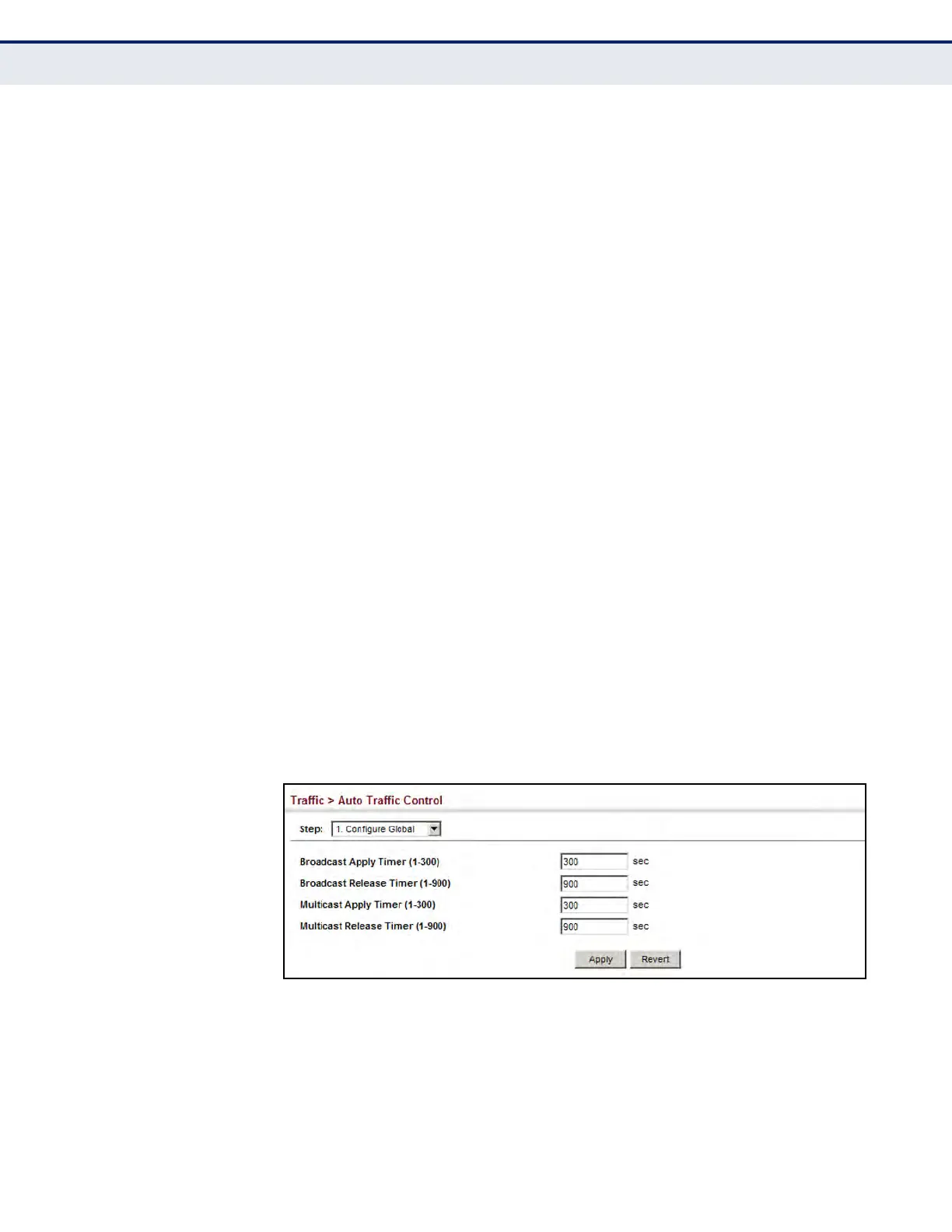
u Broadcast Apply Timer – The interval after the upper threshold has
been exceeded at which to apply the control response to broadcast
storms. (Range: 1-300 seconds; Default: 300 seconds)
u Broadcast Release Timer – The time at which to release the control
response after ingress traffic has fallen beneath the lower threshold for
broadcast storms. (Range: 1-900 seconds; Default: 900 seconds)
u Multicast Apply Timer – The interval after the upper threshold has
been exceeded at which to apply the control response to multicast
storms. (Range: 1-300 seconds; Default: 300 seconds)
u Multicast Release Timer – The time at which to release the control
response after ingress traffic has fallen beneath the lower threshold for
multicast storms. (Range: 1-900 seconds; Default: 900 seconds)
WEB INTERFACE
To configure the response timers for automatic storm control:
1. Click Traffic, Automatic Traffic Control.
2. Select Configure Global from the Step field.
3. Set the apply and release timers for broadcast and multicast storms.
4. Click Apply.
Figure 125: Configuring ATC Timers













 To Next Page