C
HAPTER
11
| Quality of Service
Configuring a Class Map
– 280 –
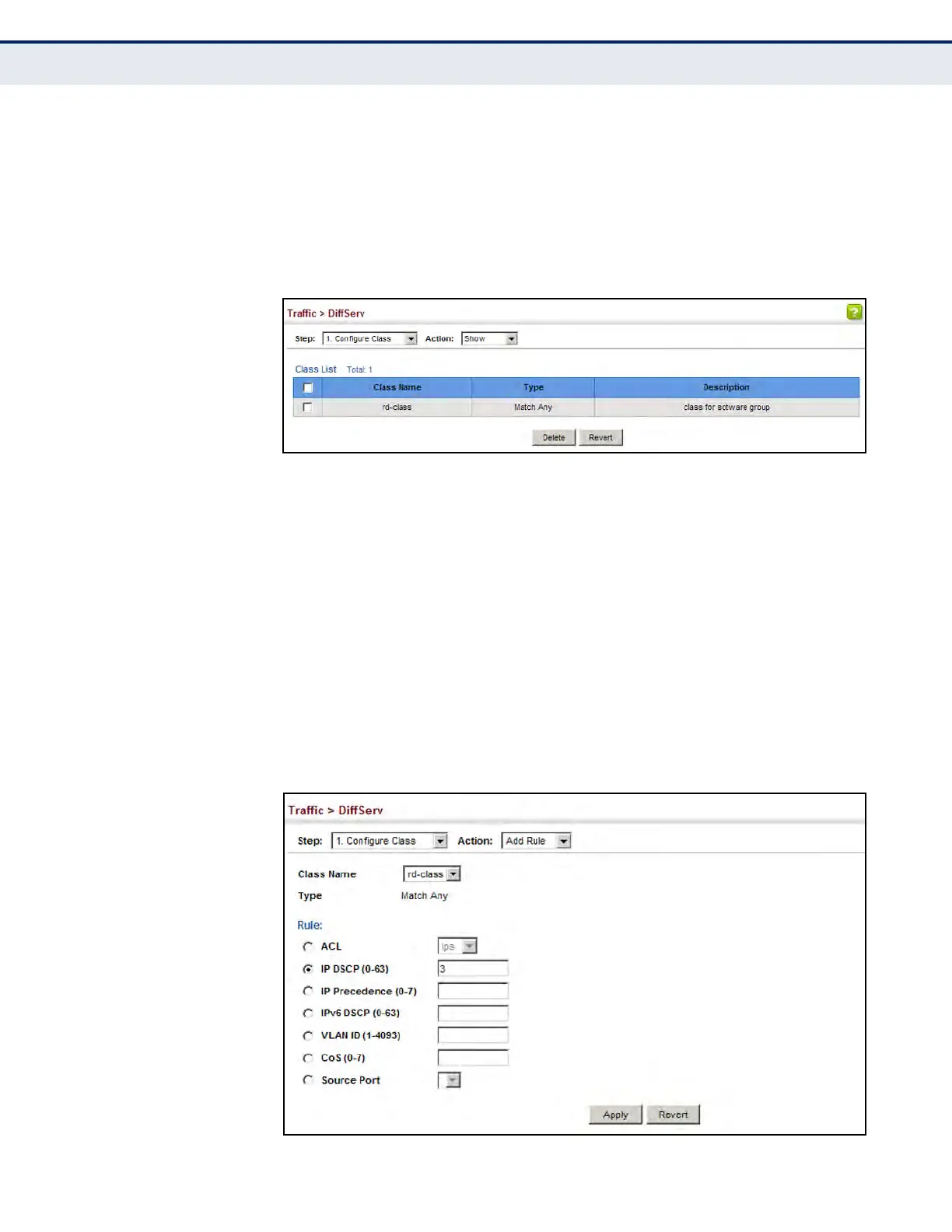
To show the configured class maps:
1. Click Traffic, DiffServ.
2. Select Configure Class from the Step list.
3. Select Show from the Action list.
Figure 139: Showing Class Maps
To edit the rules for a class map:
1. Click Traffic, DiffServ.
2. Select Configure Class from the Step list.
3. Select Add Rule from the Action list.
4. Select the name of a class map.
5. Specify type of traffic for this class based on an access list, DSCP or IP
Precedence value, VLAN, CoS value, or source port. You can specify up
to 16 items to match when assigning ingress traffic to a class map.
6. Click Apply.
Figure 140: Adding Rules to a Class Map













 To Next Page