C
HAPTER
13
| Security Measures
Access Control Lists
– 344 –
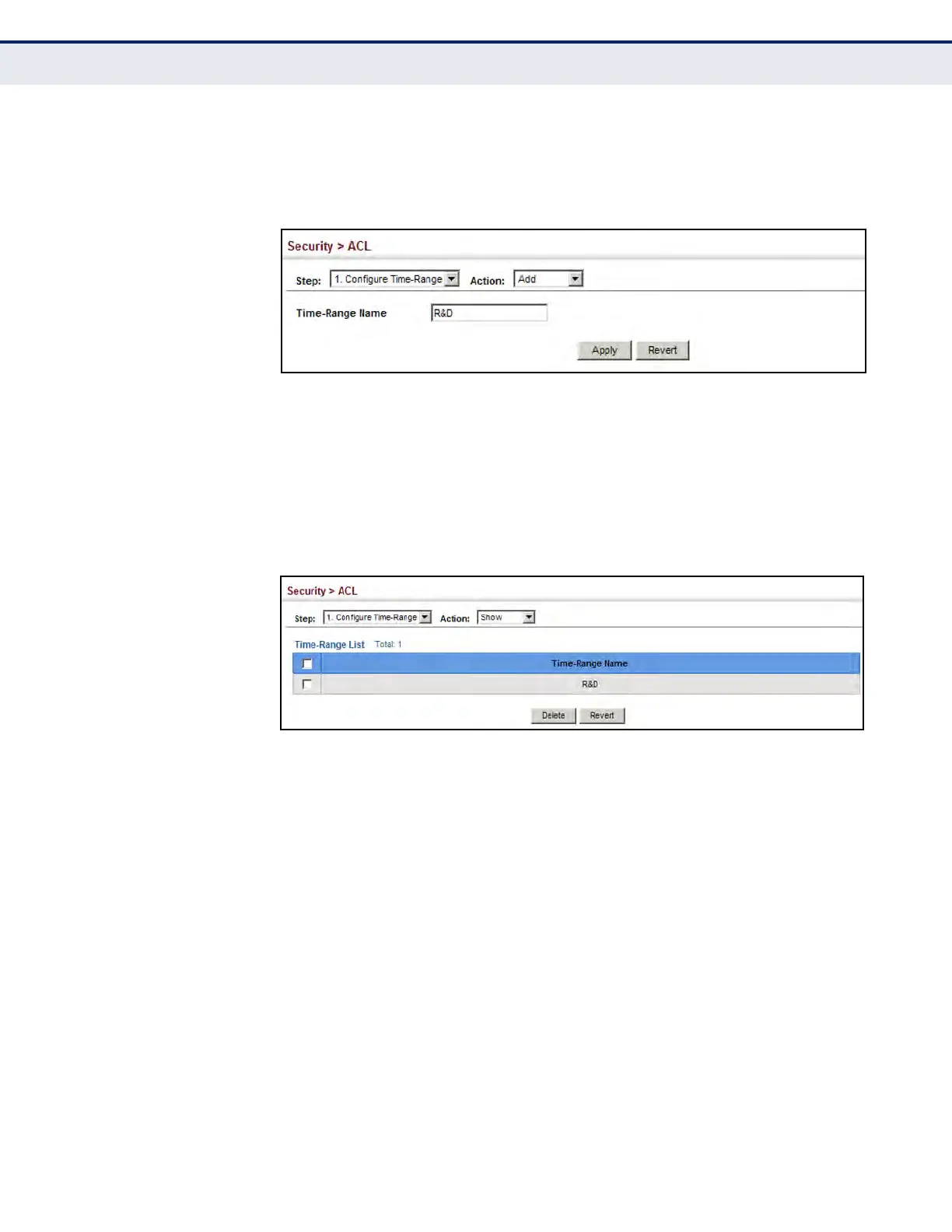
4. Enter the name of a time range.
5. Click Apply.
Figure 186: Setting the Name of a Time Range
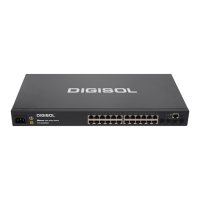
To show a list of time ranges:
1. Click Security, ACL.
2. Select Configure Time Range from the Step list.
3. Select Show from the Action list.
Figure 187: Showing a List of Time Ranges
To configure a rule for a time range:
1. Click Security, ACL.
2. Select Configure Time Range from the Step list.
3. Select Add Rule from the Action list.
4. Select the name of time range from the drop-down list.
5. Select a mode option of Absolute or Periodic.
6. Fill in the required parameters for the selected mode.
7. Click Apply.




 To Next Page