C
HAPTER
19
| Unicast Routing
Configuring the Routing Information Protocol
– 665 –
u Clear Route By Network – Clears a specific route based on its IP
address and prefix length.
n
Network IP Address – Deletes all related entries for the specified
network address.
n
Prefix Length – A decimal value indicating how many contiguous
bits (from the left) of the address comprise the network portion of
the address.
WEB INTERFACE
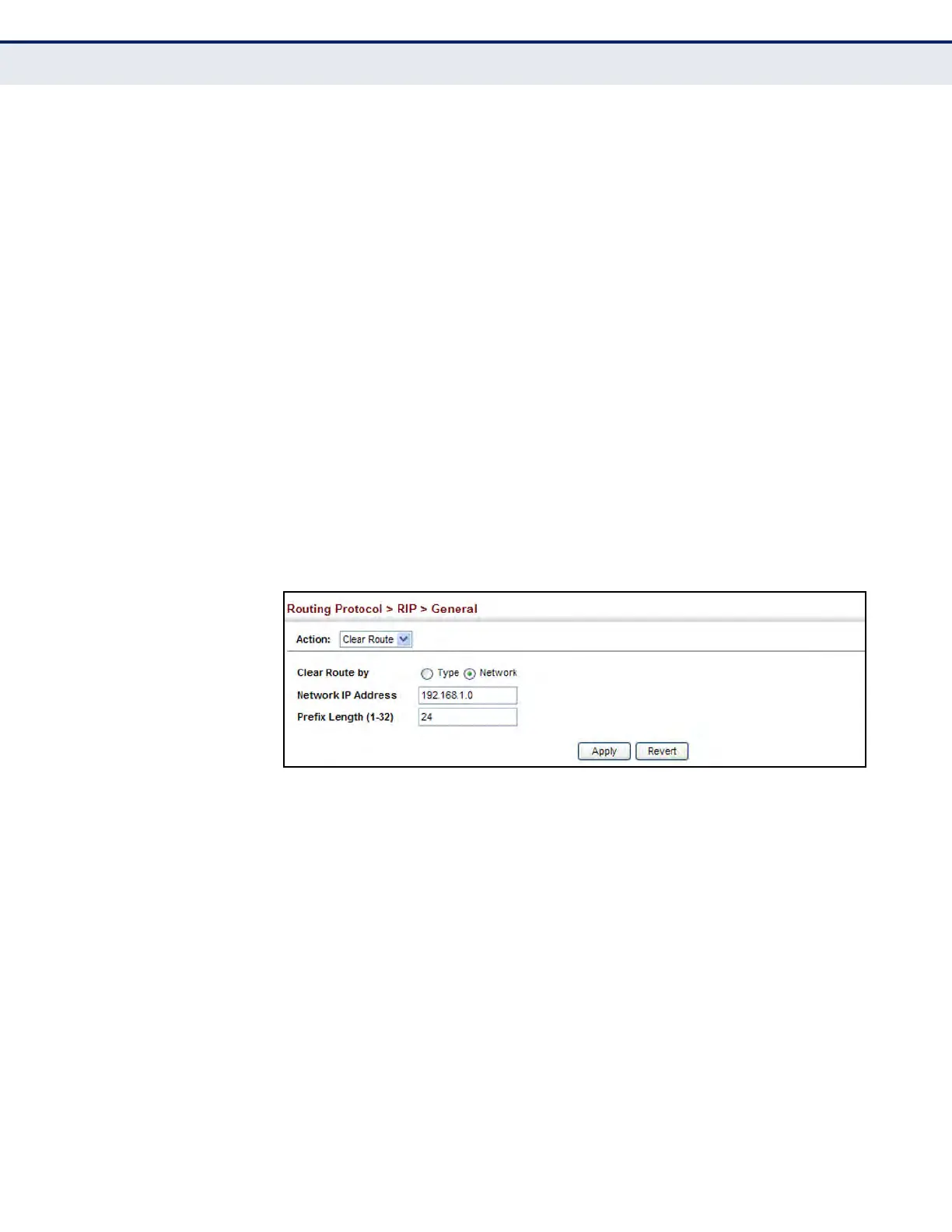
To clear entries from the routing table RIP:
1. Click Routing Protocol, RIP, General.
2. Select Clear Route from the Action list.
3. When clearing routes by type, select the required type from the drop-
down list. When clearing routes by network, enter a valid network
address and prefix length.
4. Click Apply.
Figure 409: Clearing Entries from the Routing Table
SPECIFYING NETWORK
INTERFACES
Use the Routing Protocol > RIP > Network (Add) page to specify the
network interfaces that will be included in the RIP routing process.
CLI REFERENCES
u "network" on page 1399
COMMAND USAGE
u RIP only sends and receives updates on specified interfaces. If a
network is not specified, the interfaces in that network will not be
advertised in any RIP updates.
u No networks are specified by default.













 To Next Page