C
HAPTER
19
| Unicast Routing
Configuring the Routing Information Protocol
– 672 –
WEB INTERFACE
To define an administrative distance for external routes learned from other
routing protocols:
1. Click Routing Protocol, RIP, Distance.
2. Select Add from the Action list.
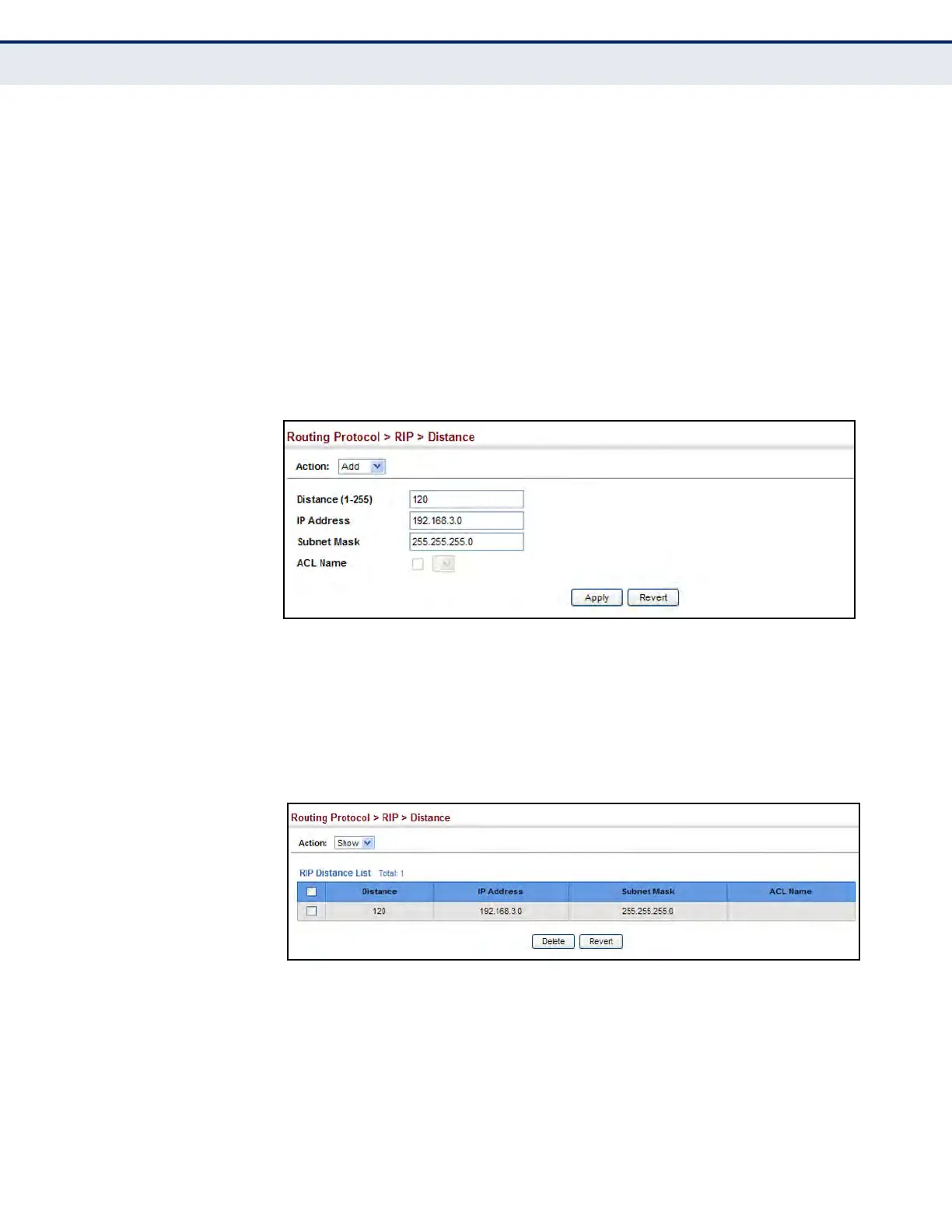
3. Enter the distance, the external route, and optionally enter the name of
an ACL to filter networks according to the IP address of the router
supplying the routing information.
4. Click Apply.
Figure 418: Setting the Distance Assigned to External Routes
To show the distance assigned to external routes learned from other
routing protocols:
1. Click Routing Protocol, RIP, Distance.
2. Select Show from the Action list.
Figure 419: Showing the Distance Assigned to External Routes




 To Next Page