C
HAPTER
19
| Unicast Routing
Configuring the Routing Information Protocol
– 676 –
WEB INTERFACE
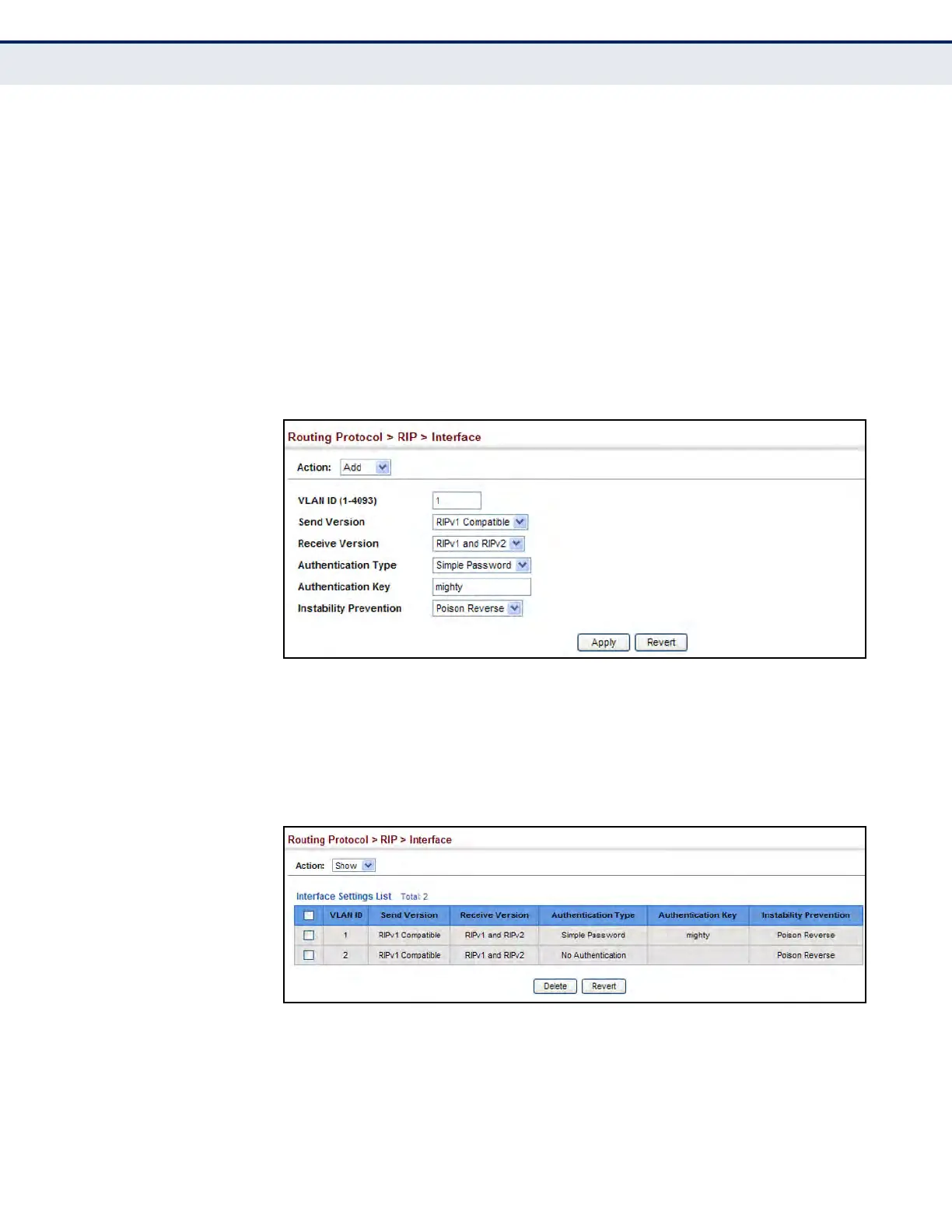
To network interface settings for RIP:
1. Click Routing Protocol, RIP, Interface.
2. Select Add from the Action list.
3. Select a Layer 3 VLAN interface to participate in RIP. Select the RIP
protocol message types that will be received and sent. Select the RIP
authentication method and password. And then set the loopback
prevention method.
4. Click Apply.
Figure 420: Configuring a Network Interface for RIP
To show the network interface settings configured for RIP:
1. Click Routing Protocol, RIP, Interface.
2. Select Show from the Action list.
Figure 421: Showing RIP Network Interface Settings




 To Next Page