Dobot M1 User Guide 6 Operation
Issue V1.3.4 (2019-05-23) User Guide Copyright © Yuejiang Technology Co., Ltd
94
Prerequisites
You have connected the Dobot M1 to a PC over network cable, and the IP addresses of
Dobot M1 and the PC must be in the same network segment. For details, please see 5.2.4
Connecting Network Cable.
You have powered on the Dobot M1.
You have obtained the latest A9 firmware a9_app-00xx.tar. xx indicates the firmware
version, please replace it based on site requirements.
The download path is https://www.dobot.cc/downloadcenter/dobot-m1.html#most-
download.
You have connected the Dobot M1 to an emergency stop switch.
You have obtained the latest M1Stuido.
The download path is https://www.dobot.cc/downloadcenter/dobot-m1.html#most-
download.
Procedure
The Web Management page is displayed.
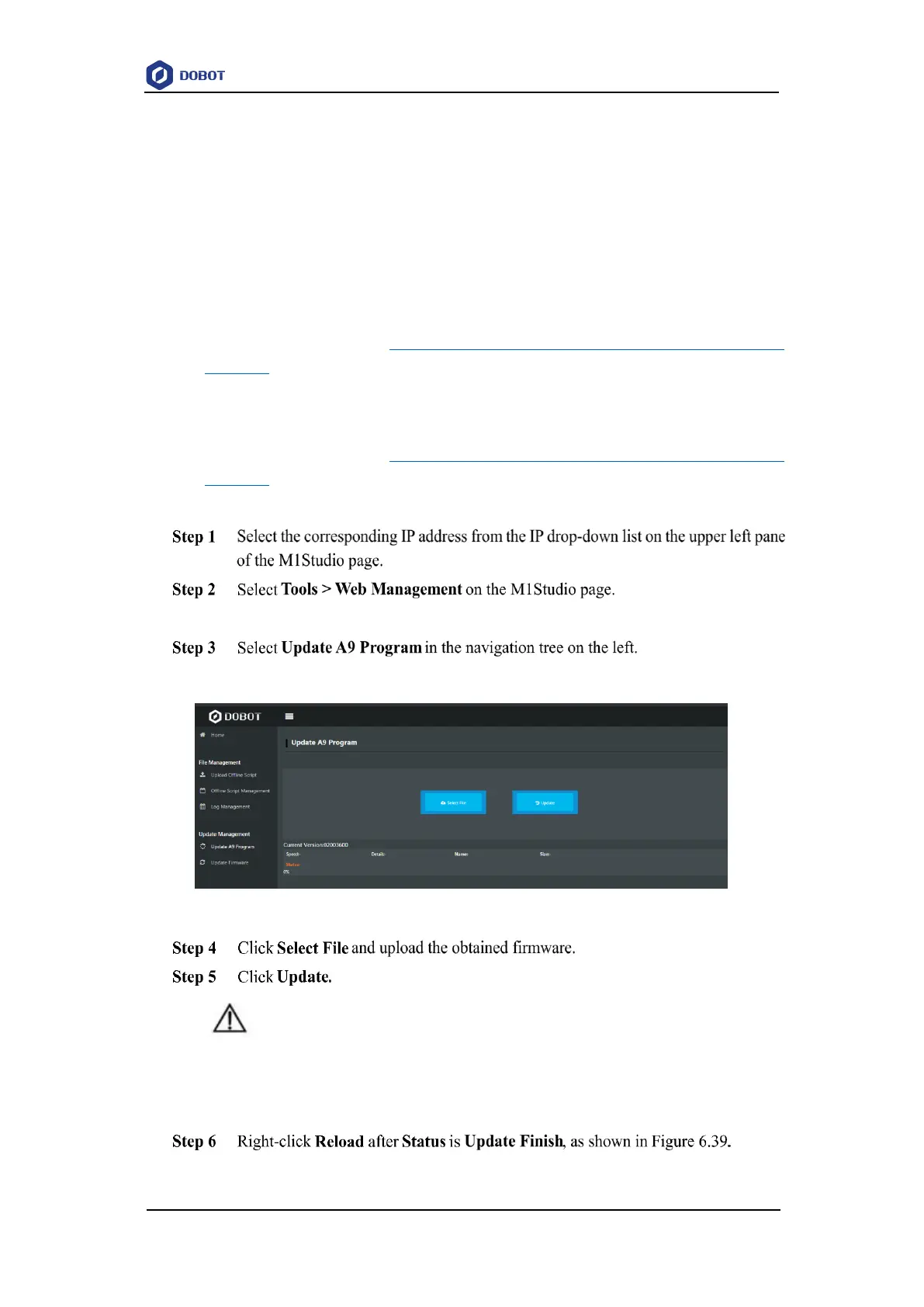
The Update A9 Program page is displayed, as shown in Figure 6.38.
Figure 6.38 A9 Program GUI
NOTICE
If the version of the obtained firmware is 0058 or later, please click Update again after
Status is 100%, to avoid update failure.
If the A9 firmware version changes to the updated version, it indicates that the update



 To Next Page