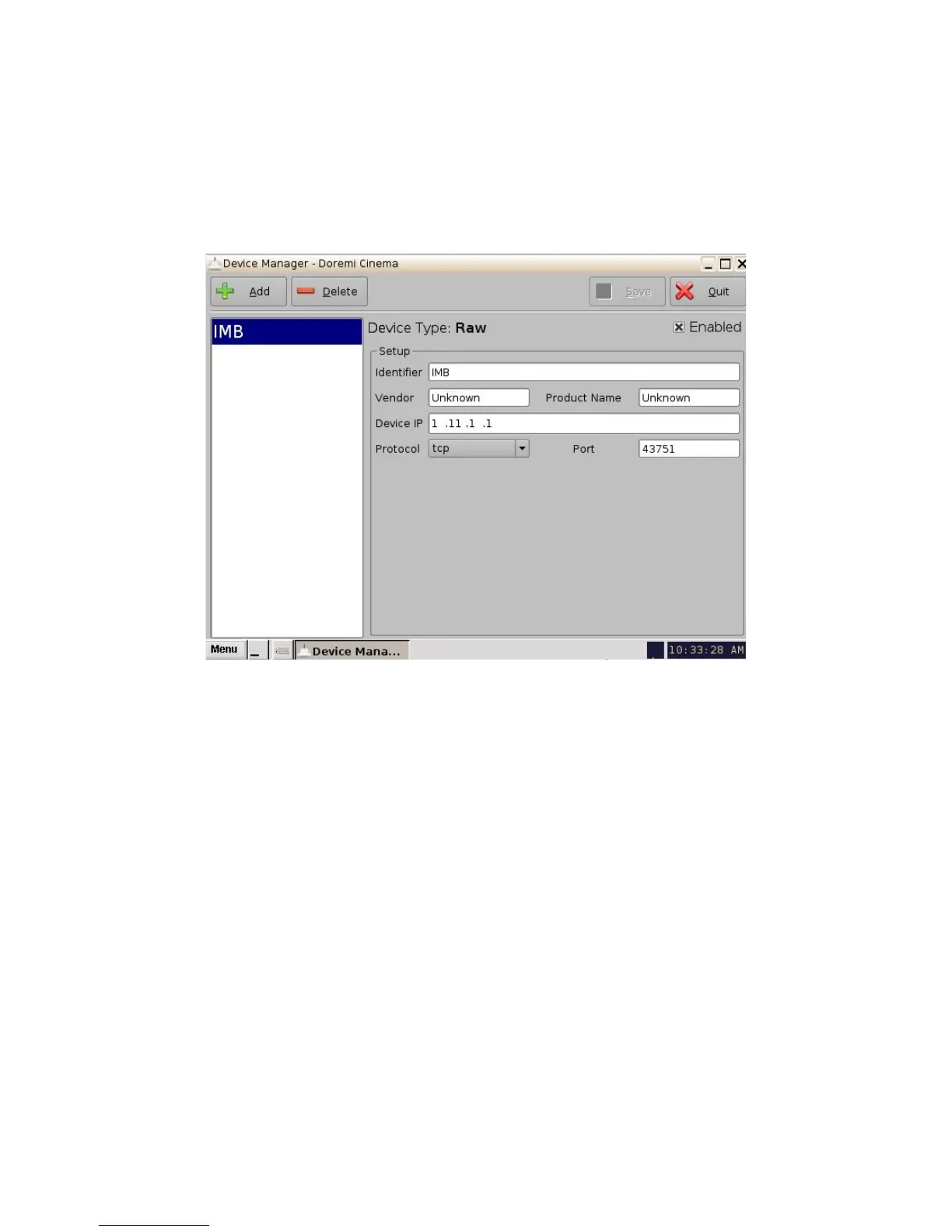
• In the "Identifier" field change the name from "Raw" to "IMB" (Figure 35).
• In the "Device IP" input the projector's IP address (Figure 35).
• The "Protocol " field should be set to "tcp" and the "Port" field should be set to "43751."
Click the "Save" button when finished entering these values (Figure 35).
• A password window will appear asking for the appropriate username and password.
Figure 35: IMB Device Added
• Click the "Quit" button to exit the "Device Manager" GUI.
• Creating the Macros:
• Click on "Menu" and scroll to "Doremi Apps." Then select "Macro Editor".
• The following window will appear:
_____________________________________________________________________________________
SHV.OM.001293.DRM Page 37 Version 1.3
Doremi Cinema LLC Confidential



 To Next Page