• To add a license have the license file on a USB flash drive and plug it into a USB port on
the ShowVault
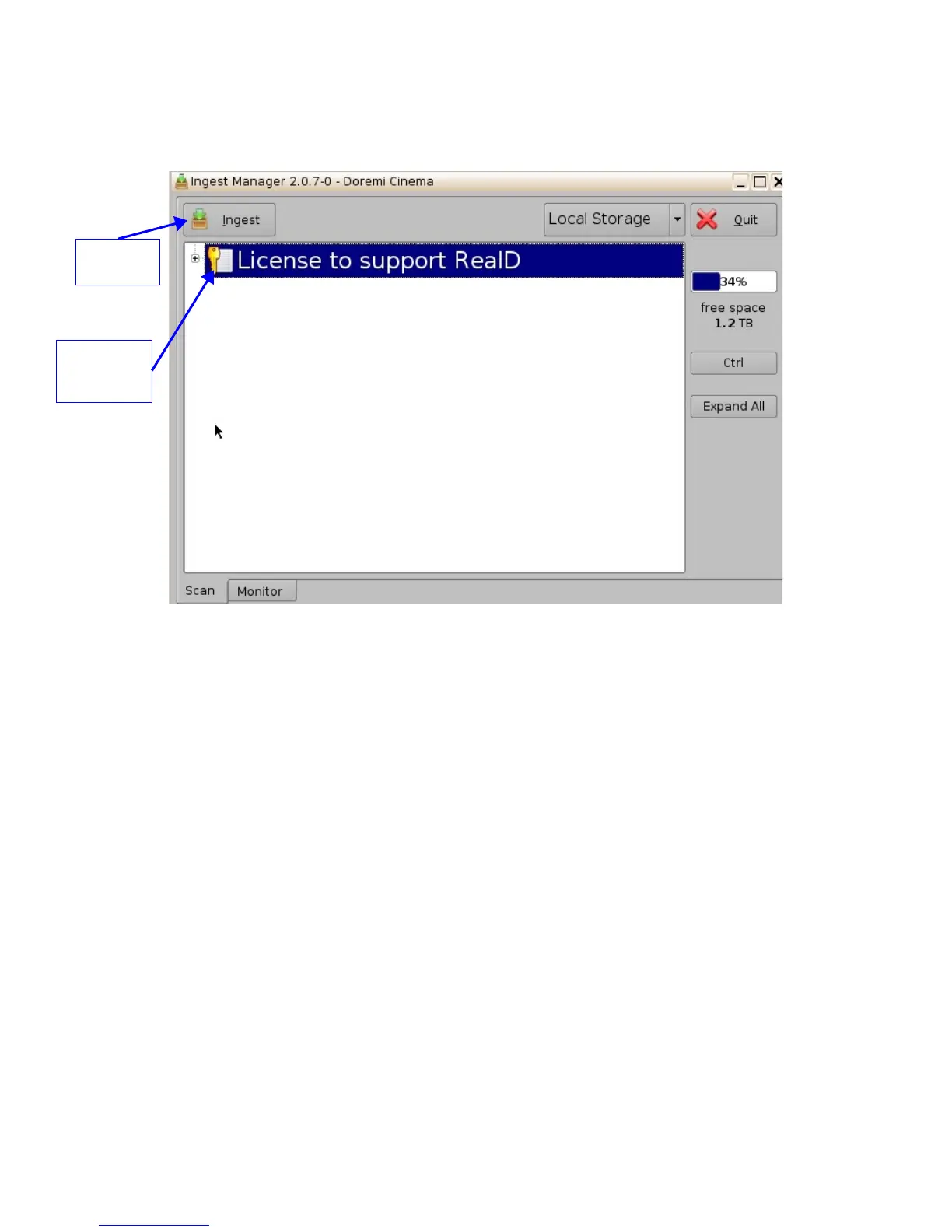
• The Ingest GUI will appear as presented below:
Figure 66: License Ingest GUI
• Select the license file(s) to install and click the “Ingest” button
• User will be asked for a password
• When the ingest process is complete reboot the unit by clicking on “Menu → Logout →
Reboot”
• Go back to the “License Manager” GUI from the “Menu → Control Panel”, the ingested
license(s) will be visible as illustrated below:
_____________________________________________________________________________________
SHV.OM.001293.DRM Page 56 Version 1.3
Doremi Cinema LLC Confidential
"Ingest"
button
Select the
license to
add



 To Next Page