Vigor3900 Series User’s Guide
96
4
4
.
.
1
1
.
.
1
1
.
.
2
2
U
U
S
S
B
B
W
W
A
A
N
N
P
P
r
r
o
o
f
f
i
i
l
l
e
e
s
s
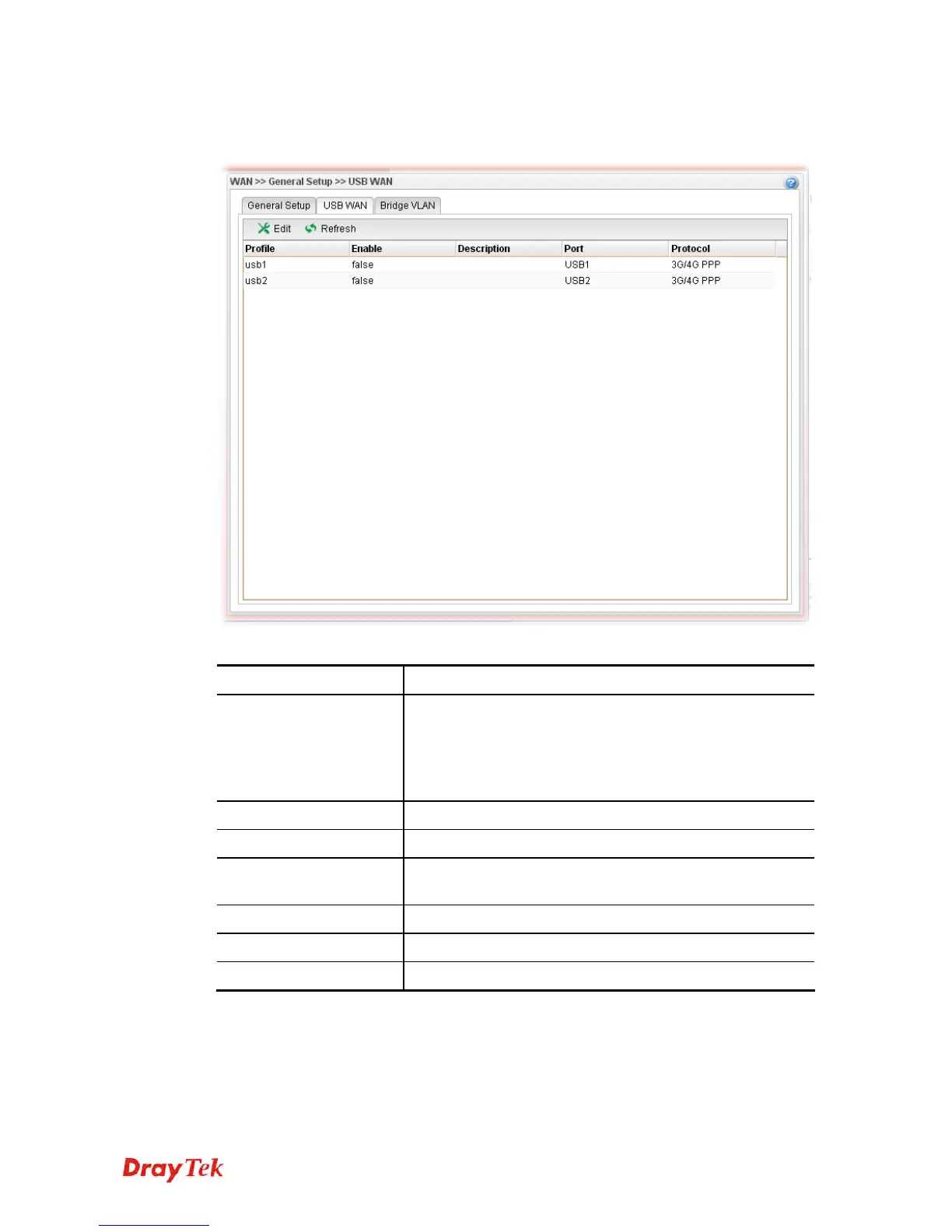
Open WAN>>General Setup and click the USB WAN tab.
Each item will be explained as follows:
Item Description
Edit
Modify the selected USB WAN profile.
To edit a profile, simply select the one you want to modify
and click the Edit button. The edit window will appear for
you to modify the corresponding settings for the selected
rule.
Refresh
Renew current web page.
Profile
Display the profile name.
Enable
Display the status of the profile. False means disabled; True
means enabled.
Description
Display a brief explanation for such profile.
Port
Display the physical WAN interface for such profile.
Protocol
Display the protocol selected by the profile.














 To Next Page