Vigor3900 Series User’s Guide
97
H
H
o
o
w
w
t
t
o
o
e
e
d
d
i
i
t
t
a
a
n
n
e
e
w
w
U
U
S
S
B
B
W
W
A
A
N
N
p
p
r
r
o
o
f
f
i
i
l
l
e
e
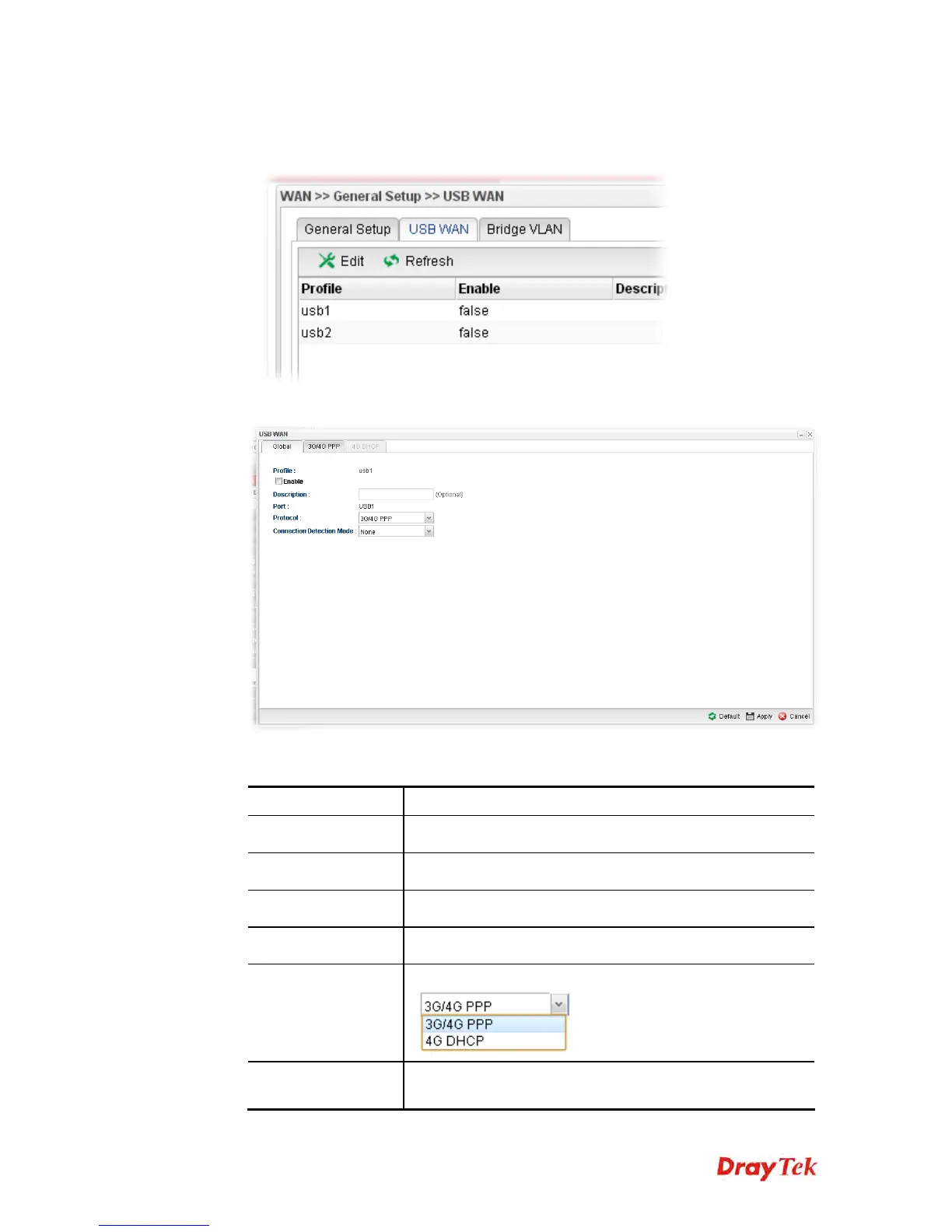
1. Choose one of the USB WAN profiles and click Edit.
2. The settings under Global tab are listed as below:
Available parameters are listed as follows:
Item Description
Profile
Display the name of the USB WAN profile.
Enable
Check it to enable the USB WAN profile.
Description
Give the brief description for such profile.
Port
Display the physical WAN interface for such profile.
Protocol
Choose the connection mode for USB WAN.
Connection
Detection Host
If you choose PING/HTTP as Connection Detection Mode,
you have to specify the detection host address in this field.














 To Next Page