Vigor3900 Series User’s Guide
98
Use the default setting.
Add – Click this button to have a field for adding a new IP
address. Assign an IP address or Domain name as a
destination to be detected whether the host is active (sending
reply to the router) or not. If not, the connection of WAN
interface will be regarded as breaking down. This function
is available when Connection Detection Mode is set with
PING or HTTP.
Save – Click this button to save the setting.
Connection
Detection Interval
Assign an interval period of time for each detecting.
Connection
Detection Retry
Assign detecting times to ensure the connection of the WAN
interface. After passing the times you set in this field and no
reply received by the router, the connection of WAN
interface will be regarded as breaking down.
Default
Click it to restore the default settings.
Apply
Click it to save and exit the dialog.
Cancel
Click it to exit the dialog without saving anything.
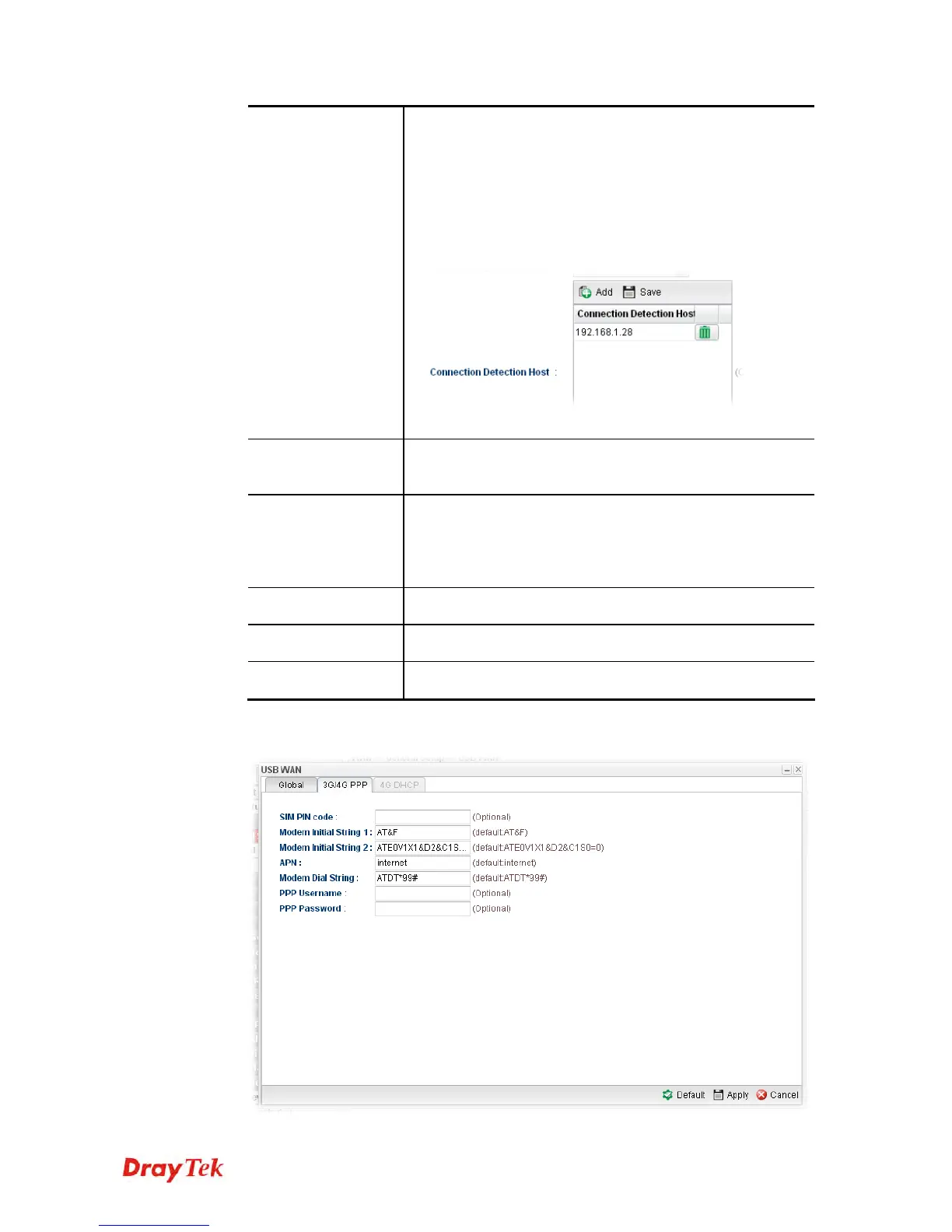
3. After finished the settings above, click the 3G/4G PPP or 4G DHCP tab (based on the
Protocol specified) to display the following page:














 To Next Page