Vigor3900 Series User’s Guide
123
H
H
o
o
w
w
t
t
o
o
e
e
d
d
i
i
t
t
a
a
L
L
A
A
N
N
p
p
r
r
o
o
f
f
i
i
l
l
e
e
f
f
o
o
r
r
R
R
A
A
D
D
V
V
D
D
1. Open LAN>>General Setup and click the RADVD tab.
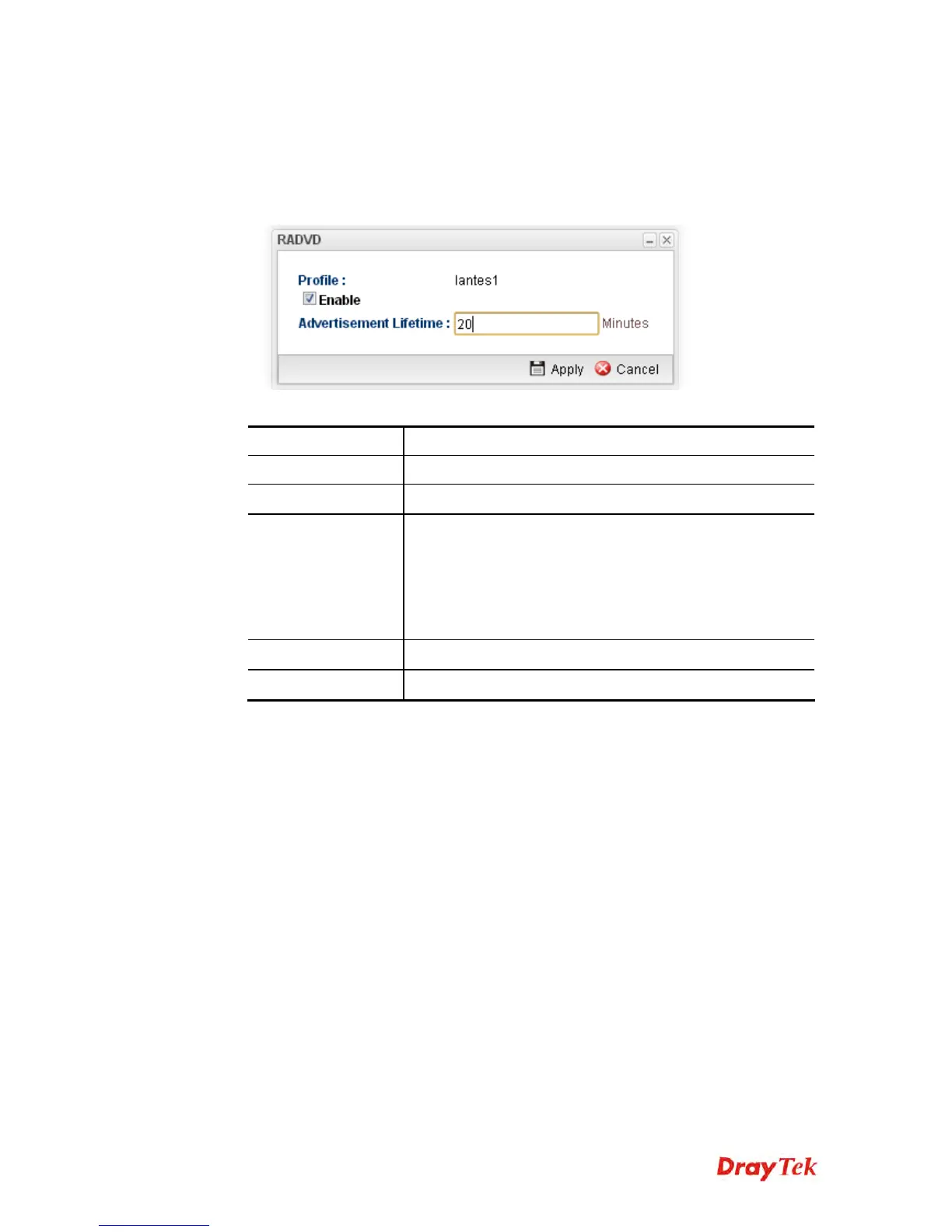
2. Choose one of the LAN profiles by clicking on it and click the Edit button to open the
following dialog.
Available parameters are listed as follows:
Item Description
Profile
Display the name of the LAN profile.
Enable
Check this box to enable this profile.
Advertisement
Lifetime
Type a value for advertisement lifetime.
The lifetime associated with the default router in units of
minutes, ranging from 10 ~ 150. It is used to control the
lifetime of the prefix. A lifetime of 0 indicates that the
router is not a default router and should not appear on the
default router list.
Apply
Click it to save and exit the dialog.
Cancel
Click it to exit the dialog without saving anything.
3. When you finish the above settings, please click Apply to save the configuration and
exit the dialog.
4. The LAN profile has been edited.














 To Next Page