Vigor3900 Series User’s Guide
163
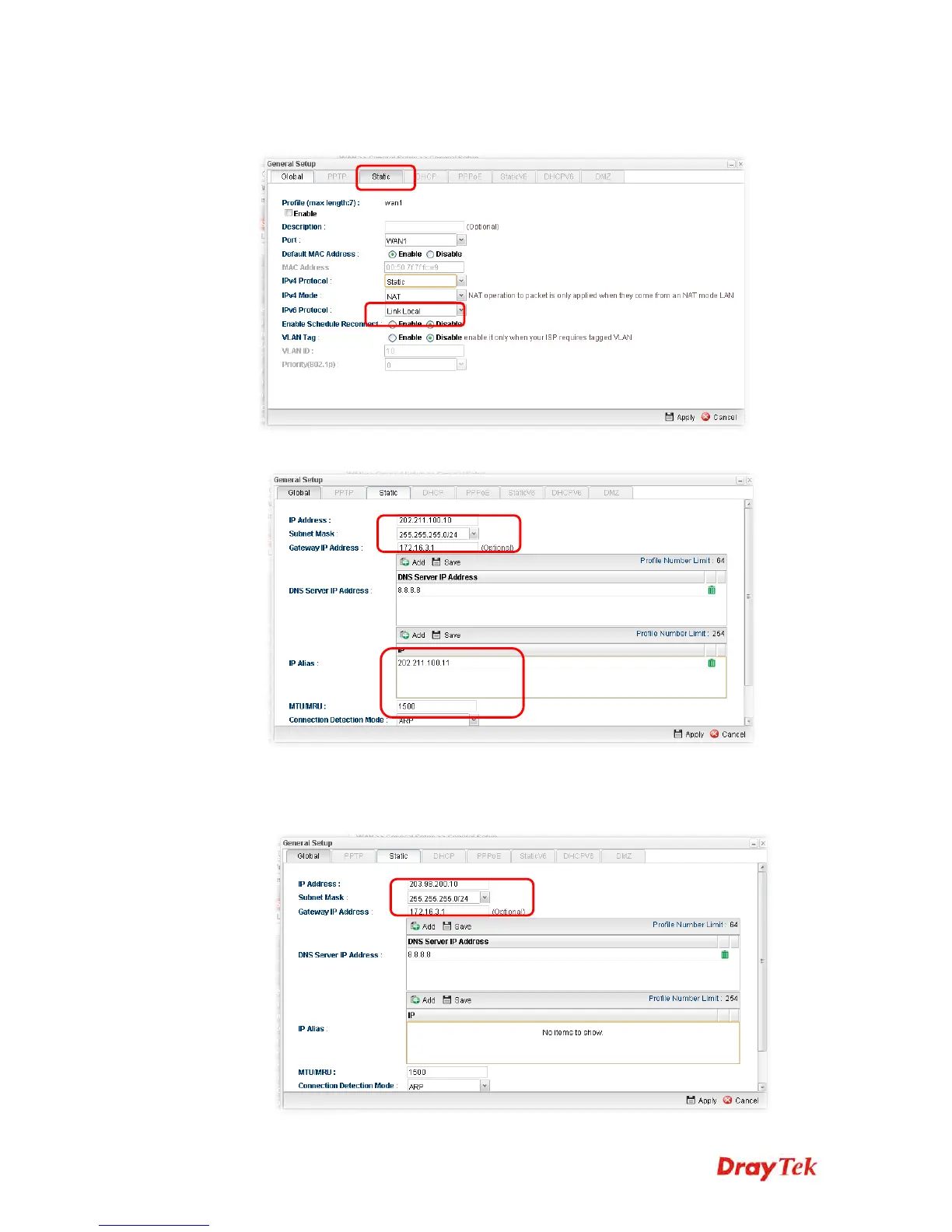
2. Open WAN>>General Setup. For WAN1, choose wan1 item and click Edit. Choose
Static as the IPv4 Protocol.
3. From the following page, set main WAN IP address as 202.211.100.10.
Click Add on IP Alias to configure the other IP address which is 202.211.100.11.
4. After finished configuration for WAN1, continue to configure WAN2. At this time, the
IP switch shall be set as “203.98.200.10”.














 To Next Page