Vigor3900 Series User’s Guide
164
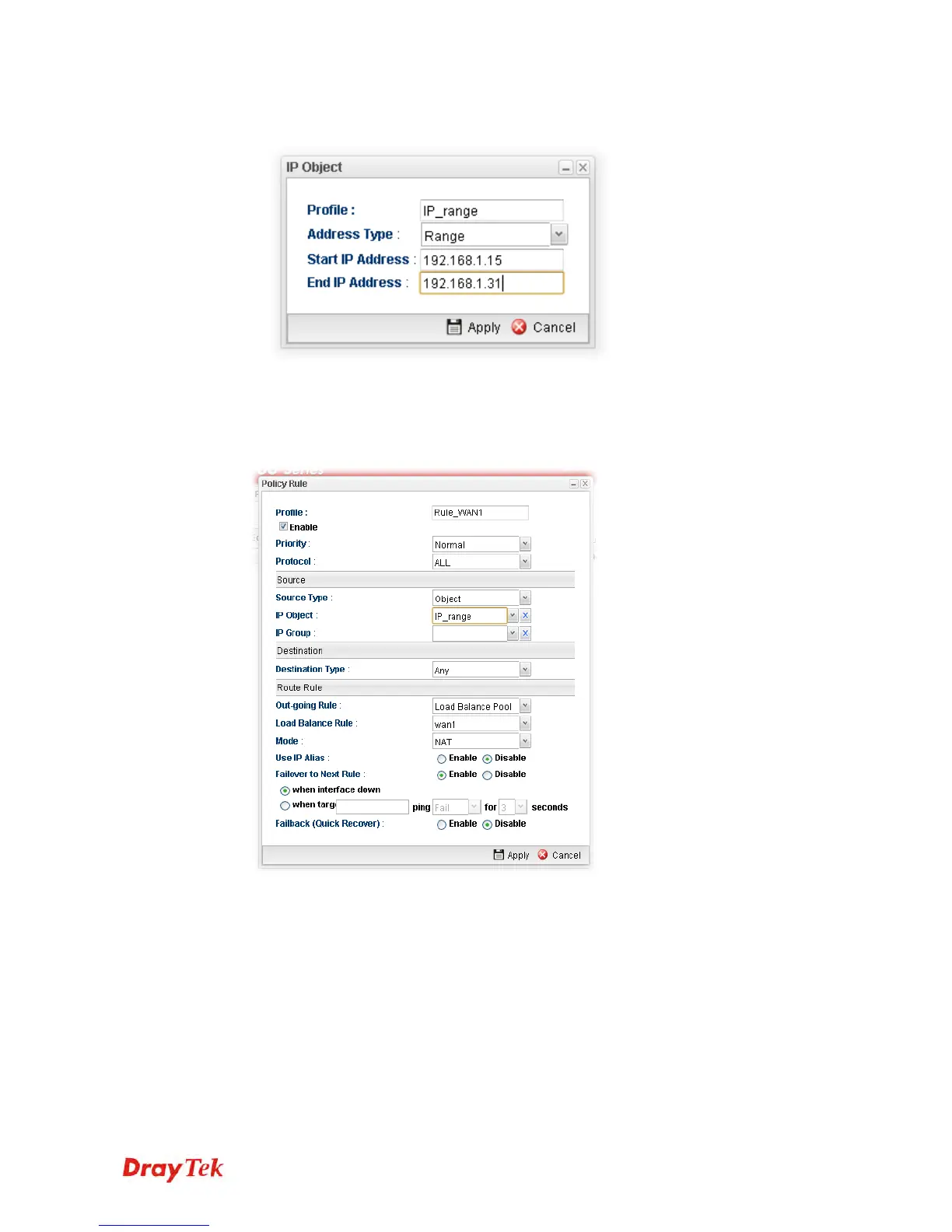
5. Open Objects Setting>>IP Object and click Add to create a new IP object profile.
Type the required information as shown below. Click Apply to save the settings.
6. Open Routing>> Policy Route and click Add to create a new profile.
7. In the following page, check the box of Enable. Choose Object as the Source Type
and choose IP range object profile from the drop down list of IP Object. Click Apply to
save the settings.
And,














 To Next Page