Vigor3900 Series User’s Guide
167
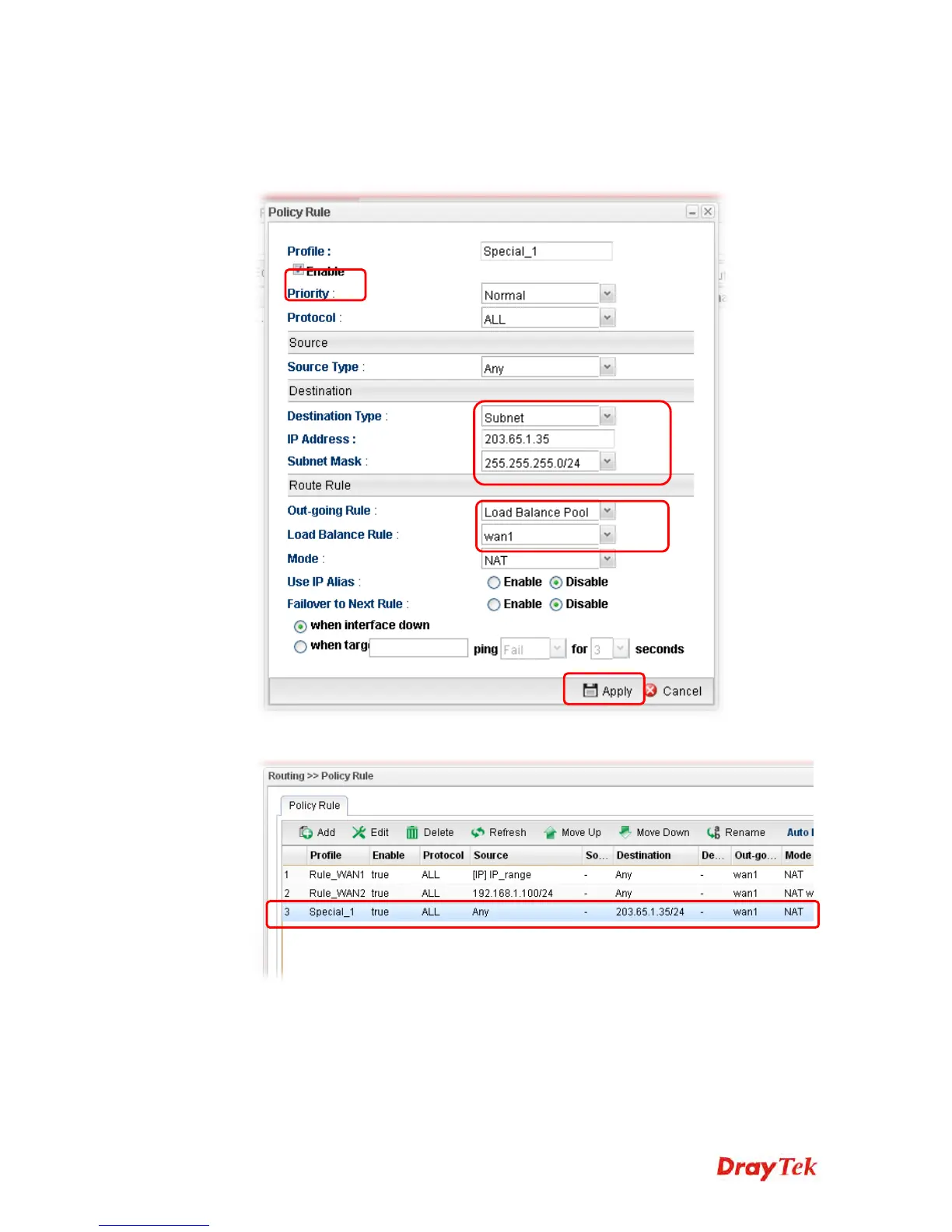
3. In the following page, type a name for such profile; check Enable; choose Subnet as
Destination Type; type 203.65.1.35 as IP address; choose Load Balance Pool as
Out-going Rule; choose WAN1 as the Load Balance Rule; click Disable for Failover
to Next Rule.
4. After finished the above settings, click Apply to save the configuration.
Now, any packets from LAN1 sent to the remote PC (IP address: 203.65.1.35) will be
forcefully to pass through WAN1.














 To Next Page