Vigor3900 Series User’s Guide
169
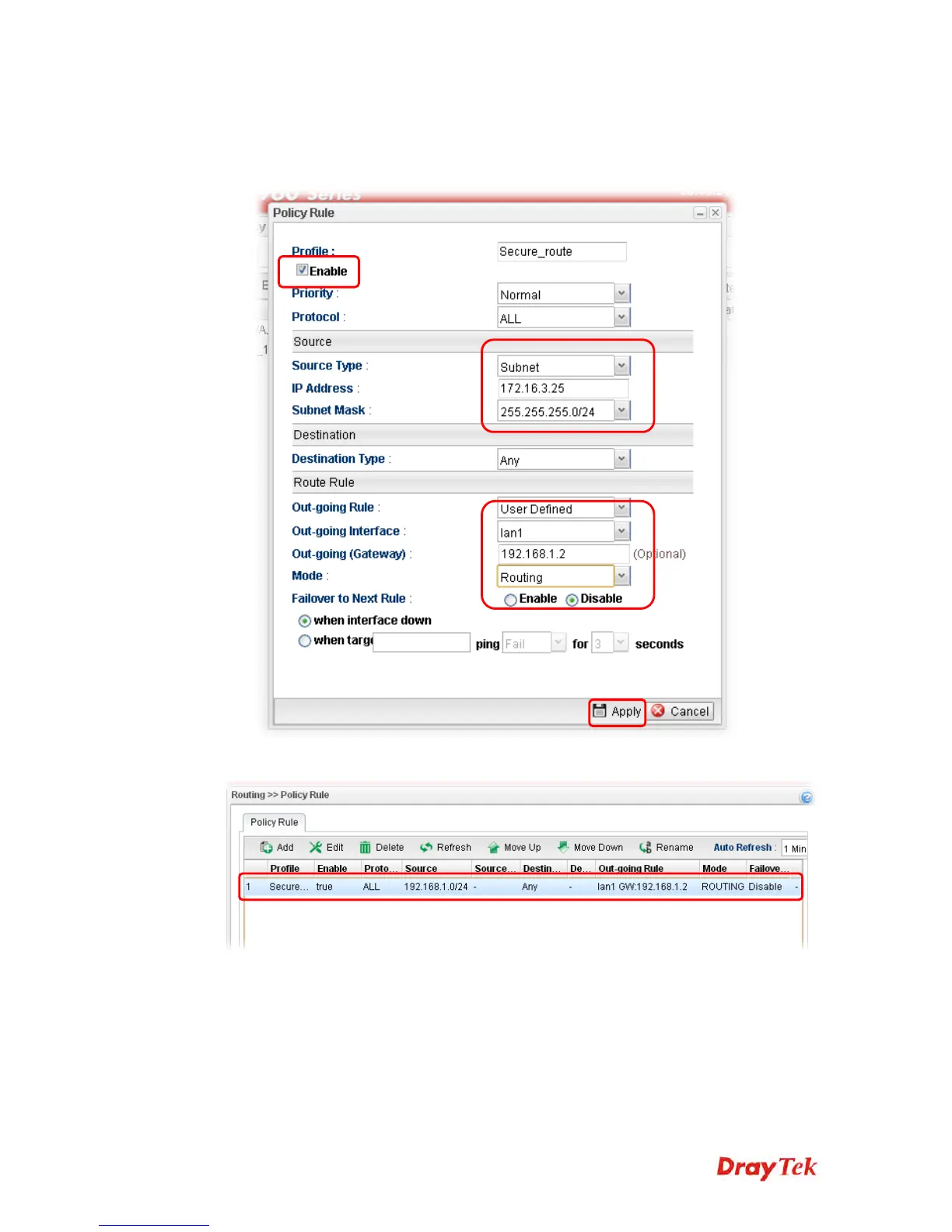
3. In the following page, type a name for such profile (e.g., Secure_route); choose Subnet
as Source Type and type the source IP address with 172.16.3.25; choose User Defined
as Out-going Rule; choose lan1 as the Out-going Interface; type 192.168.1.2 as the
Out-going (Gateway); and click Disable for Failover to Next Rule.
4. After finished the above settings, click Apply to save the configuration.














 To Next Page