Vigor3900 Series User’s Guide
173
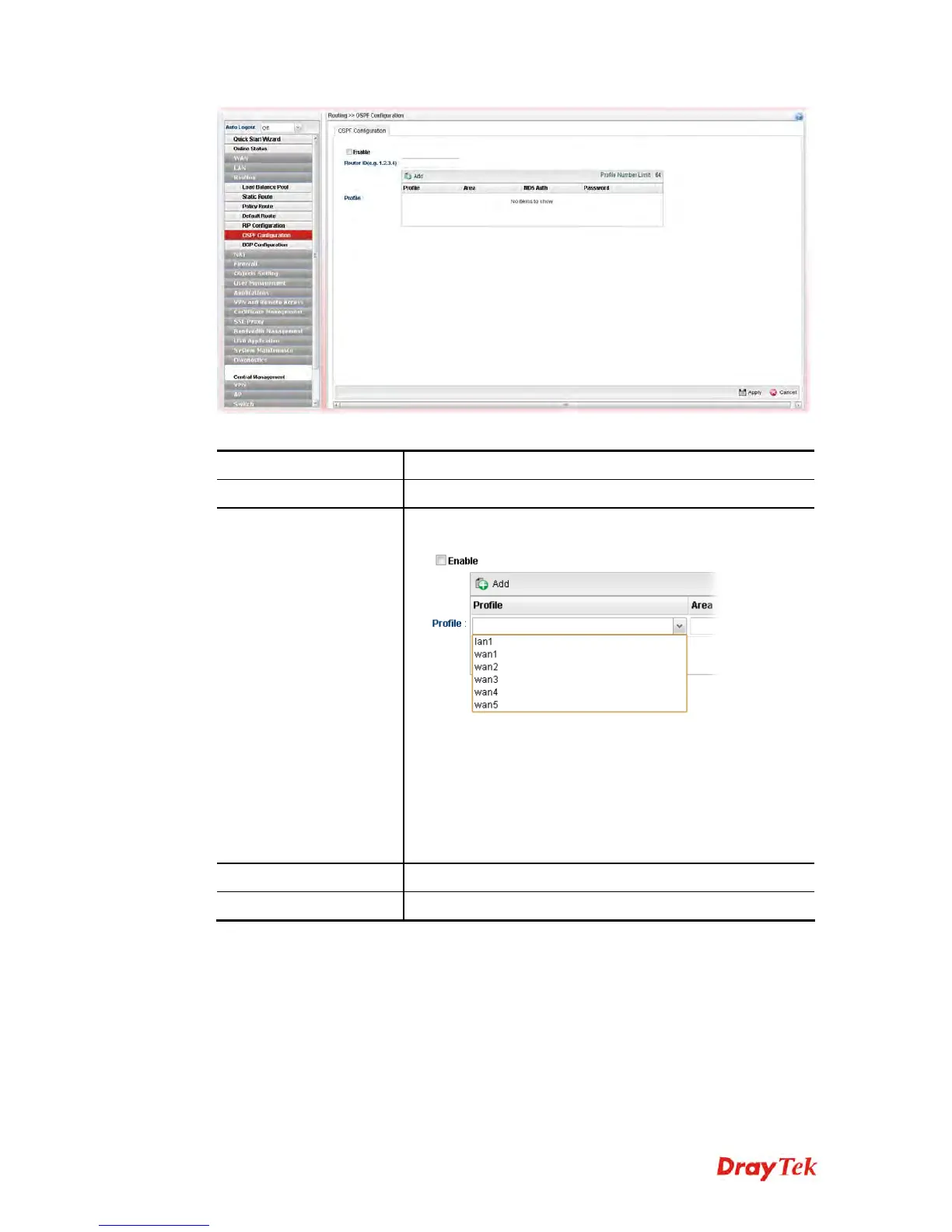
Available parameters are listed as follows:
Item Description
Enable
Check the box to enable the Mirror function for the switch.
Profile
Add- Click it to create a new profile.
Profile - Choose a LAN/WAN profile from the drop down
list to apply for such configuration.
Area – An AS will be divided into several areas. Each area
must be assigned with a dedicated number.
Note: For the detailed information of OSPF application,
refer to section “3.2 How to Configure OSPF?”.
Apply
Click it to save the settings.
Cancel
Click it to discard the settings configured in this page.
H
H
o
o
w
w
t
t
o
o
a
a
d
d
d
d
a
a
n
n
e
e
w
w
p
p
r
r
o
o
f
f
i
i
l
l
e
e
1. Open Routing>>OSPF Configuration.
2. Check Enable.
3. Click the space of Profile. A pop-up dialog will appear. Click Add.














 To Next Page