Vigor3900 Series User’s Guide
270
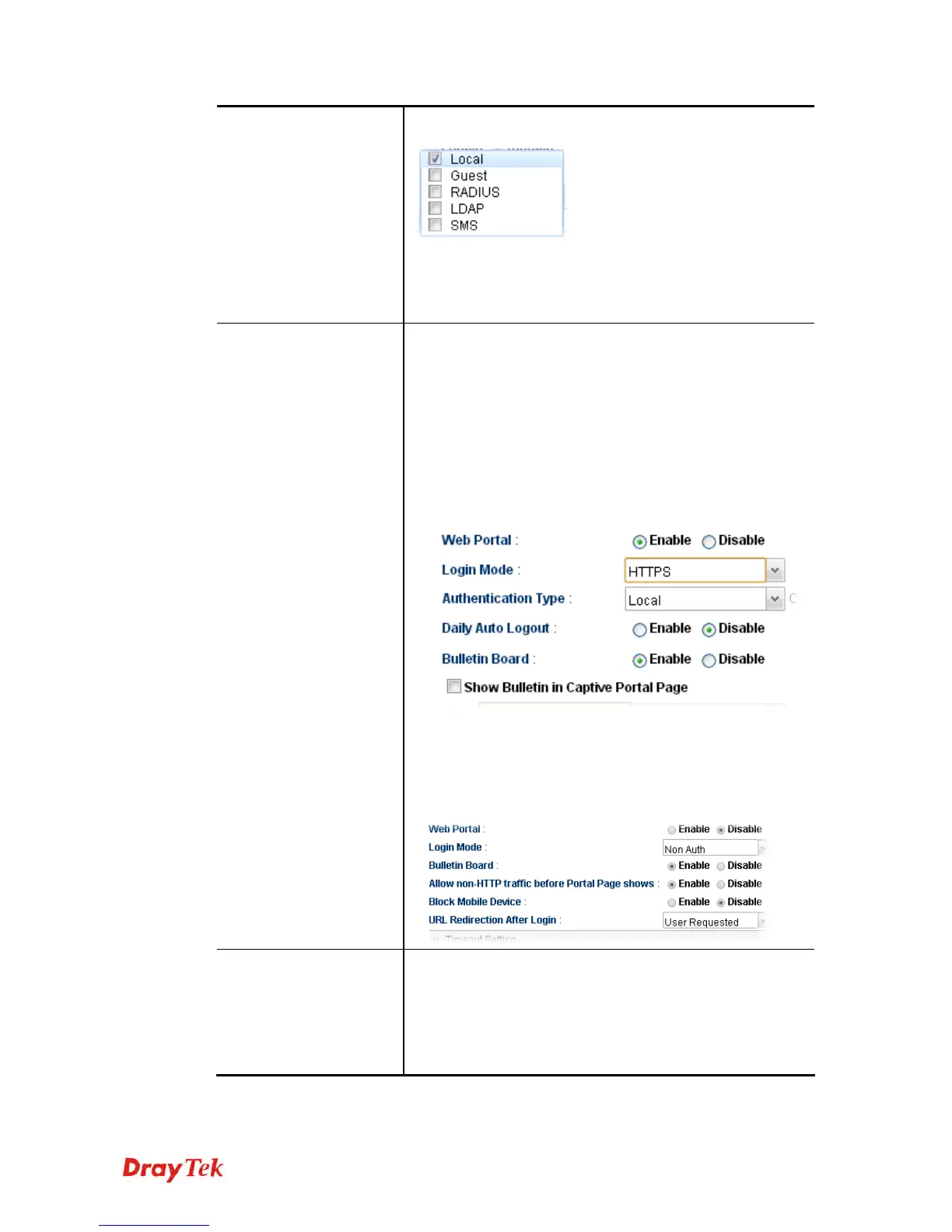
and the others (Local, Guest, RADIUS, LDAP) at the same
time.
LDAP Profiles - It is available when LDAP is selected as
Authentication Type. You have to specify one profile
(defined in User Management>>LDAP/Active Directory)
from the drop down list for LDAP authentication.
Bulletin Board
Disable – The function of Bulletin Board is disabled.
Enable – The function of Bulleting Board is enabled. The
message on the Bulleting Board will be displayed on the
screen when the user logs into the web user interface of
Vigor router.
Show Bulletin in Captive Portal Page – It is available
when Bulletin Board is enabled and HTTP/HTTPS
is selected as Login Mode. It is used to determine
showing bulletin in web portal login page or not.
Allow non-HTTP traffic before Portal Page shows –
It is available when Bulletin Board is enabled and
Non Auth is selected as Login Mode. When it is
enabled, non-HTTP traffic is allowed before the portal
page appears.
Block Mobile Device
Enable – Vigor router will detect and block if there is any
mobile device trying to access into Internet via Vigor router.
Alert Message – If a mobile device is detected, a warning
message (typed in this field) will be displayed on the screen
of mobile device. The default content is “Mobile Device
Detected”.














 To Next Page