Vigor3900 Series User’s Guide
282
E
E
x
x
a
a
m
m
p
p
l
l
e
e
:
:
H
H
o
o
w
w
t
t
o
o
G
G
e
e
n
n
e
e
r
r
a
a
t
t
e
e
M
M
a
a
s
s
s
s
L
L
A
A
N
N
C
C
l
l
i
i
e
e
n
n
t
t
s
s
w
w
i
i
t
t
h
h
U
U
s
s
e
e
r
r
M
M
a
a
n
n
a
a
g
g
e
e
m
m
e
e
n
n
t
t
o
o
n
n
V
V
i
i
g
g
o
o
r
r
2
2
9
9
6
6
0
0
/
/
V
V
i
i
g
g
o
o
r
r
3
3
9
9
0
0
0
0
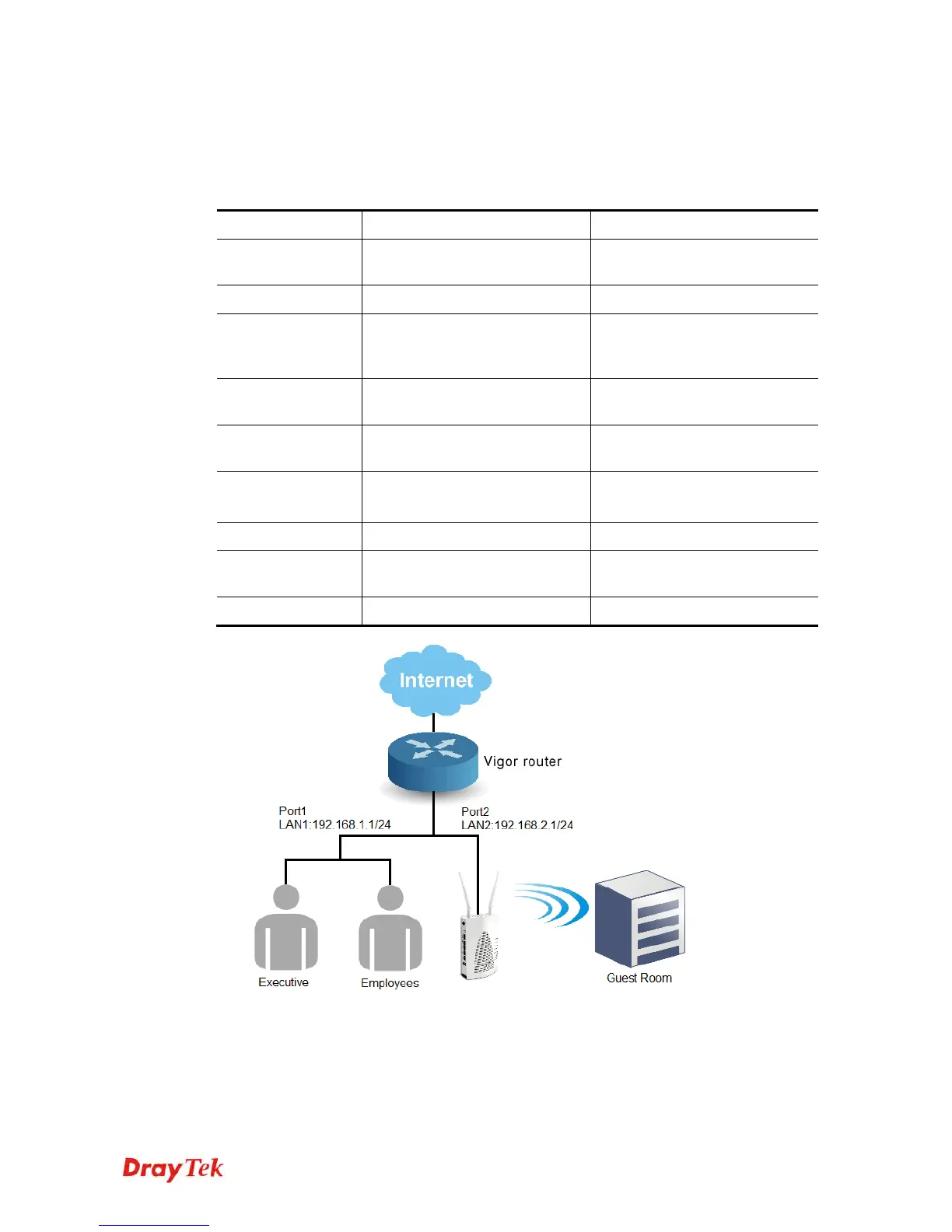
The following table shows the function differences between User Profile and Guest Profile
(created by using Mass Guest Generator):
User Profile Mass User Generator
Number of
Account
Create at most 500 user accounts
at a time
Create at most 255 user accounts
at a time
Account
Manually Auto-generated with regularity
Password
Distinct password created by
Administrator
Randomly generated, and the
length is defined by
Administrator
Max Simultaneous
users per account
1~255 or unlimited (-1) Not support
Privilege
Internet Access, VPN, PPPOE
client…
Internet Access only
Usage Restriction
/Expired Time
Time Quota (1~14400 minutes) Time Quota (1~14400 minutes)
Validity Period (days)
Authentication
YES YES
Max Simultaneous
user
YES NO
Bind IP
YES NO
1. Open User Management >> User Profile, and click Add.
2. Set up user profile as shown below. Type Username; check Enable and
type Password. Then, type Max User Login. Click Apply to save the settings.














 To Next Page