Vigor3900 Series User’s Guide
315
Cancel
Click it to discard the settings configured in this page.
4
4
.
.
8
8
.
.
6
6
.
.
3
3
A
A
c
c
t
t
i
i
v
v
e
e
-
-
S
S
t
t
a
a
n
n
d
d
b
b
y
y
M
M
e
e
c
c
h
h
a
a
n
n
i
i
s
s
m
m
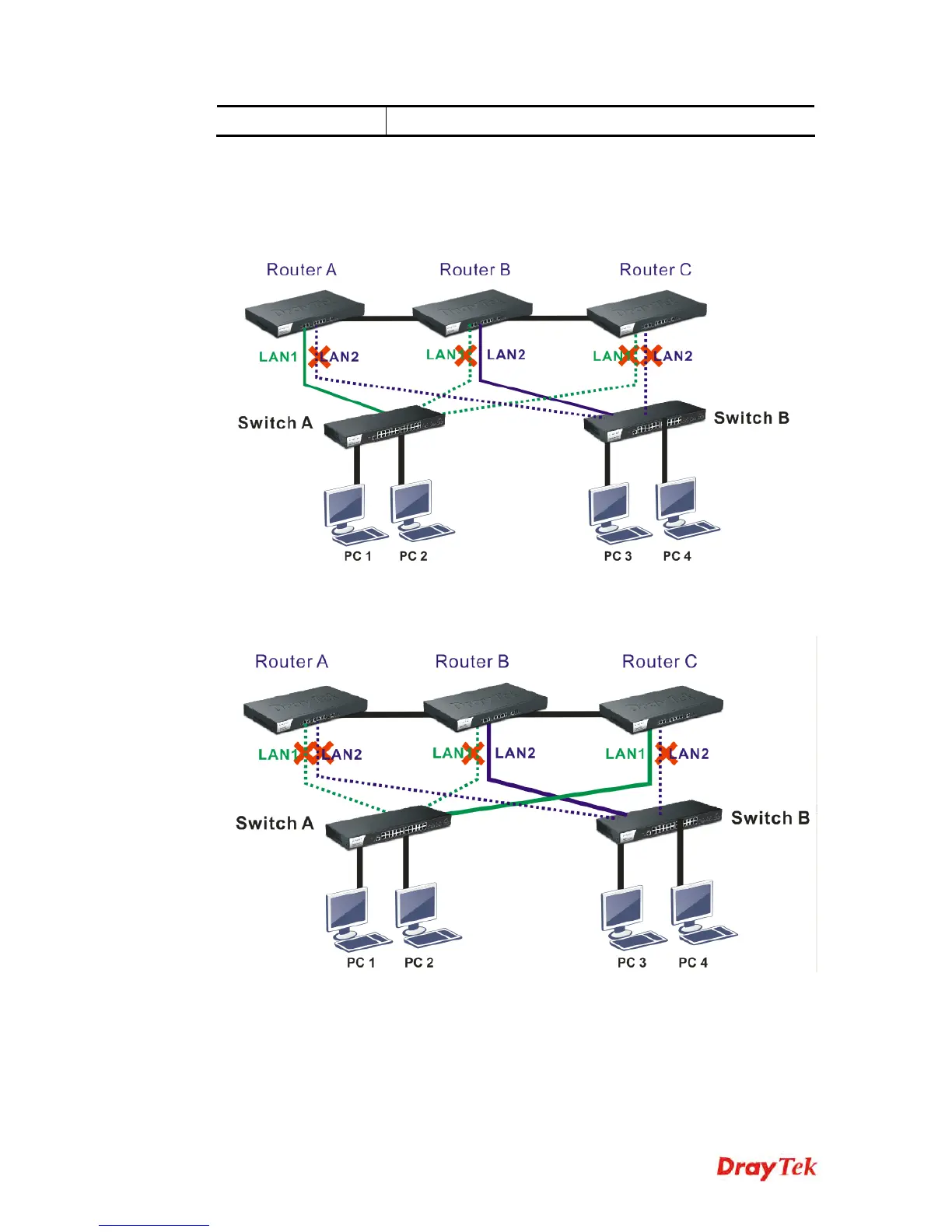
The active-standby Mechanism is that each access point in LAN will participate in different
high availability sessions. All the WAN interfaces can be active which provide more flexible
utilization of network service.
When LAN1 in Router A fails, one of the available line connections (e.g., LAN1 in Router C)
will be selected to offer the network service for all the connected PCs.














 To Next Page