Vigor3900 Series User’s Guide
324
4
4
.
.
8
8
.
.
8
8
.
.
2
2
M
M
a
a
i
i
l
l
A
A
l
l
e
e
r
r
t
t
S
S
e
e
r
r
v
v
i
i
c
c
e
e
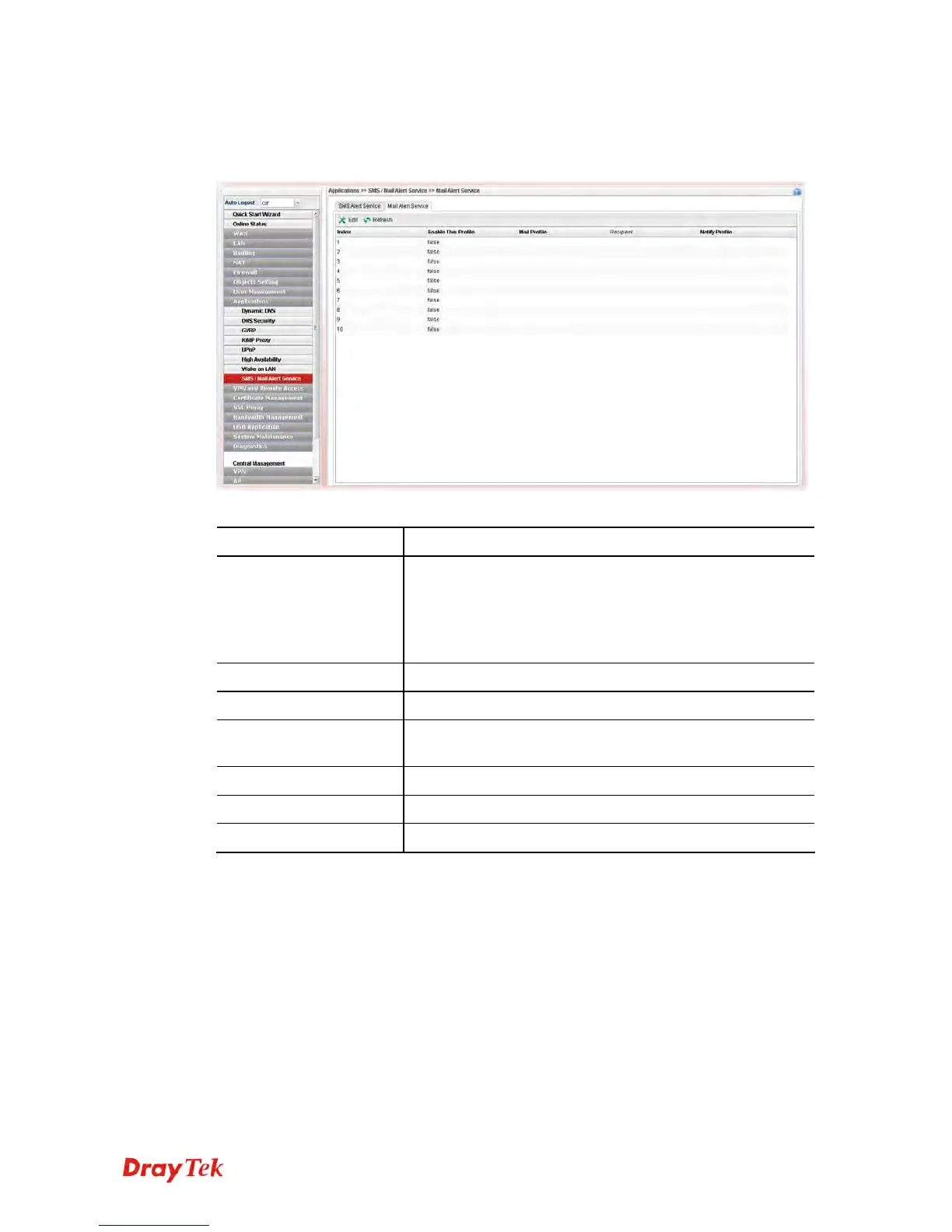
This page allows you to specify Mail Server profile, who will get the notification e-mail,
what the content is and when the message will be sent.
Each item will be explained as follows:
Item Description
Edit
Modify the selected profile.
To edit a profile, simply select the one you want to modify
and click the Edit button. The edit window will appear for
you to modify the corresponding settings for the selected
profile.
Refresh
Renew current web page.
Index
Display the index number (from 1 to 10) of the profile.
Enable This Profile
Display the status of the profile. False means disabled; True
means enabled.
Mail Profile
Display the name of the mail profile.
Recipient
Display the one who will receive the mail alert.
Notify Profile
Display the name of the notify profile.
H
H
o
o
w
w
t
t
o
o
e
e
d
d
i
i
t
t
t
t
h
h
e
e
m
m
a
a
i
i
l
l
a
a
l
l
e
e
r
r
t
t
s
s
e
e
r
r
v
v
i
i
c
c
e
e
p
p
r
r
o
o
f
f
i
i
l
l
e
e
1. Open Applications>> SMS/Mail Alert Service and click the Mail Alert Service tab.
2. Choose one of the index numbers and click the Edit button.
3. The following dialog will appear.














 To Next Page