Vigor3900 Series User’s Guide
327
H
H
o
o
w
w
t
t
o
o
c
c
r
r
e
e
a
a
t
t
e
e
L
L
A
A
N
N
-
-
t
t
o
o
-
-
L
L
A
A
N
N
p
p
r
r
o
o
f
f
i
i
l
l
e
e
f
f
o
o
r
r
V
V
P
P
N
N
c
c
l
l
i
i
e
e
n
n
t
t
(
(
d
d
i
i
a
a
l
l
-
-
o
o
u
u
t
t
)
)
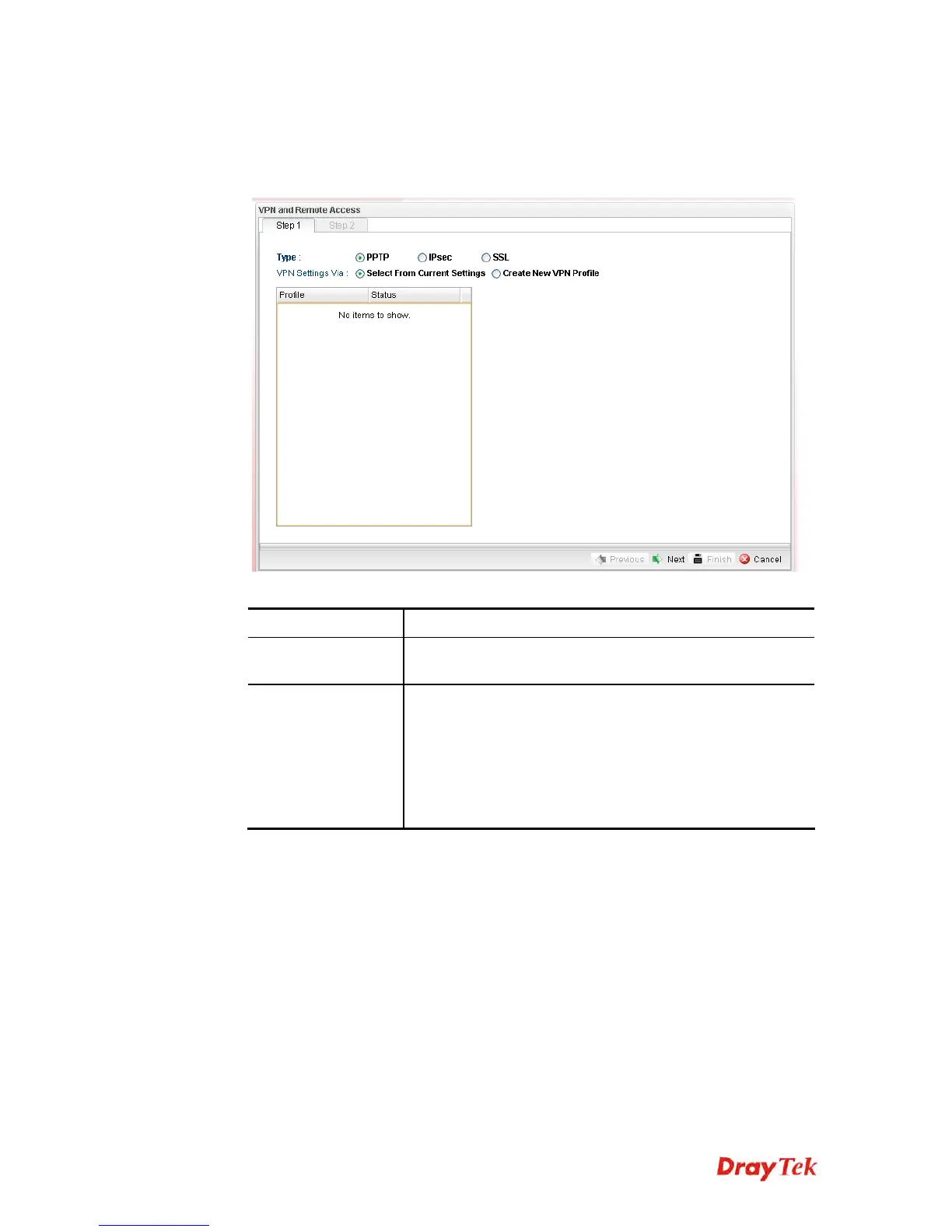
1. Open VPN and Remote Access >> VPN Client Wizard.
2. The following dialog will appear.
Available parameters are listed as follows:
Item Description
Type
Specify which protocol (PPTP/IPsec/SSL) will be used for
such VPN profile.
VPN Settings Via
Select From Current Settings – Current VPN LAN to
LAN profiles will be listed below such setting. Choose the
one you need.
Create New VPN Profile – It allows you to create a new
VPN LAN to LAN profile. Simply type the name in the
field of Profile Name. The field of Profile Name is
available only when you click this setting.














 To Next Page