Vigor3900 Series User’s Guide
328
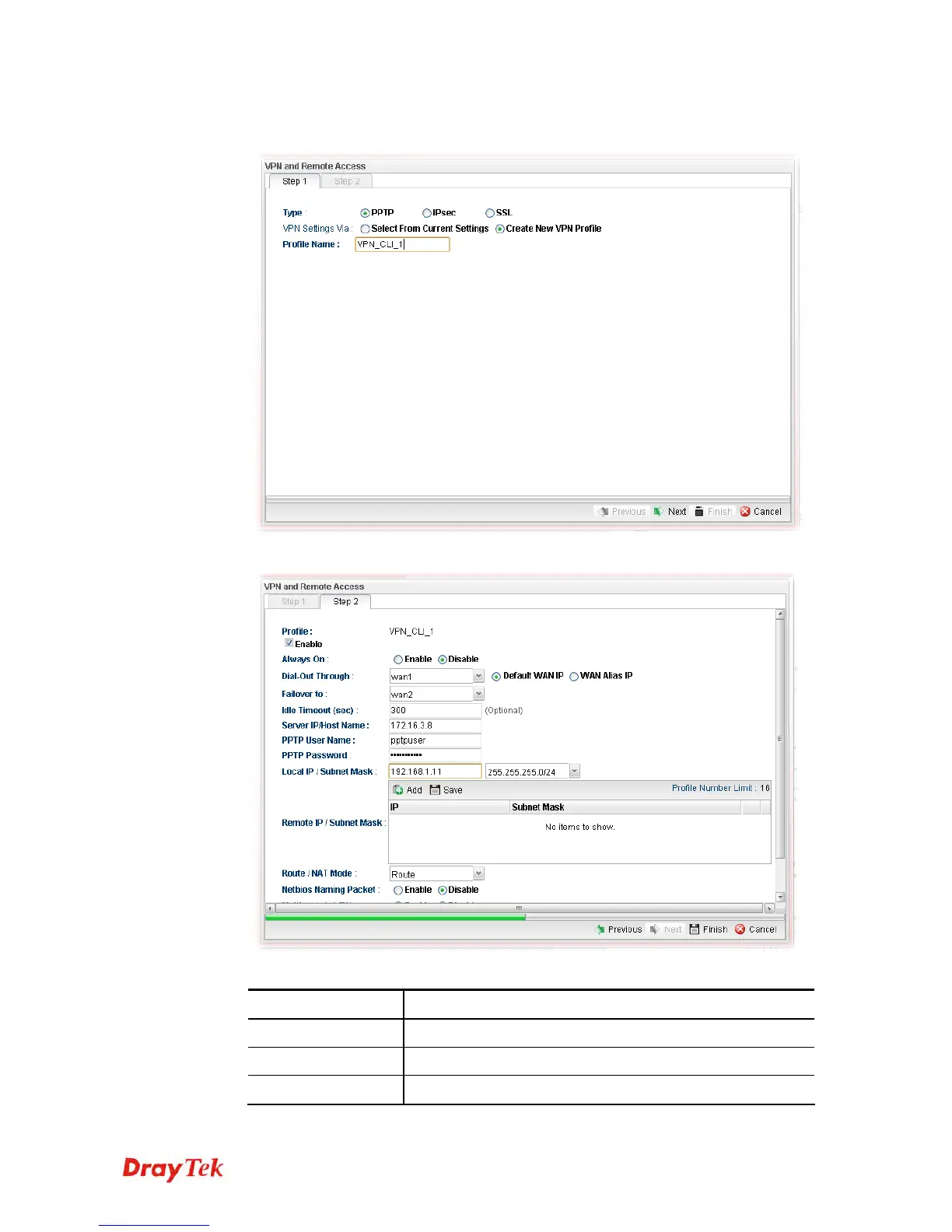
3. Specify the type. Click Create New VPN Profile and type the name of the profile.
Then, click Next.
4. If you choose PPTP as the Type, you will get the following screen:
Available parameters are listed as follows:
Item Description
Profile
Display the name of the VPN profile.
Enable This Profile
Check this box to enable such profile.
Always On
Click Enable to make the profile being always on.














 To Next Page