Vigor3900 Series User’s Guide
392
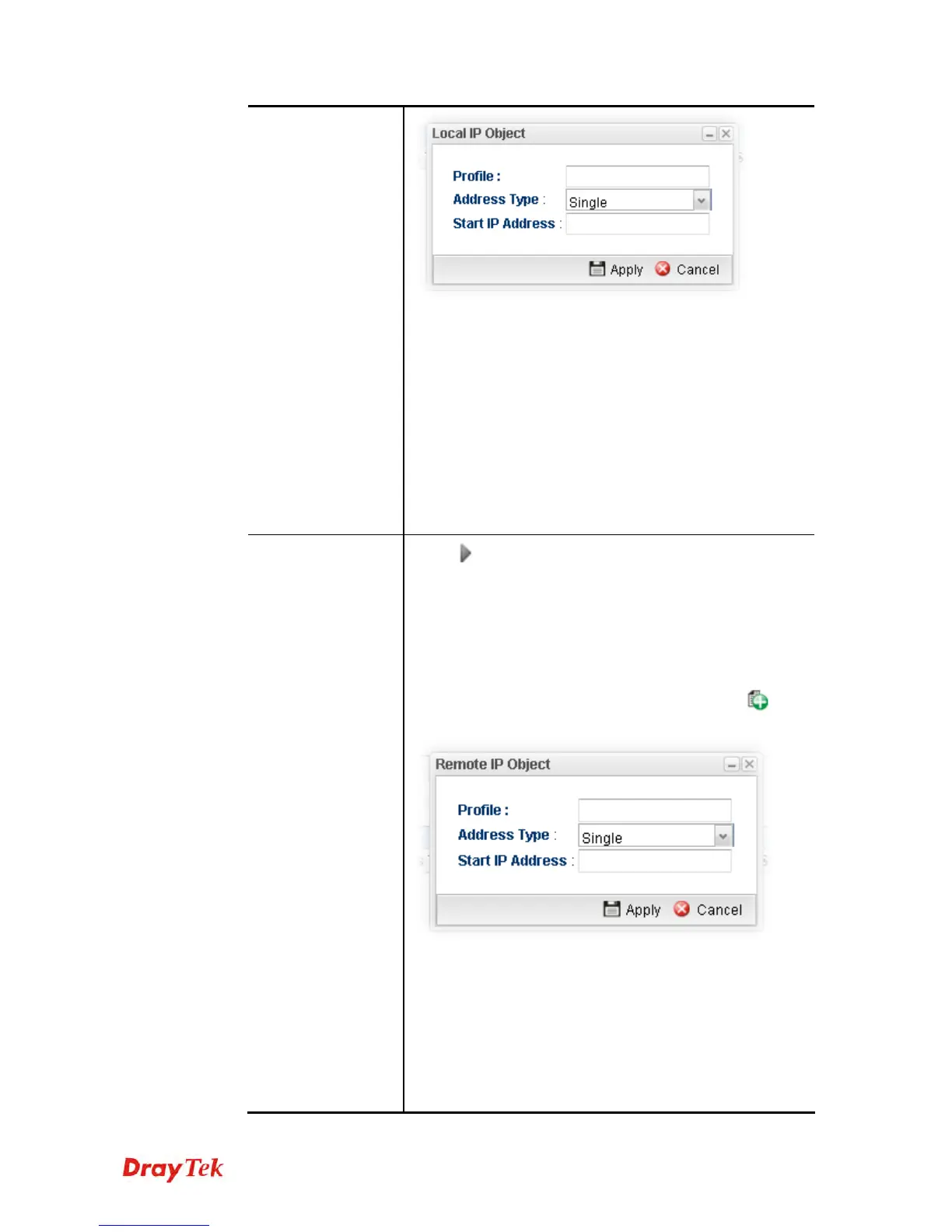
Profile – type a new name for such IP object.
Address Type –Choose the address type (Single or
Range) for such rule. Each type will bring different
settings for configuration.
Start IP Address - Type the IP address of the starting
point for such profile.
End IP Address - Type the IP address of the ending
point for such profile if you choose Range as Address
Type.
Subnet Mask – Choose the subnet mask from the drop
down list if you choose Subnet as Address Type.
Remote Address
Click
on the left side of the Remote IP Object/ Remote
IP Group profile. Check the object profile(s) as the
destination target.
Remote IP Object – Use the drop down list to choose one
of the destination IP objects for such rule profile.
Remote IP Group – Use the drop down list to choose one
of the destination IP group for such rule profile.
If you want to create a new IP object, simply click
to
open the following dialog.
Profile – Type a new name for such IP object.
Address Type – Choose the address type (Single or
Range) for such rule. Each type will bring different
settings for configuration.
Start IP Address - Type the IP address of the starting
point for such profile.
End IP Address - Type the IP address of the ending
point for such profile if you choose Range as Address














 To Next Page